Quick start
This walkthrough builds a checkout through to its receipt. Step 2 is a complete lib/main.dart you can run. From step 3, the snippets are fragments for your own screen. Names such as host, serverQuote and previousQuote stand for data and adapters you supply, including backend, authorization, clipboard and sharing operations.
For selected controls in a branded app, start with the existing-app guide.
1. Add the dependency
Section titled “1. Add the dependency”dependencies:flutter: sdk: flutterflutter_localizations: sdk: flutterrakit_ui: ^0.9.0Run flutter pub get. Installation also covers local development and the SDK requirements.
2. Localization and theme
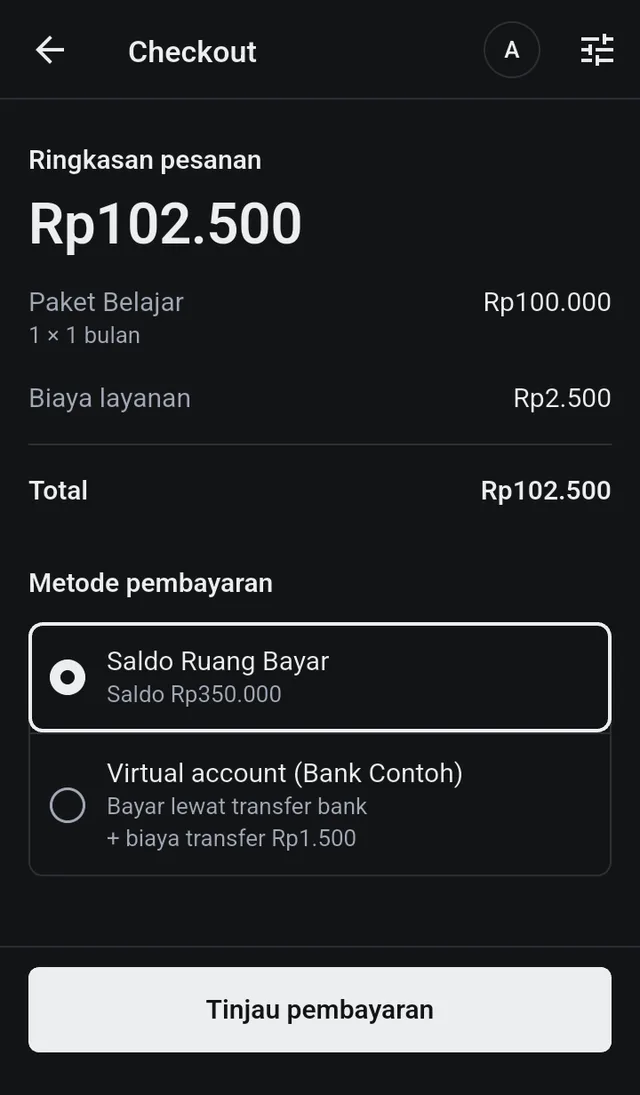
Section titled “2. Localization and theme”Register PaymentLocalizations.delegate next to Flutter’s own delegates. The kit ships English (en) and Indonesian (id). Without a PaymentTheme extension the kit derives every token from your ColorScheme; add one to set your brand.
This file runs on its own. CheckoutPage shows a synthetic quote and method list; the next steps replace that data with your backend’s.
import 'package:flutter/material.dart';import 'package:flutter_localizations/flutter_localizations.dart';import 'package:rakit_ui/rakit_ui.dart';
void main() => runApp(const ShopApp());
class ShopApp extends StatelessWidget {  const ShopApp({super.key});
  @override  Widget build(BuildContext context) {    final scheme = ColorScheme.fromSeed(seedColor: const Color(0xFF1A1F36));    return MaterialApp(      localizationsDelegates: const [        PaymentLocalizations.delegate,        GlobalMaterialLocalizations.delegate,        GlobalWidgetsLocalizations.delegate,        GlobalCupertinoLocalizations.delegate,      ],      supportedLocales: const [Locale('id'), Locale('en')],      theme: ThemeData(        colorScheme: scheme,        // Optional. Without it the kit derives its tokens from the scheme.        extensions: [PaymentTheme.fromColorScheme(scheme).copyWith(radius: 8)],      ),      home: const CheckoutPage(),    );  }}
class CheckoutPage extends StatefulWidget {  const CheckoutPage({super.key});
  @override  State<CheckoutPage> createState() => _CheckoutPageState();}
class _CheckoutPageState extends State<CheckoutPage> {  // Synthetic data for a first run. Step 3 maps your backend's quote.  final quote = PaymentQuote(    id: 'q-1',    revision: 1,    lines: const [      QuoteLine(label: 'Paket Belajar', amount: Money.idr(100000)),    ],    total: const Money.idr(100000),    expiresAt: DateTime.now().add(const Duration(minutes: 15)),  );  static const methods = [    PaymentMethod(      id: 'balance',      label: 'Balance',      kind: PaymentMethodKind.balance,    ),  ];  String? selectedId = 'balance';
  @override  Widget build(BuildContext context) => Scaffold(    appBar: AppBar(title: const Text('Checkout')),    body: ListView(      padding: const EdgeInsets.all(16),      children: [        PaymentSummary(quote: quote),        const SizedBox(height: 24),        PaymentMethodPicker(          methods: methods,          selectedId: selectedId,          onChanged: (method) => setState(() => selectedId = method.id),        ),      ],    ),    bottomNavigationBar: PaymentActionBar(      total: quote.total,      action: PaymentButton(label: 'Review payment', onPressed: () {}),    ),  );}
Theming lists every token; Localization covers formats and fallbacks.
3. Render the summary and the method picker
Section titled “3. Render the summary and the method picker”From here the snippets are fragments for your own screen. Map your backend’s quote and payment methods into the kit’s models. The kit renders total as given and never recomputes it.
final quote = PaymentQuote(  id: 'q-118',  revision: 1,  lines: const [    QuoteLine(      label: 'Paket Belajar',      detail: '1 × 1 month',      amount: Money.idr(100000),    ),    QuoteLine(      label: 'Service fee',      amount: Money.idr(2500),      kind: QuoteLineKind.fee,    ),  ],  total: const Money.idr(102500),  expiresAt: serverQuote.expiresAt, // from your backend);
const methods = [  PaymentMethod(    id: 'balance',    label: 'Ruang Bayar balance',    kind: PaymentMethodKind.balance,    detail: 'Balance Rp350,000',  ),  PaymentMethod(    id: 'va',    label: 'Virtual account (Bank Contoh)',    kind: PaymentMethodKind.virtualAccount,    detail: 'Pay by bank transfer',    feeNote: '+ Rp1,500 transfer fee',  ),];
Lay out the page with the total and the main action pinned at the bottom:
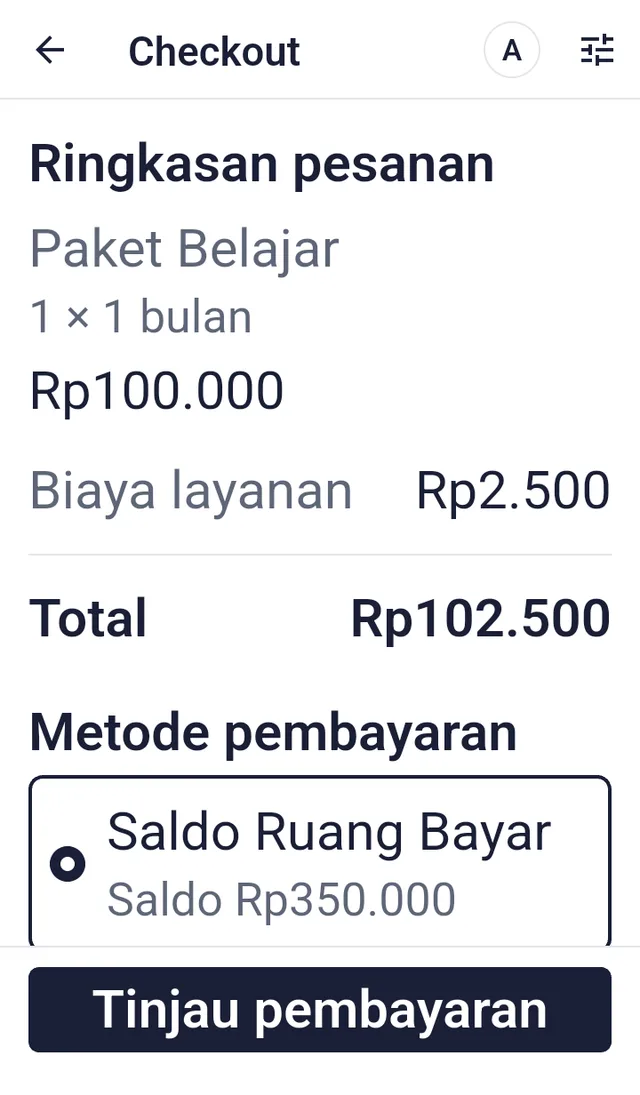
Scaffold( body: ListView( padding: const EdgeInsets.all(16), children: [ PaymentSummary(quote: quote, previousQuote: previousQuote), const SizedBox(height: 24), PaymentMethodPicker( methods: methods, selectedId: selectedId, // A method change can change the price: ask your backend for a new // quote and keep the old one as previousQuote. onChanged: (method) => requote(method.id), ), ], ), bottomNavigationBar: PaymentActionBar( total: quote.total, updating: requoting, // shows "Updating total…" and you disable the action action: PaymentButton( label: 'Review payment', onPressed: requoting ? null : openReview, ), ),);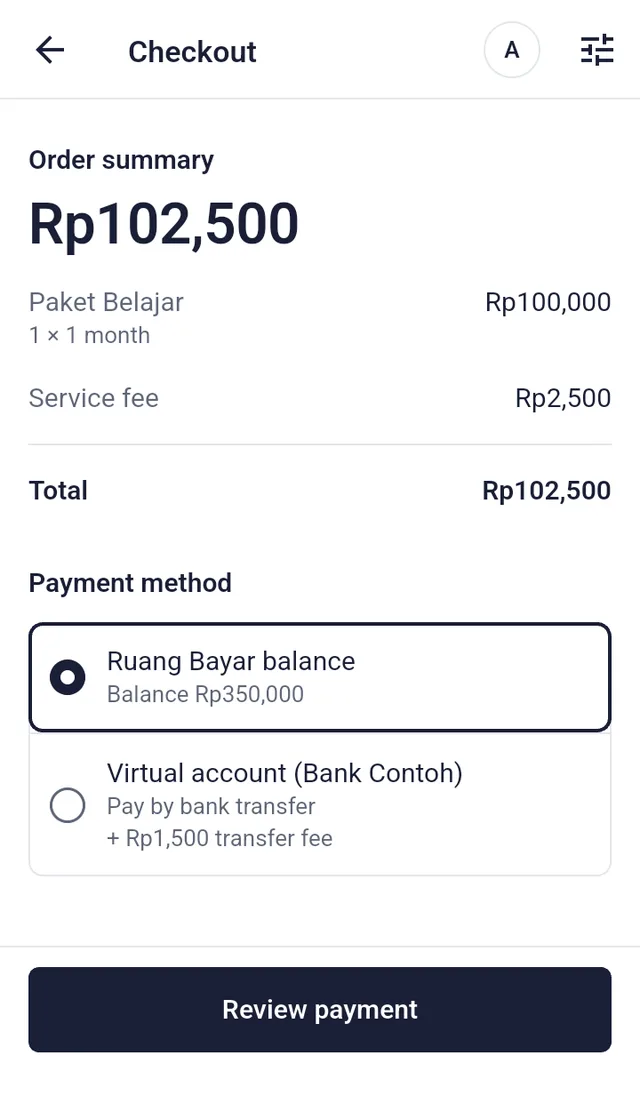
4. Confirm
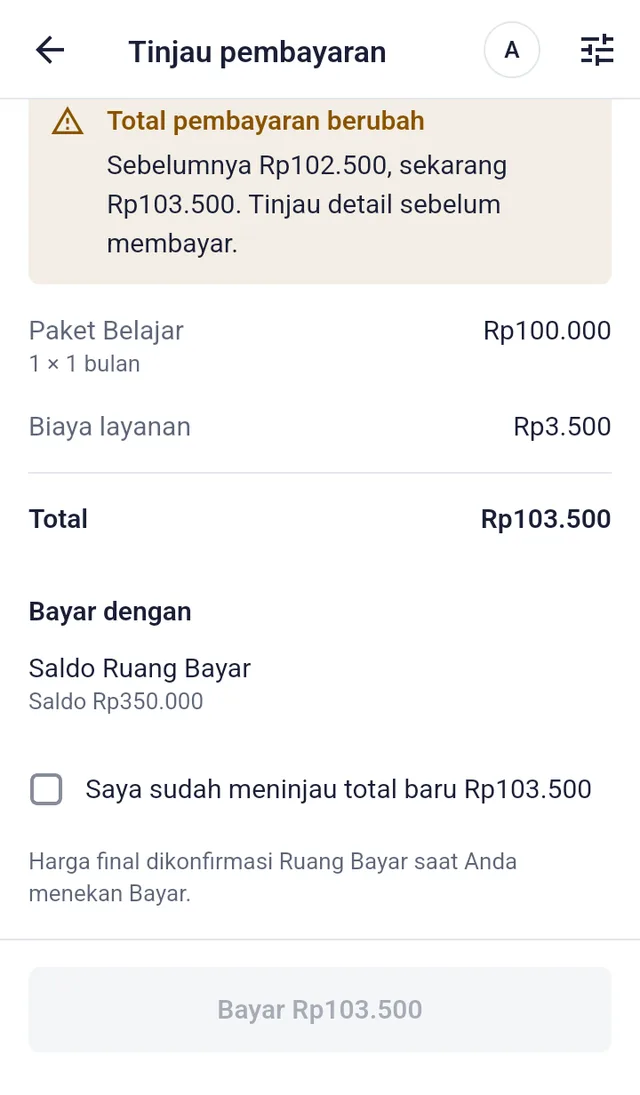
Section titled “4. Confirm”PaymentConfirmation is the review step. After a re-quote, pass the old quote as previousQuote: the customer must accept the new total before onConfirm becomes reachable.
PaymentConfirmation( quote: quote, method: selectedMethod, previousQuote: previousQuote, onConfirm: () async { // Ask your backend whether this quote revision is still valid before // authorizing. If it changed, show the new quote instead. await host.revalidateQuote(quote.id, quote.revision); setState(() => step = CheckoutStep.authorize); },);onConfirm returns a Future; the button stays locked while it runs, so a double tap sends one callback.
5. Hand authorization to the host
Section titled “5. Hand authorization to the host”PIN, OTP and biometrics belong to your auth SDK. AuthorizationPrompt shows the challenge state and never receives the secret.
AuthorizationPrompt( phase: authPhase, // ready, inProgress, approved, canceled, failed, expired methodLabel: selectedMethod.label, onStart: () async { setState(() => authPhase = AuthorizationPhase.inProgress); final result = await host.authorize(quote.id); // your PIN/OTP/biometric flow setState(() => authPhase = result); if (result == AuthorizationPhase.approved) await submit(); }, onBackToReview: () => setState(() => step = CheckoutStep.review),);A canceled or failed challenge returns to review with the same quote. It is never shown as a payment.
6. Create one attempt and reconcile snapshots
Section titled “6. Create one attempt and reconcile snapshots”A PaymentAttempt is your local record of one payment. Create it once per legitimate attempt. Its attemptId is your idempotency key and stays the same for every retry and status check of that attempt.
import 'dart:async';
late PaymentAttempt attempt;
Future<void> submit() async {  attempt = PaymentAttempt(    attemptId: host.newAttemptId(), // persist it: you need it after a restart    quoteId: quote.id,    quoteRevision: quote.revision,    methodId: selectedMethod.id,    submission: SubmissionState.sending,  );  setState(() {});  try {    final snapshot = await host.submitPayment(attempt.attemptId);    setState(() => attempt = attempt.reconcile(snapshot).attempt);  } on TimeoutException {    // The server may have charged. Keep the attempt and say so.    setState(() {      attempt = attempt.copyWith(submission: SubmissionState.outcomeUnknown);    });  }}
Your adapter turns each backend response into a PaymentStatusSnapshot. Reject anything you cannot trust instead of guessing:
PaymentStatusSnapshot? parseStatus(Map<String, Object?> json) { final status = PaymentStatus.tryParse(json['status'] as String?); if (status == null) return null; // unknown value: reject, never invent a result return PaymentStatusSnapshot( attemptId: json['attempt_id']! as String, serverReference: json['reference']! as String, status: status, revision: json['revision']! as int, // monotonic, orders snapshots updatedAt: DateTime.parse(json['updated_at']! as String), allowedActions: { for (final action in PaymentAction.values) if ((json['actions'] as List? ?? const []).contains(action.name)) action, }, safeReason: json['safe_reason'] as String?, );}Every status response then goes through reconcile:
final result = attempt.reconcile(snapshot);if (!result.applied) { // wrongAttempt, referenceMismatch, stale or successDowngrade. debugPrint('ignored snapshot: ${result.rejection}');}setState(() => attempt = result.attempt);Payment attempt and status explains each rule.
7. Render the status
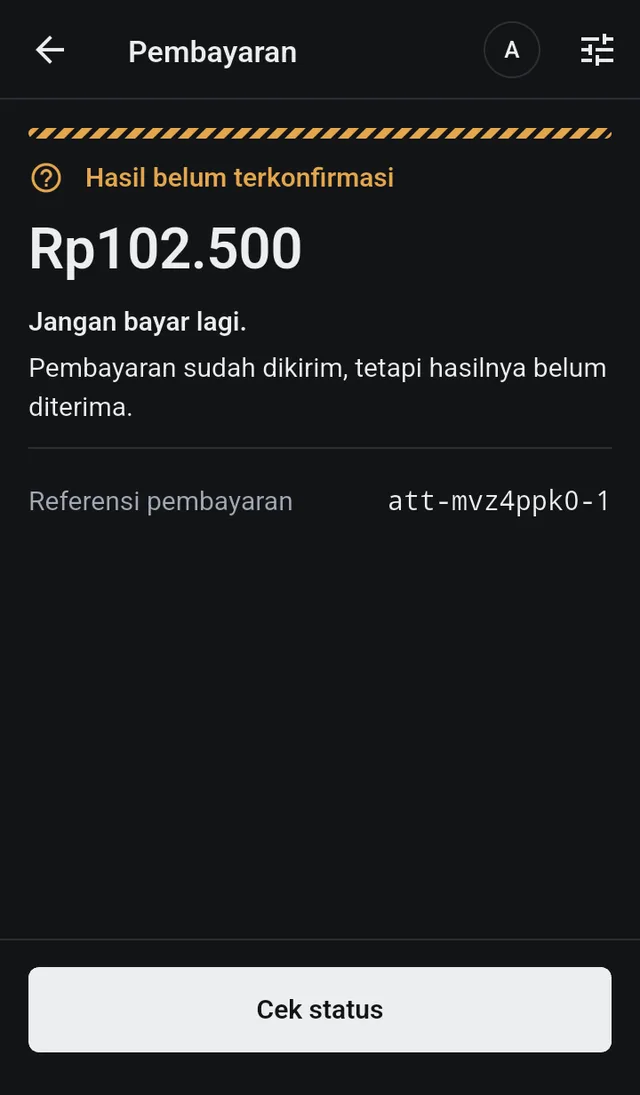
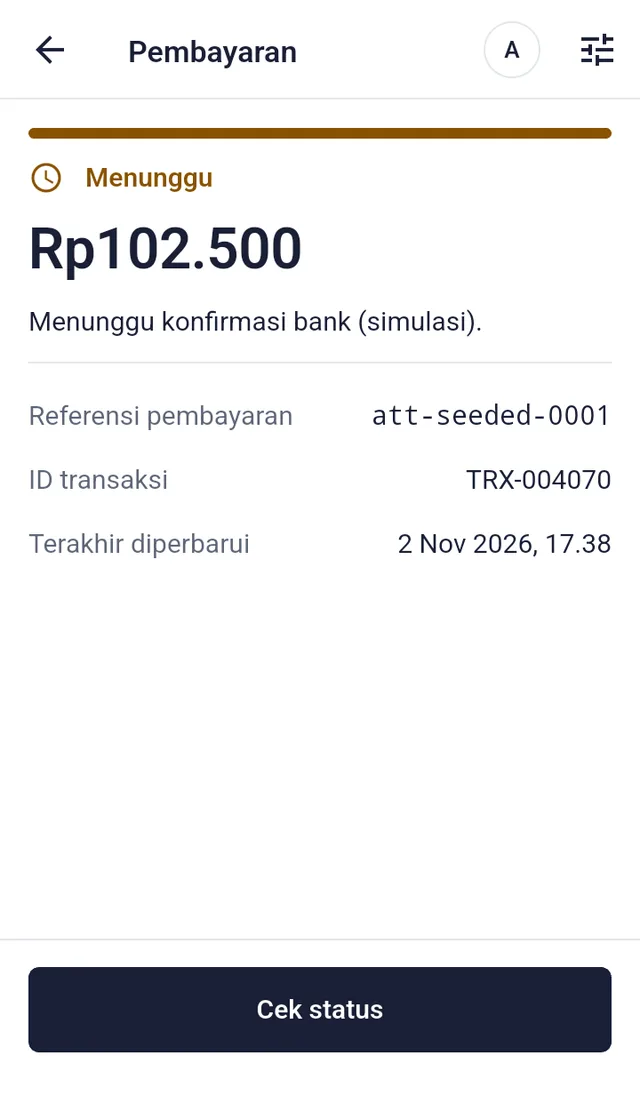
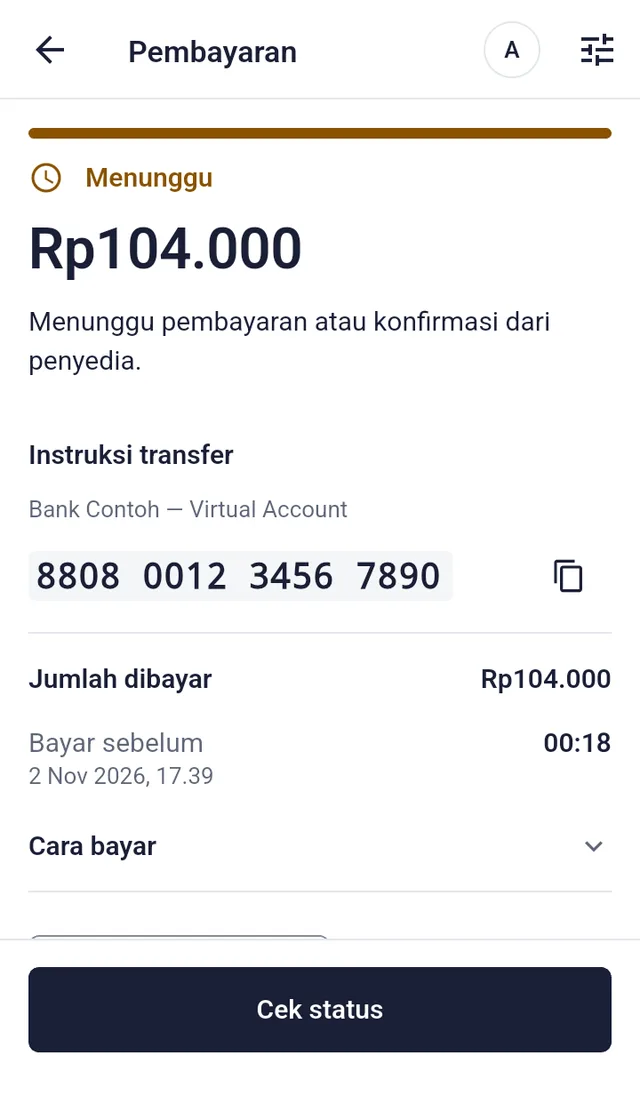
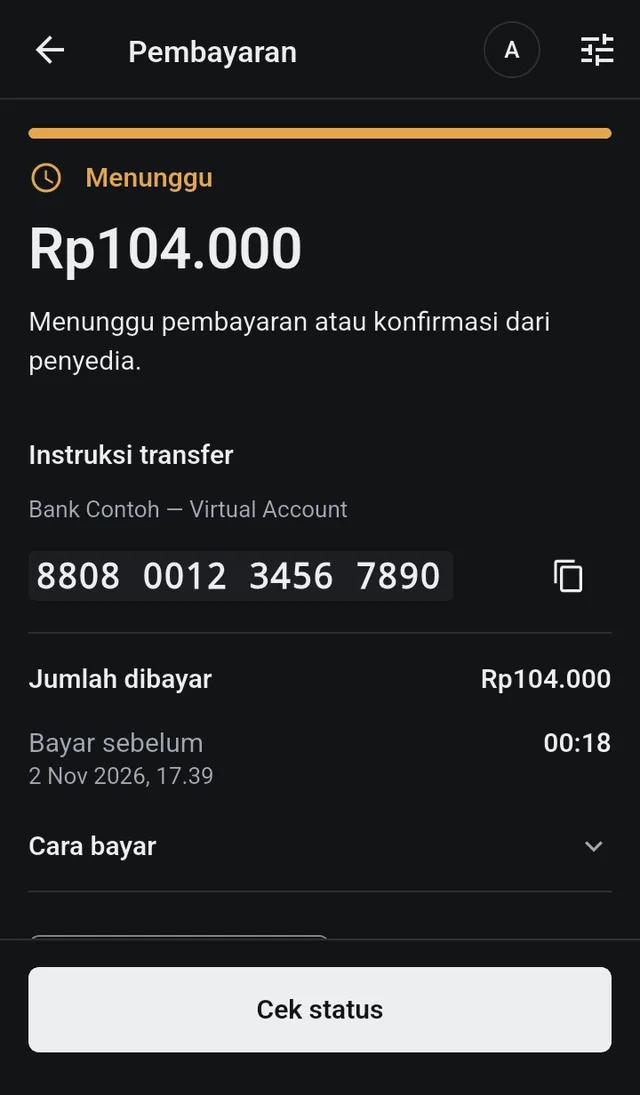
Section titled “7. Render the status”PaymentStatusView offers only attempt.availableActions. While the outcome is unknown that is checkStatus alone. Manual payment instructions, such as a virtual account, go in the instructions slot; the view hides them while the outcome is unknown, because an account to pay into must not appear then.
final va = attempt.snapshot?.instructions;
PaymentStatusView(  attempt: attempt,  amount: quote.total,  busyAction: refreshing ? PaymentAction.checkStatus : null,  instructions: va == null      ? null      : PaymentInstructions(          instructions: va,          clock: host.clock, // the host's clock, not the device's          onCopyNumber: copyToClipboard,          onElapsed: refreshStatus, // zero on the countdown is not "unpaid"        ),  onAction: (action) => switch (action) {    PaymentAction.checkStatus => refreshStatus(),    PaymentAction.viewReceipt => openReceipt(),    _ => host.handle(attempt.attemptId, action),  },);
Checking status is host work. Refresh with the same attempt reference, never stack refreshes, and keep the last-known state when a refresh fails:
bool refreshing = false;
Future<void> refreshStatus() async {  if (refreshing) return;  setState(() {    refreshing = true;    attempt = attempt.copyWith(observation: Observation.refreshing);  });  try {    final snapshot = await host.fetchStatus(attempt.attemptId);    final next = attempt.reconcile(snapshot).attempt;    attempt = next.copyWith(      observation: Observation.fresh,      lastCheckedAt: host.clock(),    );  } catch (_) {    // Offline is not "failed": keep the last snapshot, mark it unavailable.    attempt = attempt.copyWith(observation: Observation.unavailable);  } finally {    setState(() => refreshing = false);  }}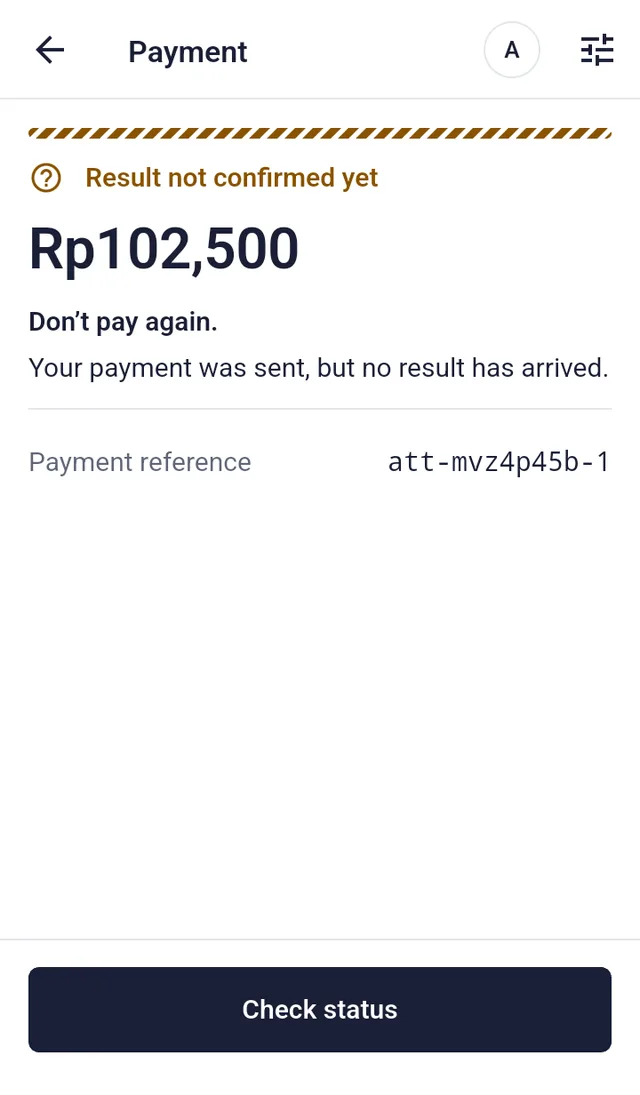
8. Show the receipt
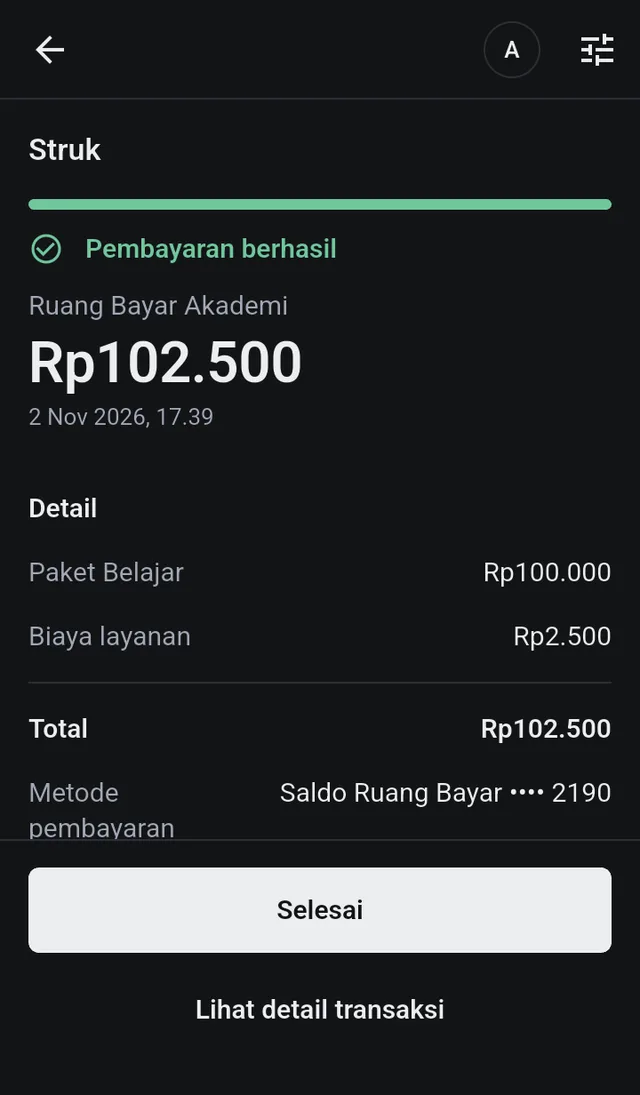
Section titled “8. Show the receipt”Show PaymentReceipt only for a payment your host has confirmed as succeeded. Sharing passes an allowlisted ReceiptShareData (merchant, transaction ID, time, total and the masked method), never a screenshot of the page.
PaymentReceipt( data: PaymentReceiptData( transactionId: receipt.transactionId, merchantName: 'Ruang Bayar Akademi', paidAt: receipt.paidAt, lines: quote.lines, total: quote.total, methodLabel: 'Saldo Ruang Bayar •••• 2190', // already masked by the host ), onShare: (share) => host.share(share.title, share.text), // Future<ShareOutcome> onCopyTransactionId: copyToClipboard, // Future<bool>);A clipboard helper returns false when copying fails:
import 'package:flutter/services.dart';
Future<bool> copyToClipboard(String value) async {  try {    await Clipboard.setData(ClipboardData(text: value));    return true;  } catch (_) {    return false;  }}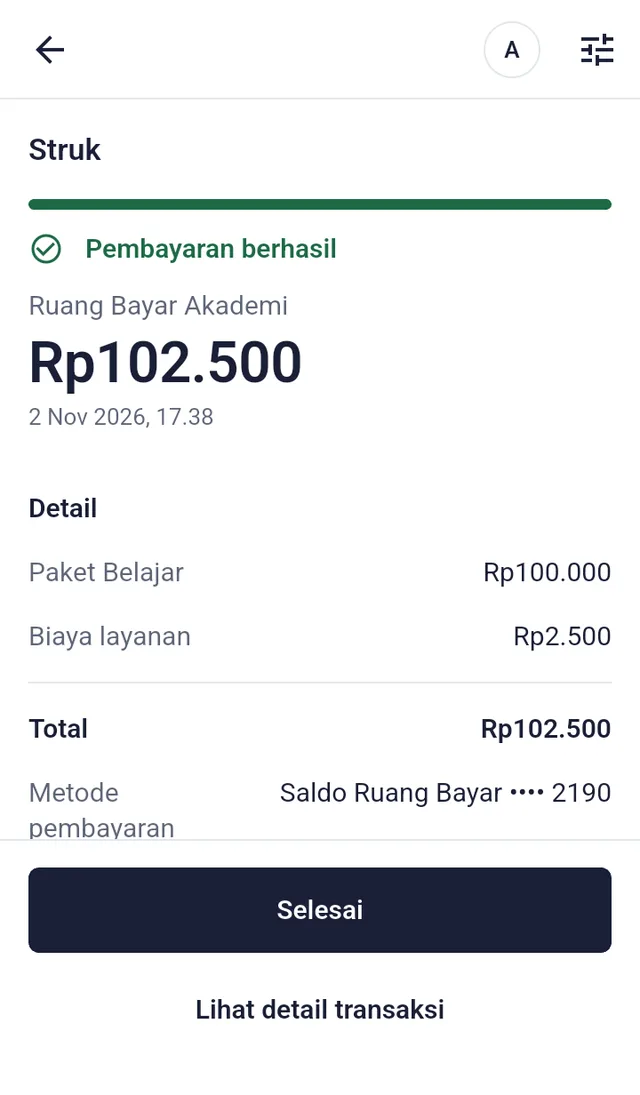
9. Done: what your app must implement
Section titled “9. Done: what your app must implement”Before connecting real payments, implement these operations in your app and backend:
- Idempotency on the server. Send
attemptIdwith every submit and status check of an attempt, and deduplicate on it in your backend. See Payment attempt and status. - A new key only for a new legitimate attempt. Create a new
PaymentAttemptonly whenattempt.allowsNewAttemptis true: your backend allowed it and the previous result is final and not a success. - Quote revalidation. Check the quote revision before authorizing; a changed total or method needs review and a new authorization.
- Authorization. Your auth SDK runs PIN, OTP or biometrics and maps the result to
AuthorizationPhase. - Status polling. One owner (a coordinator, not a widget) refreshes status with the same attempt reference, stops when the result is final or the screen is gone, and never stacks calls.
- Snapshot parsing. Map backend data to
PaymentStatusSnapshot, reject unknown statuses (PaymentStatus.tryParsereturnsnull), and send every snapshot throughreconcile. - Recovery. Store the opaque attempt reference; after a restart or resume, restore the attempt and check its status. Never submit again automatically.
- Account switches. Discard responses that belong to the previous account.
- Refunds. Refund processing is your backend’s. Report it as
RefundInfoon the snapshot (orTransactionRecord); the kit shows it in its own section and never rewrites the original payment. - Cancellation. “Close” only closes UI. A cancel request goes to your backend behind
showPaymentConfirmDialog, and the payment stays pending until your host confirms. - Sensitive screens. Wrap content in
PrivacyMaskfor the app switcher; OS-level screenshot protection remains your job.
Optional: explore the repository example
Section titled “Optional: explore the repository example”To see a finished checkout before writing any code, run the block demo from a clone of the repository. It uses synthetic data and a fake host, and opens on an Android emulator or an iOS Simulator:
git clone https://github.com/naufaldi/flutter_ui_payment.gitcd flutter_ui_payment/exampleflutter pub getflutter run -t lib/checkout_block_demo.dartIts source is on the Checkout recovery block page. Cloning is optional; the published-package steps above need no repository files.
The example app’s example/lib/screens/flow_screen.dart and example/lib/coordinator/demo_coordinator.dart show the same composition in full, with a fake host.