Settings view
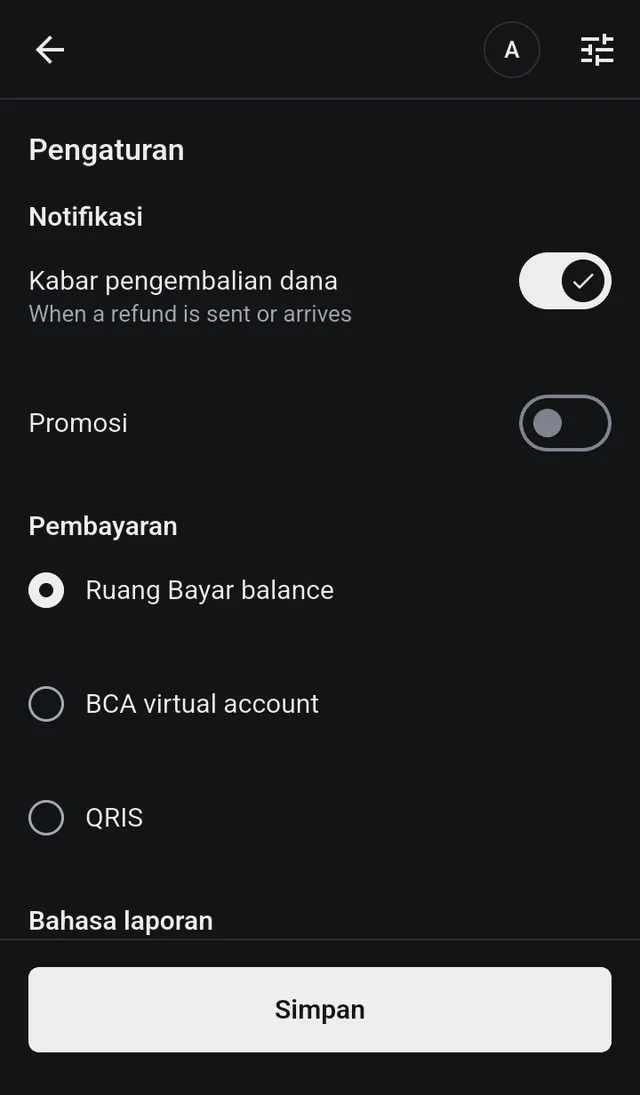
Group payment preferences with PaymentFormFieldGroup sections such as Notifications, Payments and Language. Do not use one flat list. Save is the primary action and locks repeat taps while its Future runs. Your app supplies values, persistence and statusMessage; status is announced in the header. Avoid another primary action in child.
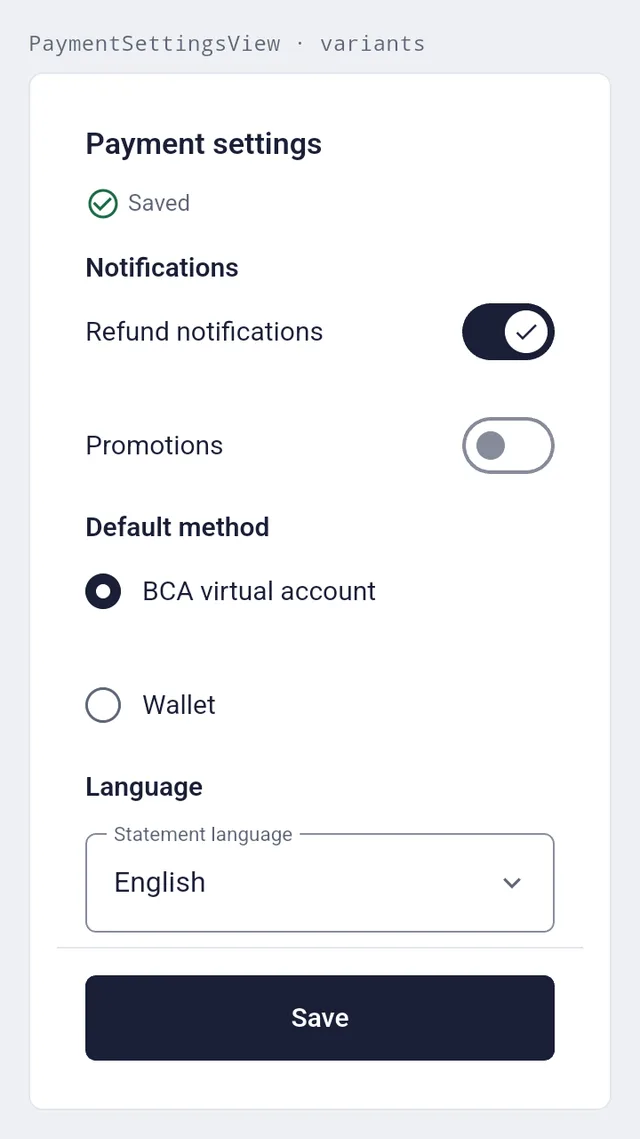
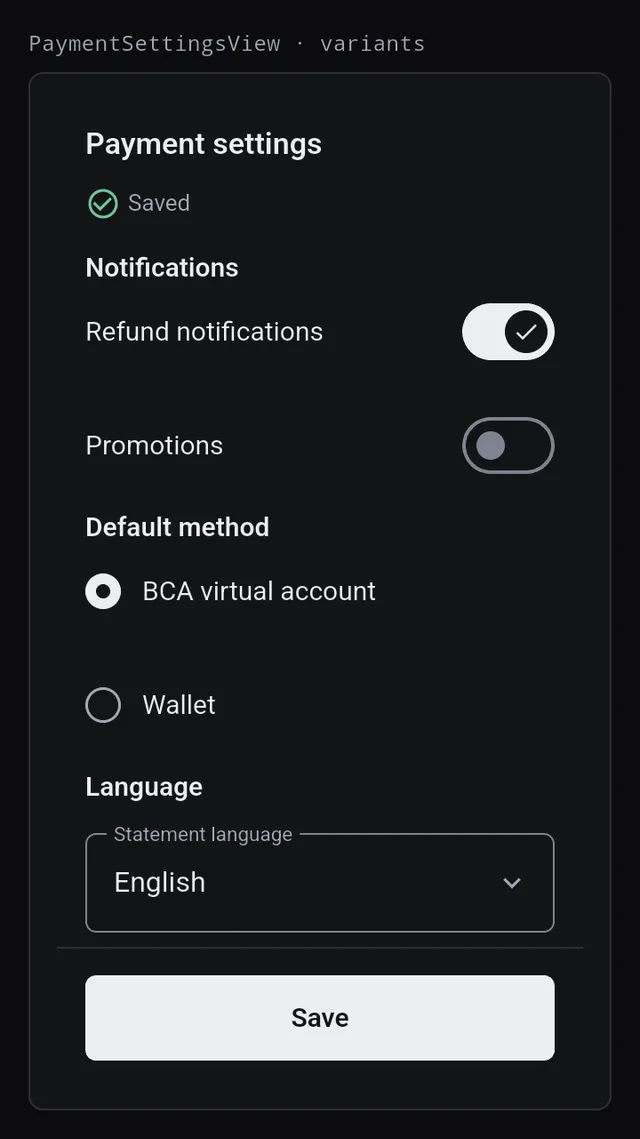
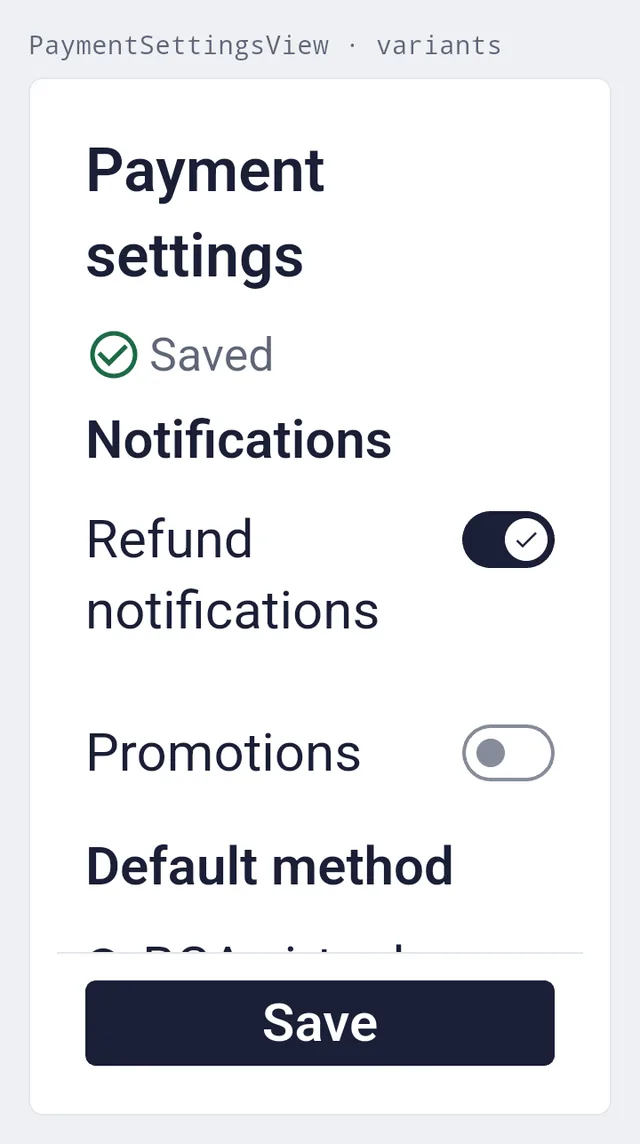
Minimal
Section titled “Minimal”This complete example keeps Save visible until there are changes to persist. Your app supplies the disabled reason and saves the values.
import 'package:flutter/material.dart';import 'package:rakit_ui/rakit_ui.dart';
void main() => runApp(const SettingsApp());
class SettingsApp extends StatelessWidget {  const SettingsApp({super.key});
  @override  Widget build(BuildContext context) => const MaterialApp(    localizationsDelegates: [PaymentLocalizations.delegate],    supportedLocales: [Locale('en'), Locale('id')],    home: Scaffold(      body: PaymentSettingsView(        title: 'Settings',        saveDisabledReason: 'Make a change before saving.',        child: PaymentFormFieldGroup(          legend: 'Notifications',          children: [Text('Refund notifications are enabled.')],        ),      ),    ),  );}
Editable settings
Section titled “Editable settings”PaymentSettingsView( title: 'Payment settings', statusMessage: 'Saved', statusTone: StatusTone.success, onSave: () async { await Future<void>.delayed(const Duration(milliseconds: 600)); }, child: Column( crossAxisAlignment: CrossAxisAlignment.stretch, spacing: PaymentTheme.of(context).space(PaymentSpace.block), children: [ PaymentFormFieldGroup( legend: 'Notifications', children: [ PaymentSwitch( label: 'Refund notifications', value: refunds, onChanged: (v) => setState(() => refunds = v), ), PaymentSwitch( label: 'Promotions', value: promos, onChanged: (v) => setState(() => promos = v), ), ], ), PaymentFormFieldGroup( legend: 'Default method', children: [ for (final value in ['bank', 'wallet']) PaymentRadio<String>( value: value, groupValue: method, onChanged: (v) => setState(() => method = v), label: value == 'bank' ? 'BCA virtual account' : 'Wallet', ), ], ), PaymentFormFieldGroup( legend: 'Language', children: [ PaymentSelect<String>( label: 'Statement language', options: const [ PaymentSelectOption(value: 'en', label: 'English'), PaymentSelectOption(value: 'id', label: 'Bahasa Indonesia'), ], value: language, onChanged: (v) => setState(() => language = v), ), ], ), ], ), );Variants
Section titled “Variants”Variants: idle, saving, saved, error.
States and content
Section titled “States and content”The host supplies draft values, the save operation and a status message. Use field groups to separate related preferences.
Which variant when
Section titled “Which variant when”| Situation | Variant / composition | Payment example |
|---|---|---|
| Account preferences | idle | Group Notifications, Payments and Language; Save is the only primary action. |
Use Full page view for read-only account facts.
States
Section titled “States”Return the save Future so repeat taps stay blocked. Show saved status only after the host confirms persistence; preserve edits after a failure.
With onSave: null, pass saveDisabledReason to show a disabled Save and a
readable explanation beside it on wide layouts or above it on phones and at
large text. Screen readers hear the explanation as Save’s hint, so a person who
moves straight to Save hears why it is unavailable; the visible caption is not
read a second time. When both are null, Save is hidden as before. A non-null
onSave enables Save and ignores saveDisabledReason.
saveDisabledReason (D114) was added in rakit_ui 0.2.0.
Do and don’t
Section titled “Do and don’t”Do: Group Notifications, Payments and Language; Save is the only primary action.
Don’t: Keep old Saved feedback after the customer edits a setting.
Content guidelines
Section titled “Content guidelines”Group related preferences under a legend. Distinguish unsaved edits, saving, confirmed save and failed save in the status message.
Accessibility
Section titled “Accessibility”Use field-group legends for related settings. The header announces status, and Save remains reachable at large text.
Save fills the phone footer and hugs the end on wide layouts. The host supplies the save result.
In the example app
Section titled “In the example app”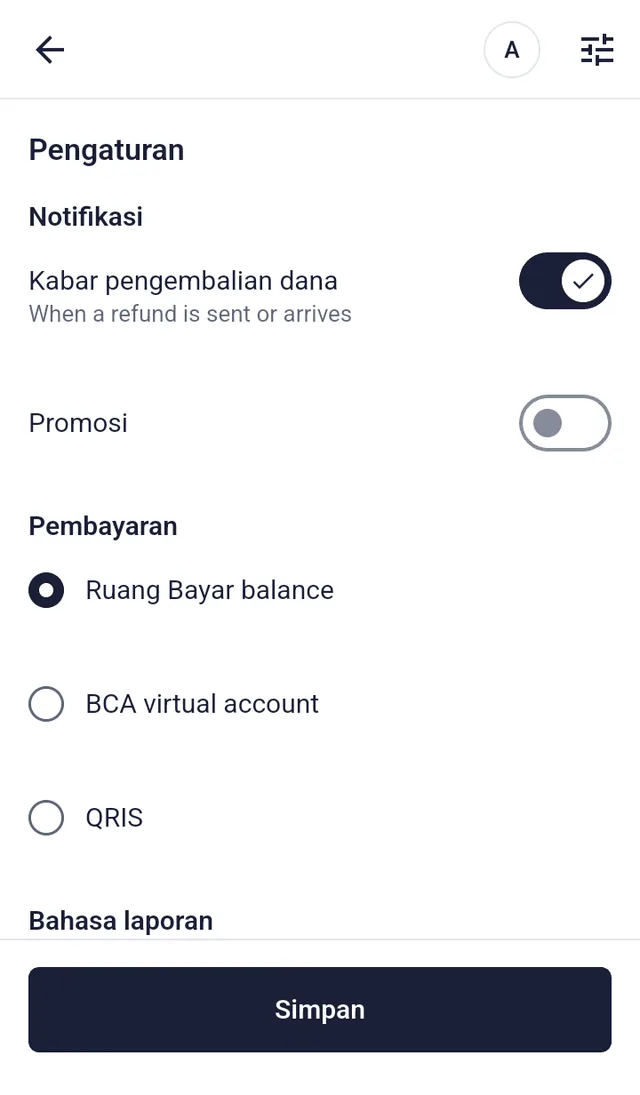
PaymentSettingsView
class PaymentSettingsView extends StatelessWidget · lib/src/views/settings_view.dart
Grouped host settings with a future-locked Save action.
| Parameter | Type | Default | Description |
|---|---|---|---|
title:required | String | — | Heading displayed above the content. |
child:required | Widget | — | Body content owned by the host. |
onSave: | Future<void> Function()? | — | Saves settings; repeated activation waits for completion. |
saveLabel: | String? | — | Save button label; defaults to the localized Save. |
saveDisabledReason: | String? | — | Keeps Save visible and disabled with this explanation when onSave is null. Ignored when onSave is provided. With both null, Save is hidden. |
statusMessage: | String? | — | Result of the most recent save. |
statusTone: | StatusTone | StatusTone.neutral | Semantic tone of the save result. |