KYC capture
KycCaptureGuide composes framing, tips, photo review, upload progress and host rejection messages. CaptureFrameOverlay can sit over a host camera preview. Neither widget reads or judges the image.
Your app runs the camera, permission, photo bytes, upload, safe rejection reasons and every verdict. The kit performs no OCR, liveness, face matching or photo scoring.
The KYC capture and upload recovery block runs this guide in a mobile host screen with permission, quality and upload recovery and stale-upload protection.
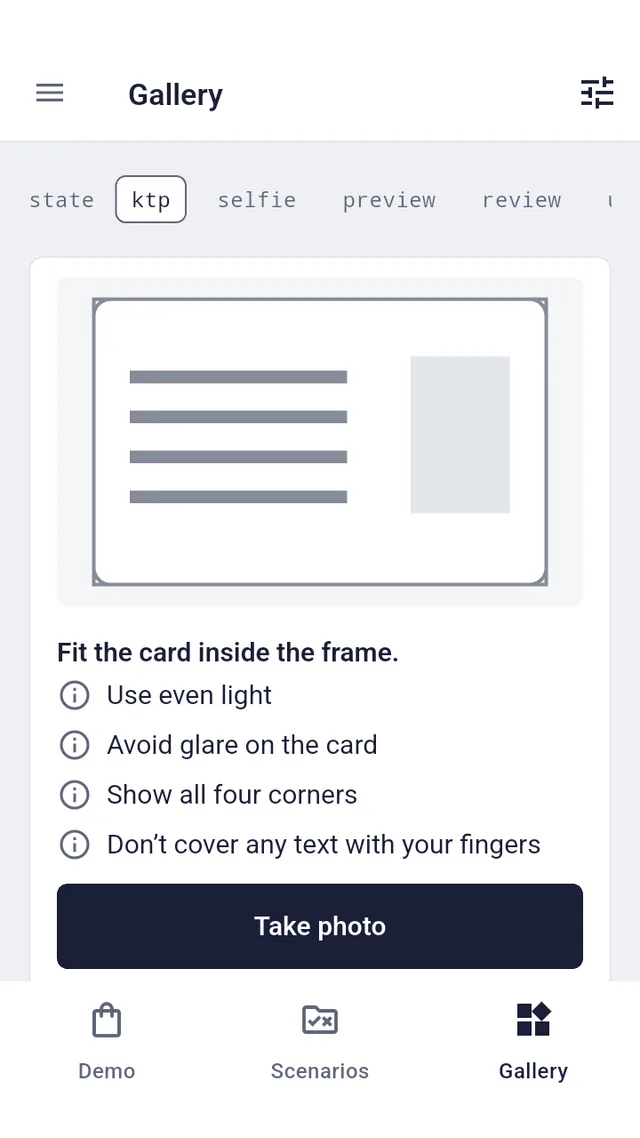
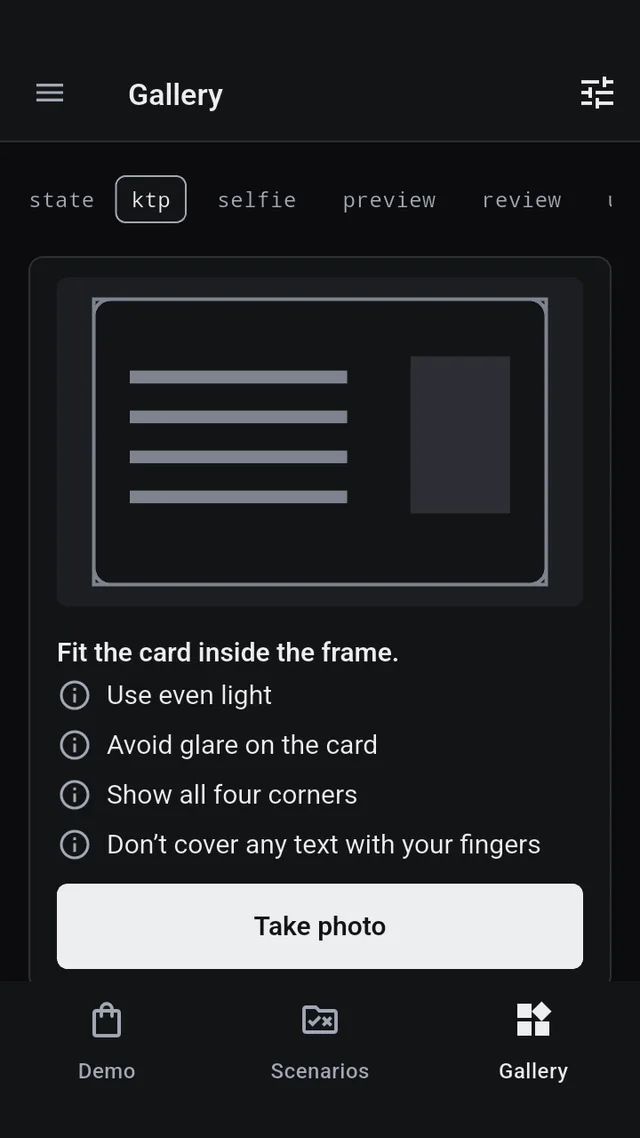
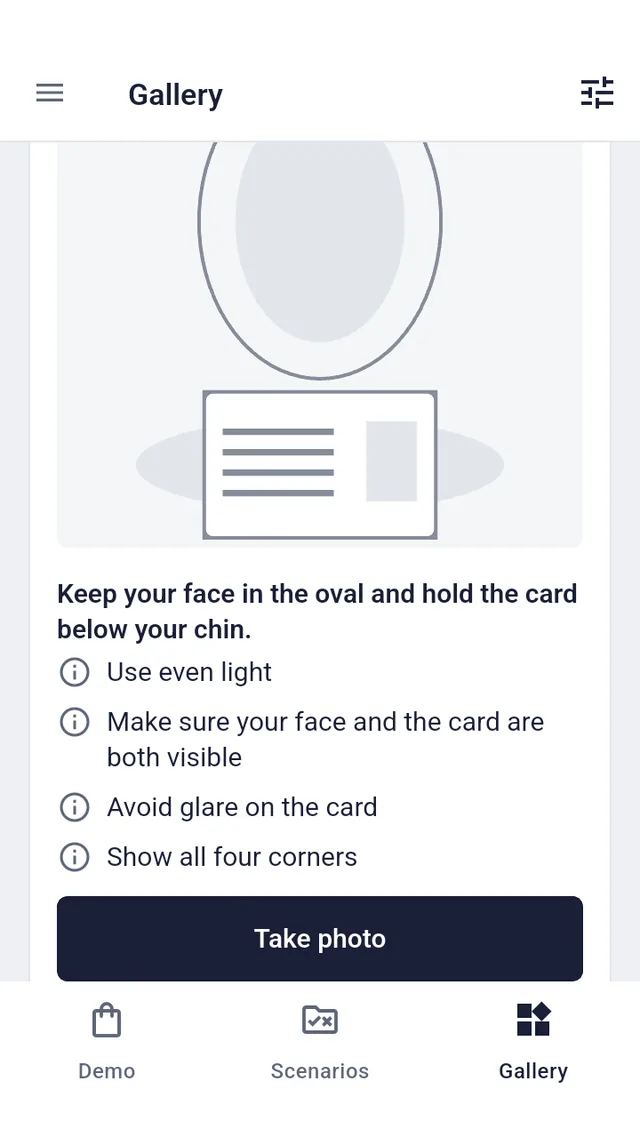
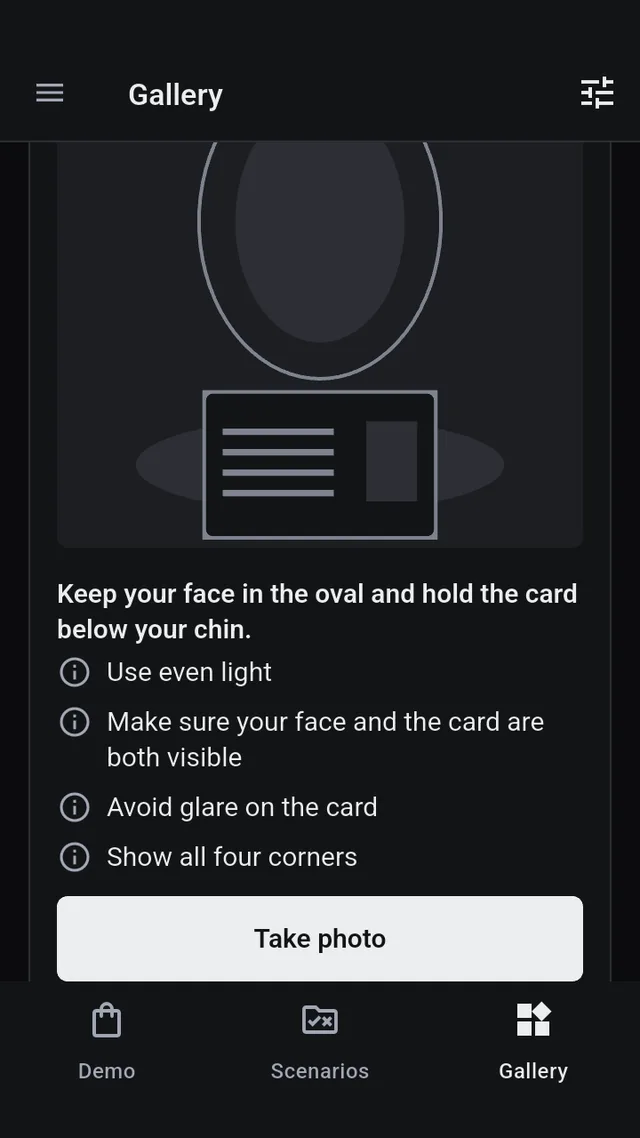
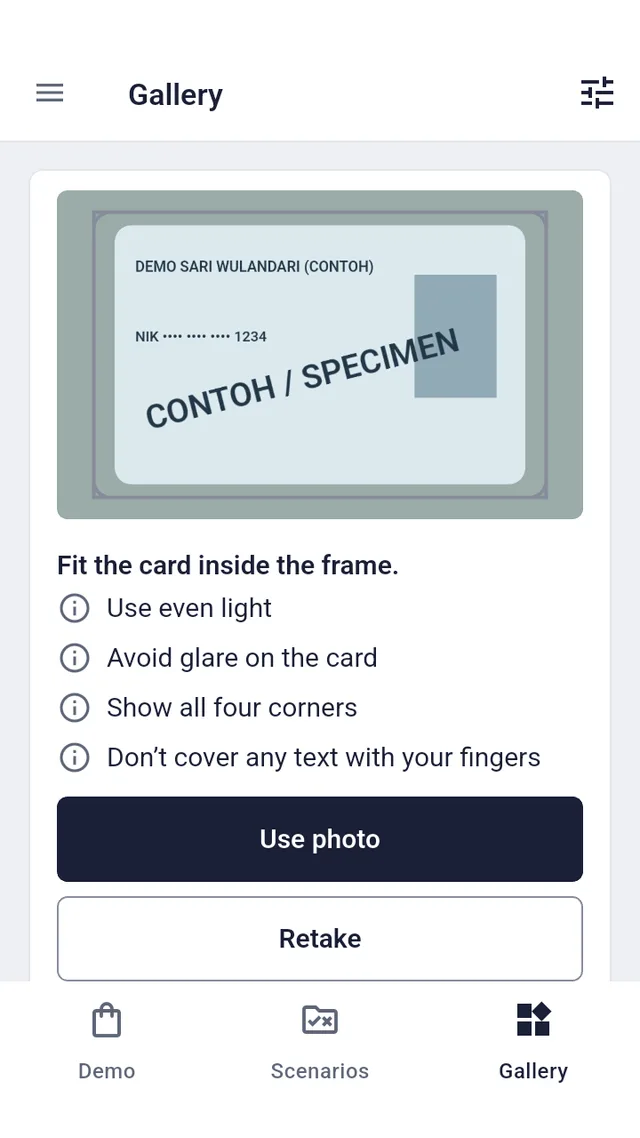
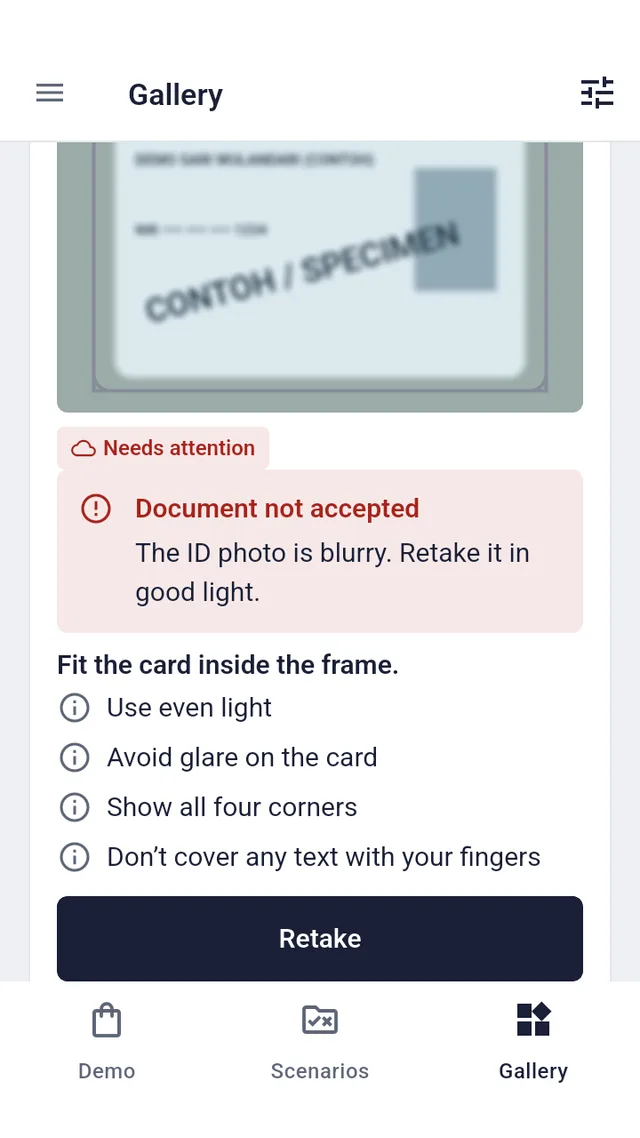
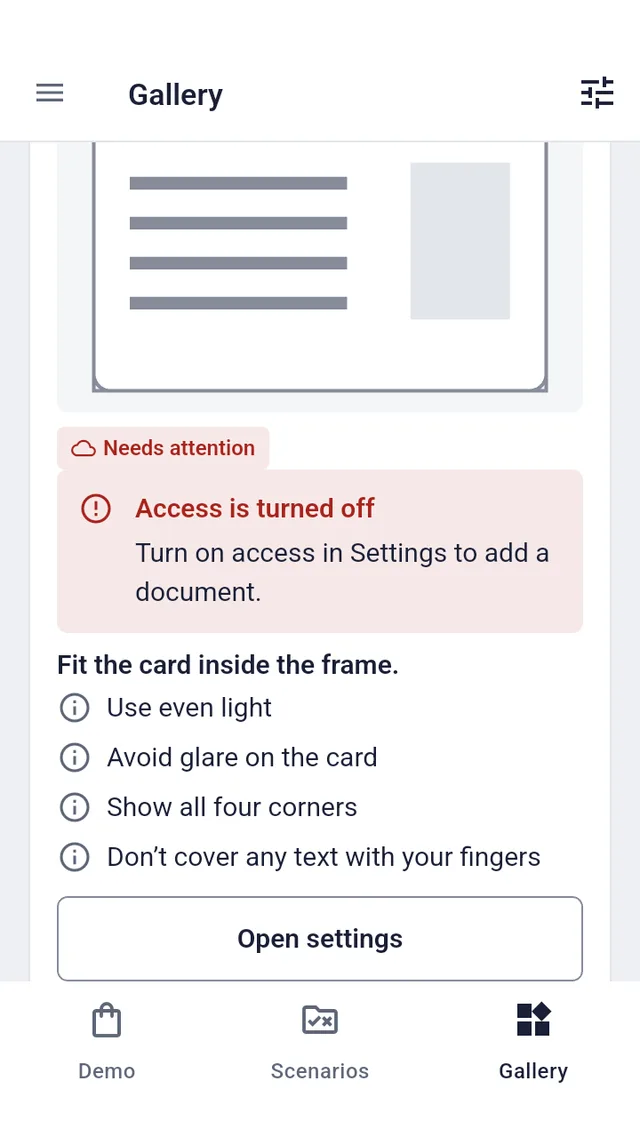
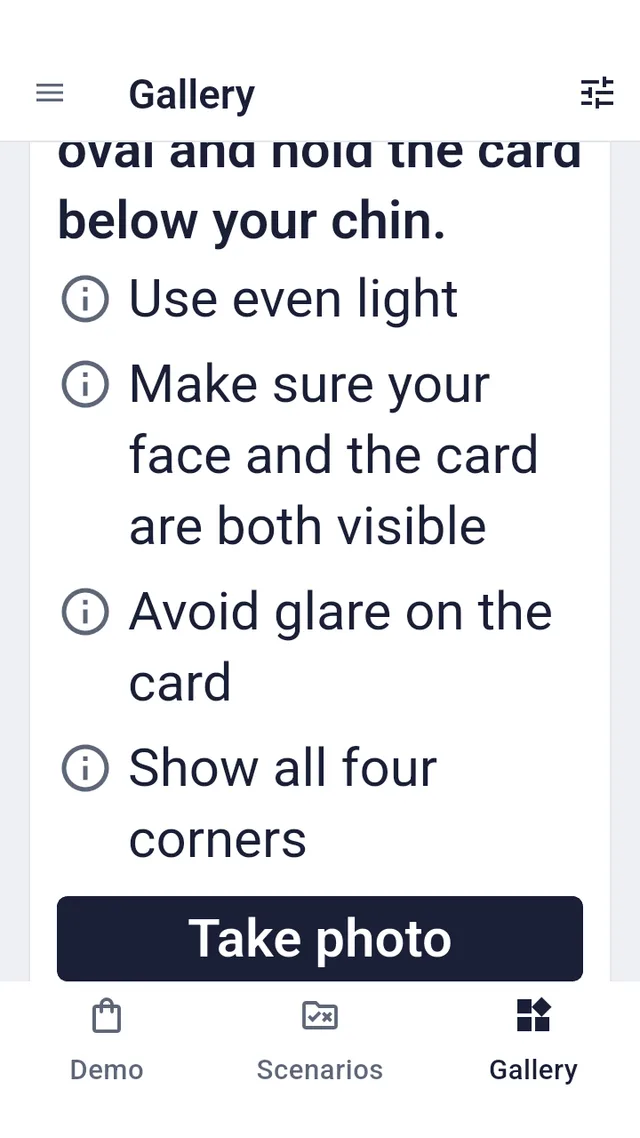
Phone state captures show one scroll position with the actions visible. The top of the selfie illustration is above the viewport; at 200% text, the illustration and the start of the guidance are above it.
The flow is onPick → source sheet → host permission → guide or OS picker. The example keeps photo bytes in the capture screen’s local state, with synthetic fixtures only.
final source = await showCaptureSourceSheet(context: context);if (source == null || !context.mounted) return;if (source != CaptureSource.file) { final allowed = await c.requestCapture(req.key); if (!allowed || !context.mounted) return;}if (source == CaptureSource.camera) { await Navigator.of(context).push(MaterialPageRoute<void>( builder: (_) => KycCaptureScreen( c: c, requirement: req, kind: req.key == selfieSlot ? CaptureKind.selfieWithIdCard : CaptureKind.idCard, ), )); return;}// Host opens its gallery or file picker here.KycCaptureGuide( kind: CaptureKind.idCard, state: slot, photo: hostPhoto, preview: hostPreview, onCapture: capture, onUsePhoto: upload, onRetake: retake,);In a screen vs in a scroll view
Section titled “In a screen vs in a scroll view”Place KycCaptureGuide directly in a bounded screen body to pin Take photo, Use photo and Retake in the bottom safe area. The preview fits above the footer in a centred column at most 640 dp wide, using up to half the body height at normal text and a quarter at large text. Status, banners and guidance share a scroll region below a preview that is at least 96 dp high. Long status copy can scroll on short screens. The footer has one primary action and at most one quiet secondary action.
Inside a host scroll view, the guide keeps its inline preview and action Wrap, as in the gallery. No signature change is needed; remove a host scroll wrapper to opt into the screen layout. Hosts that use intrinsic-sizing parents (IntrinsicHeight, SliverFillRemaining(hasScrollBody: false)) must wrap the guide in a scroll view or use a bounded body instead.
States and variants
Section titled “States and variants”Framing offers Take photo, with Open settings when the host allows it. A local photo offers Use photo and Retake. Uploading and uploaded states offer Retake. An interrupted upload offers Try again and Retake. A host rejection shows its safe reason and Retake when permitted. Permanent permission denial offers Open settings.
Content guidelines
Section titled “Content guidelines”Tips describe framing only. Uploaded means the host finished uploading, never that identity was checked. Pass only safe host messages. Do not use real KTP images in demos. Mask NIK using PrivacyMask or draw it masked. The card uses the ID-1 ratio of 85.6 × 54; the selfie keeps the card below the chin.
Accessibility
Section titled “Accessibility”The frame has a kind-specific label and ignores pointer events so the host preview receives gestures. Tips wrap at large text. Rejection notices announce their host message. The preview scrim uses black and a white outline to remain visible over arbitrary camera content.
KycCaptureGuide
class KycCaptureGuide extends StatelessWidget · lib/src/verification/capture_widgets.dart
Framing, host photo review and upload state. Host owns all verdicts. With bounded height, actions pin below a scroll region and the preview fits above the footer in a centred 640 dp column (D62, D53). Inside a host scroll view, the preview and actions remain inline.
| Parameter | Type | Default | Description |
|---|---|---|---|
kind:required | CaptureKind | — | — |
state: | DocumentSlotState | const DocumentSlotState.empty() | — |
photo: | ImageProvider? | — | — |
preview: | Widget? | — | — |
requirement: | DocumentRequirement? | — | — |
tips: | List<String>? | — | — |
needsUpdate: | bool | false | — |
updateReason: | String? | — | — |
onCapture: | VoidCallback? | — | — |
onRetake: | VoidCallback? | — | — |
onUsePhoto: | VoidCallback? | — | — |
onOpenSettings: | VoidCallback? | — | — |
aspectRatio: | double | 3 / 4 | — |
CaptureFrameOverlay
class CaptureFrameOverlay extends StatelessWidget · lib/src/verification/capture_widgets.dart
Passive framing over a host preview. Never responds to image content.
| Parameter | Type | Default | Description |
|---|---|---|---|
kind:required | CaptureKind | — | — |
overPreview: | bool | true | — |
CaptureKind
enum CaptureKind · lib/src/verification/capture_models.dart
Framing guidance only. No image analysis is performed.
| Value | Description |
|---|---|
idCard | — |
selfieWithIdCard | — |
See also
Section titled “See also”- Capture source sheet.
- Verification for document slots and host status.
Pattern adoption
Section titled “Pattern adoption”A photo that fails to decode falls back to the illustrated capture frame. Use photo and Retake remain available, and the fallback supplies the preview’s semantic label.
Layout foundation
Section titled “Layout foundation”PaymentImage preserves a muted loading surface. On decode failure the framing fallback owns the semantics.
Capture source sheet
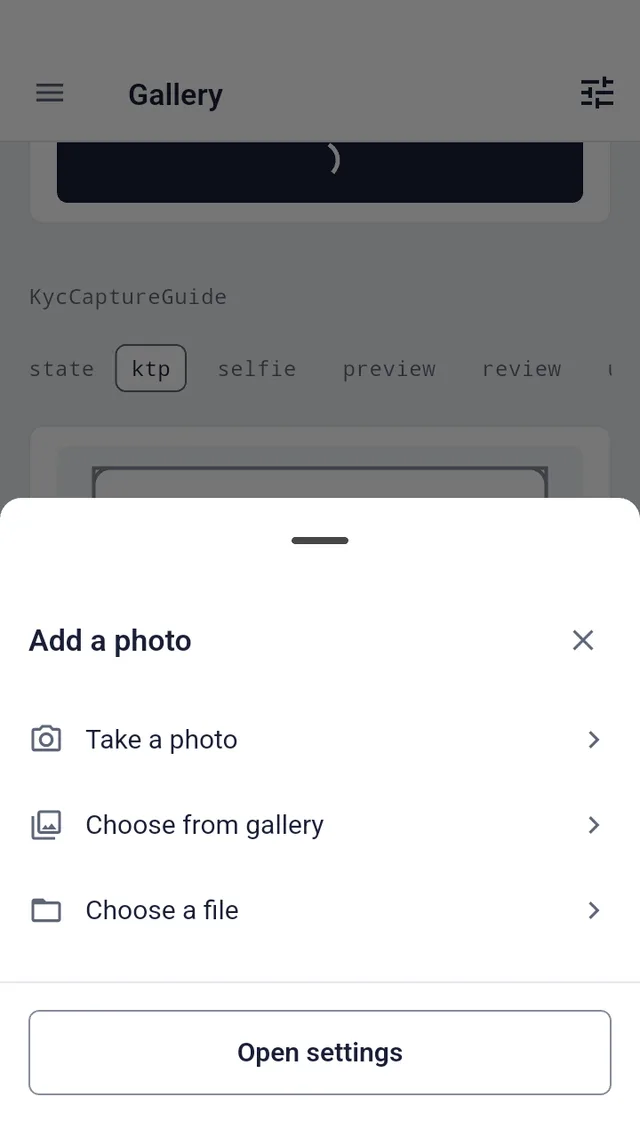
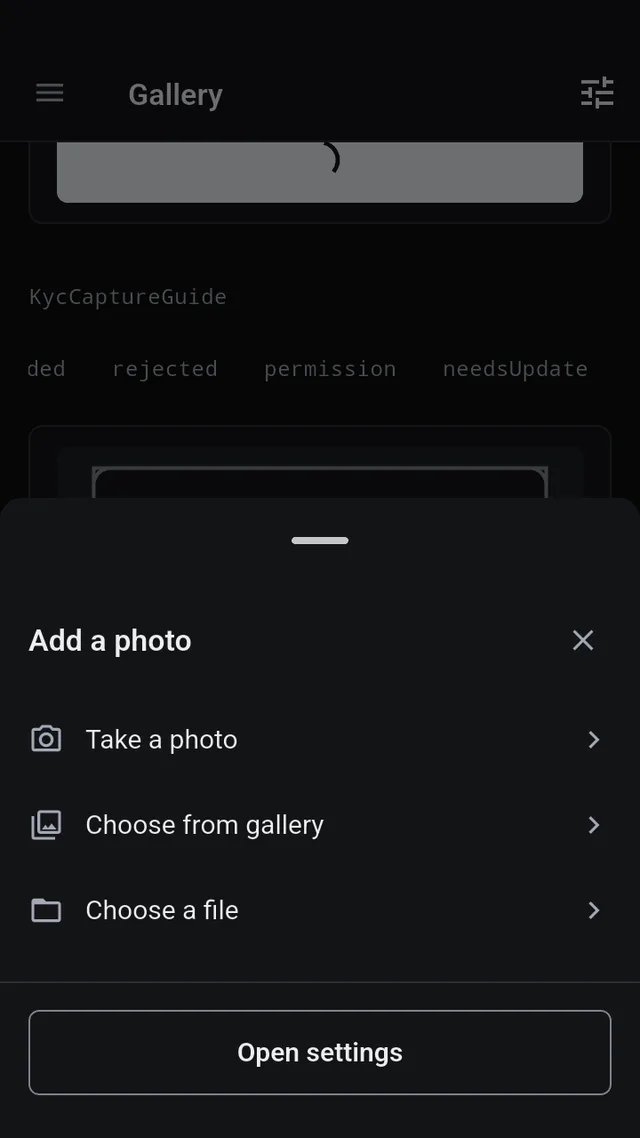
Section titled “Capture source sheet”showCaptureSourceSheet reports the source the customer chose. It opens no device source itself.
Your app decides the available sources and runs the permission request, OS picker, camera and the link to settings.
final source = await showCaptureSourceSheet( context: context, sources: {CaptureSource.camera, CaptureSource.file}, unavailable: {CaptureSource.camera: 'Camera access is off'}, onOpenSettings: openHostSettings,);States and variants
Section titled “States and variants”Rows always appear camera, gallery, file. Blocked rows show the host reason. Close, dismissal and Open settings return null. Skip the sheet when only one source is offered. The source set must be non-empty.
Content guidelines
Section titled “Content guidelines”Describe permission availability in plain language. Offer only sources the host supports. Ask permission after the customer chooses a source.
Accessibility
Section titled “Accessibility”Action rows have full touch targets and disabled reasons. The sheet uses the existing close button, focus and dismissal behavior.
showCaptureSourceSheet
Future<CaptureSource?> showCaptureSourceSheet(…) · lib/src/verification/capture_widgets.dart
Reports intent only. Host checks permission after source selection. Rows always appear camera, gallery, file. Skip this sheet for one source.
| Parameter | Type | Default | Description |
|---|---|---|---|
context:required | BuildContext | — | — |
sources: | Set<CaptureSource> | const { CaptureSource.camera, CaptureSource.gallery, CaptureSource.file, } | — |
unavailable: | Map<CaptureSource, String> | const {} | — |
title: | String? | — | — |
onOpenSettings: | VoidCallback? | — | — |
CaptureSource
enum CaptureSource · lib/src/verification/capture_models.dart
The host opens the chosen source and requests permission after selection.
| Value | Description |
|---|---|
camera | — |
gallery | — |
file | — |
See also
Section titled “See also”- KYC capture for framing, review and upload.
- Sheet for the shared panel layout.