Context view
Order context alongside a checkout. Views are bodies: the host supplies Scaffold and navigation. At most three header actions and one primary across visible actions; secondaryAction is not primary. Brand accepts only PaymentImage or PaymentIcon. externalLink must be external.
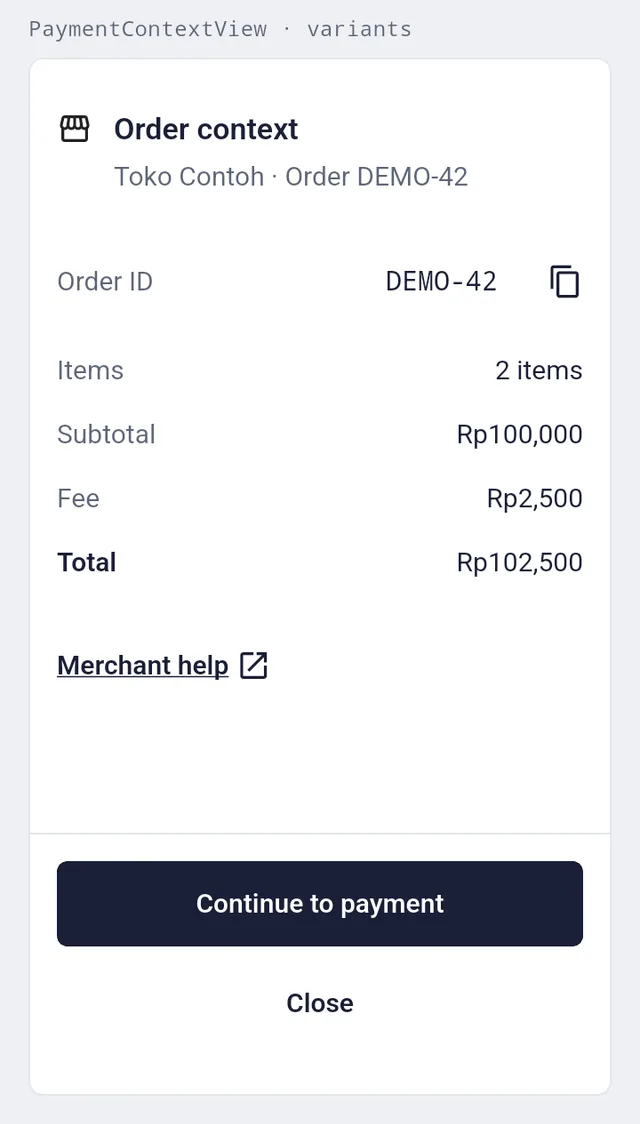
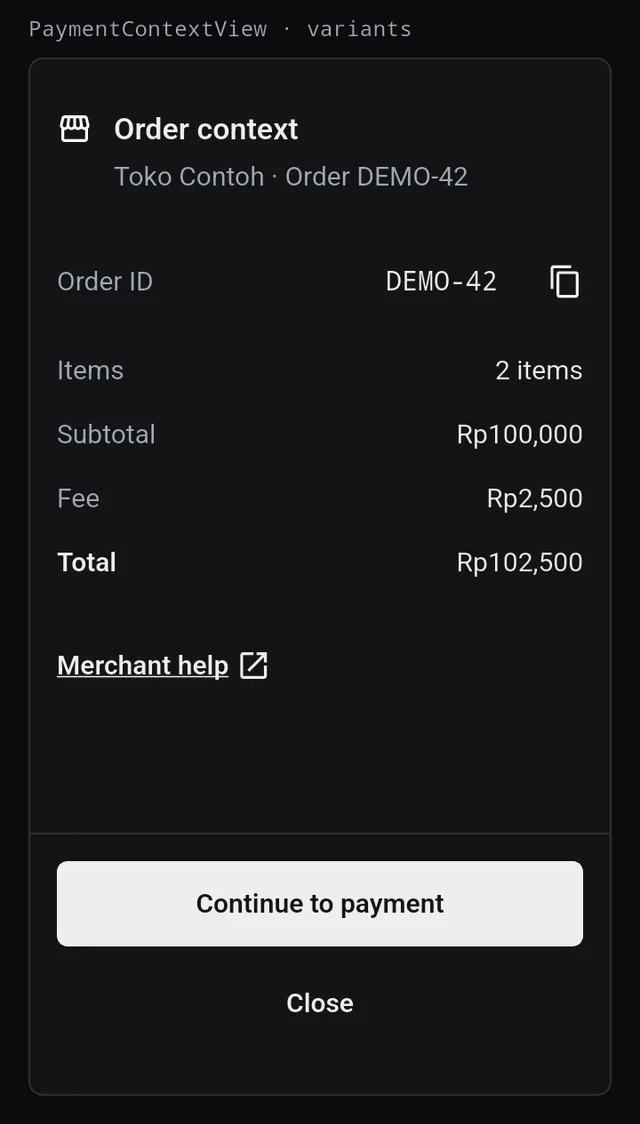
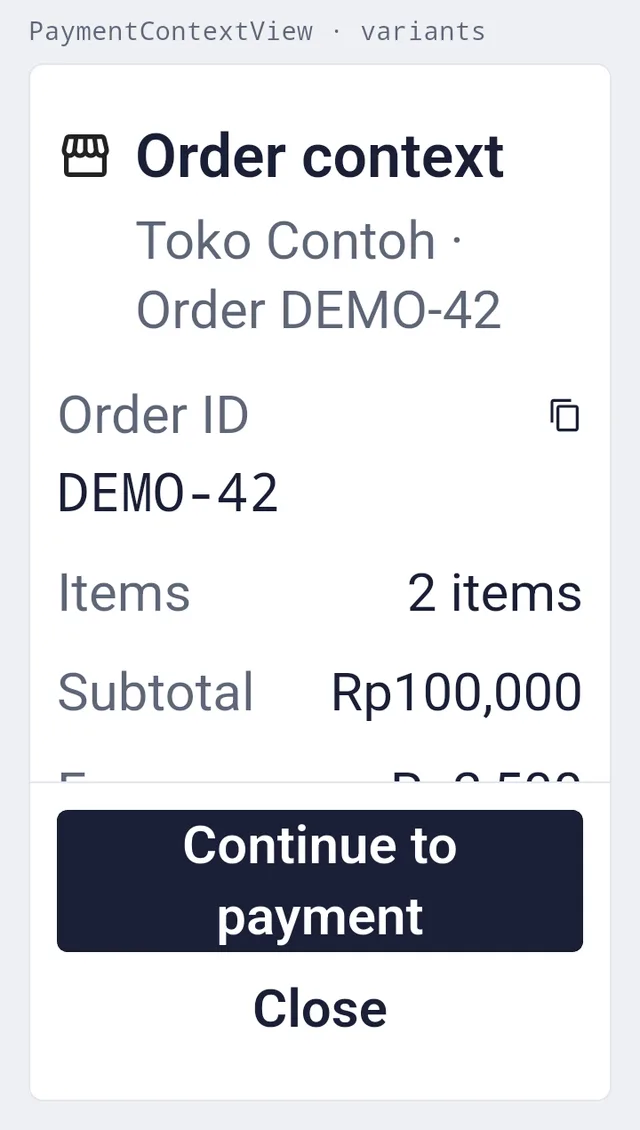
PaymentContextView( title: 'Order context', description: 'Toko Contoh · Order DEMO-42', brand: const PaymentIcon(Icons.storefront_outlined), actions: [button('Copy order ID')], externalLink: PaymentLink( label: 'Merchant help', external: true, onPressed: () {}, ), secondaryAction: button('Close'), primaryAction: button( 'Continue to payment', variant: PaymentButtonVariant.primary, ), child: const PaymentPropertyList(items: facts), );Header and footer (D59a, D62)
Section titled “Header and footer (D59a, D62)”- The brand icon centres on the title’s first line, 12 dp from it.
- On phones one header action sits on the title row as “Label ›” and more go behind ⋮; nothing stacks under the title. Keep the task’s own step in
primaryAction. - An ID such as the order ID is a reference row with a copy button, not a separate “Copy order ID” button. Close and Cancel are quiet.
- At large text the header scrolls with the body, so the total and help link stay reachable on the first screen.
Variants
Section titled “Variants”Variants: context body with optional actions and footer.
States and content
Section titled “States and content”Use the brand slots for PaymentImage or PaymentIcon, and mark an external destination with an external PaymentLink.
Which variant when
Section titled “Which variant when”| Situation | Variant / composition | Payment example |
|---|---|---|
| Order beside checkout | context body | At 840 dp show supporting merchant/order facts beside payment. |
Use Full page view for the main page body.
States
Section titled “States”The host supplies order context and its actions. Keep supporting information here; put the main Pay action in the checkout body or footer.
Do and don’t
Section titled “Do and don’t”Do: At 840 dp show supporting merchant/order facts beside payment.
Don’t: Add a second primary Pay action to the context panel.
Content guidelines
Section titled “Content guidelines”Show the merchant, order and supporting facts. Avoid repeating the main Pay action in this context panel.
Accessibility
Section titled “Accessibility”Preserve a clear reading order between merchant, order and actions. Brand images need meaningful alt text unless decorative.
Header actions align to the content start. Phone footers stack full-width actions, primary first.
Used beside checkout at widths of at least 840 dp. The order context has supporting merchant help; the pinned checkout bar owns the primary Pay action.
PaymentContextView
class PaymentContextView extends StatelessWidget · lib/src/views/context_view.dart
A contextual panel beside host content.
| Parameter | Type | Default | Description |
|---|---|---|---|
title:required | String | — | Heading displayed above the content. |
child:required | Widget | — | Body content owned by the host. |
description: | String? | — | Supporting explanation below the heading. |
brand: | Widget? | — | Host brand icon or image. |
actions: | List<PaymentButton> | const [] | Header actions: on phones one shows as a title-row link and more go behind ⋮ (D59a). The task's own step belongs in primaryAction. |
banner: | PaymentBanner? | — | — |
externalLink: | PaymentLink? | — | — |
primaryAction: | PaymentButton? | — | The single primary action for the contextual task. |
secondaryAction: | PaymentButton? | — | Optional supporting action below the primary action. |
footer: | Widget? | — | — |