Tables on phones
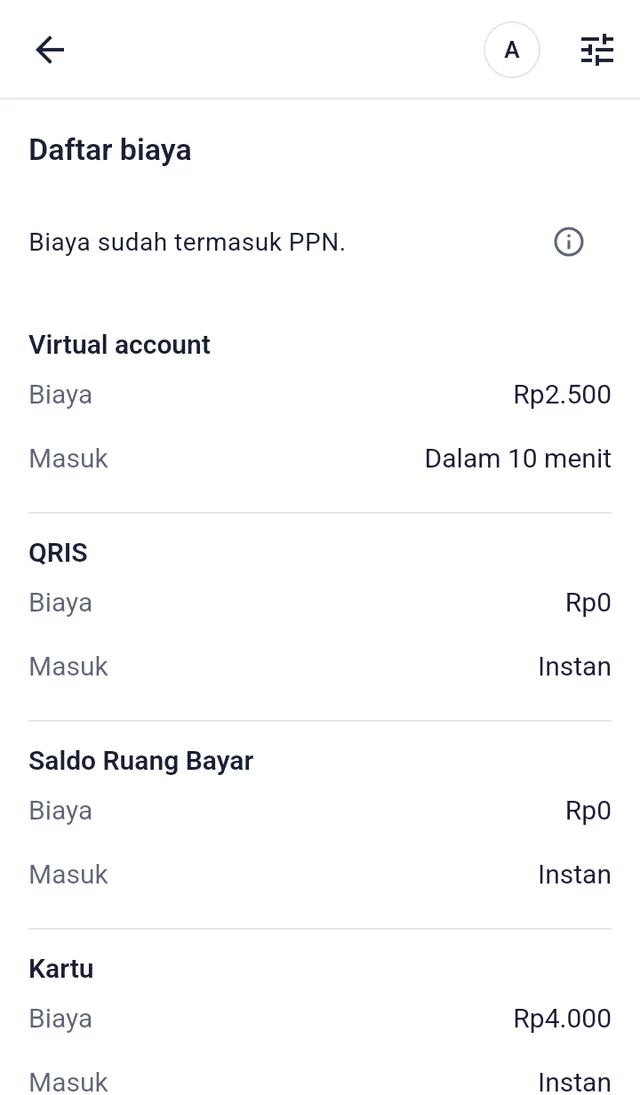
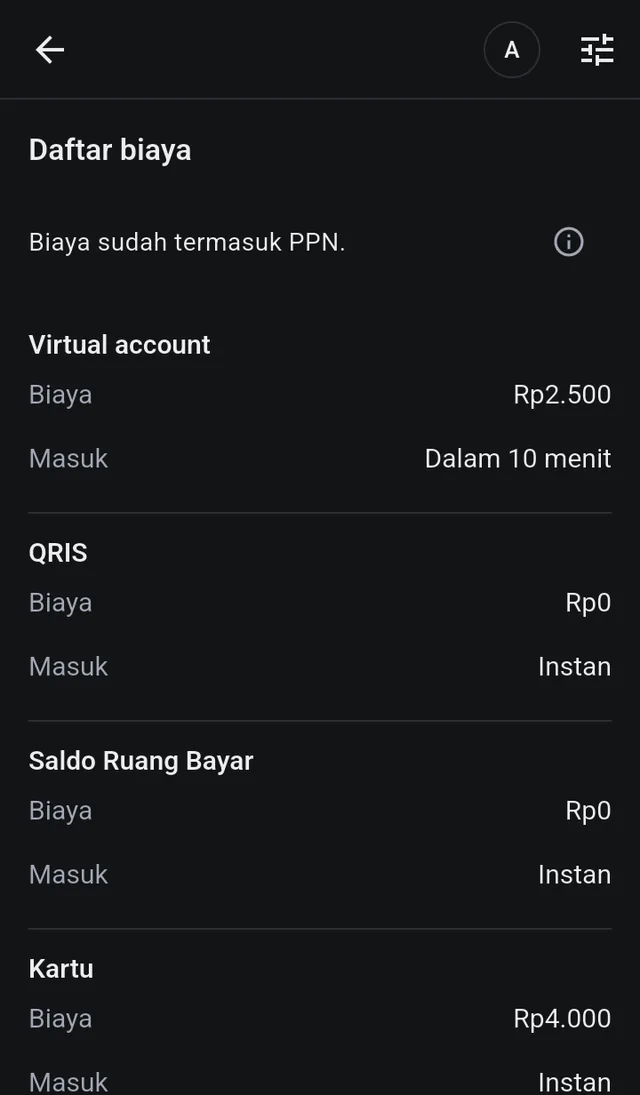
Below 600 dp of available width or at large text, Table and DataTable collapse columns into list rows. The pinned or row-header value becomes the title, amounts align at the end and supporting cells keep their header context in semantics.
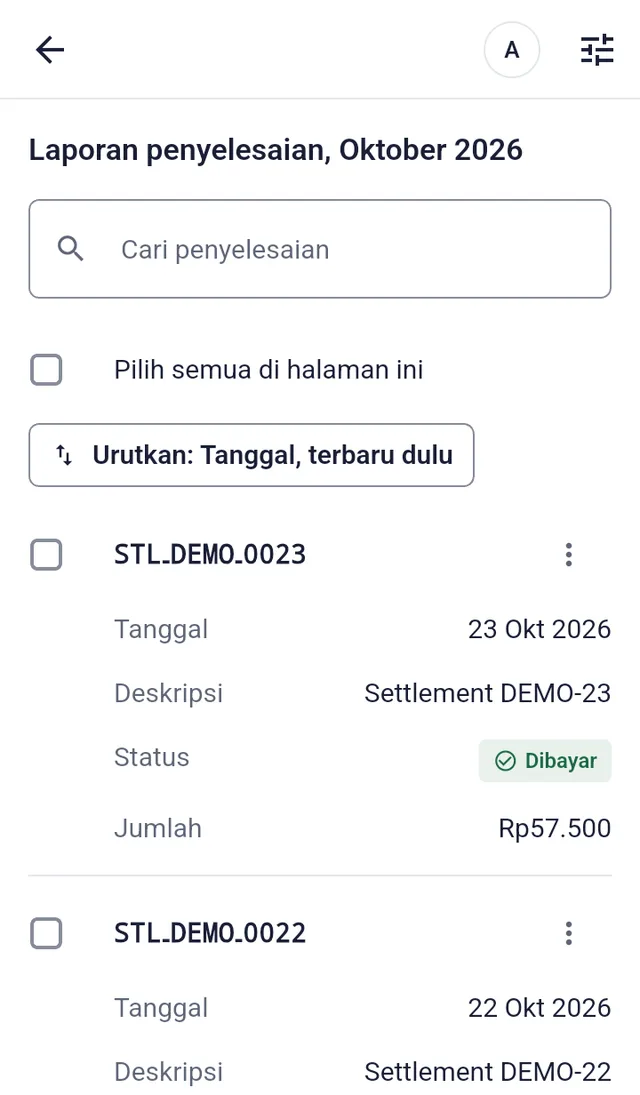
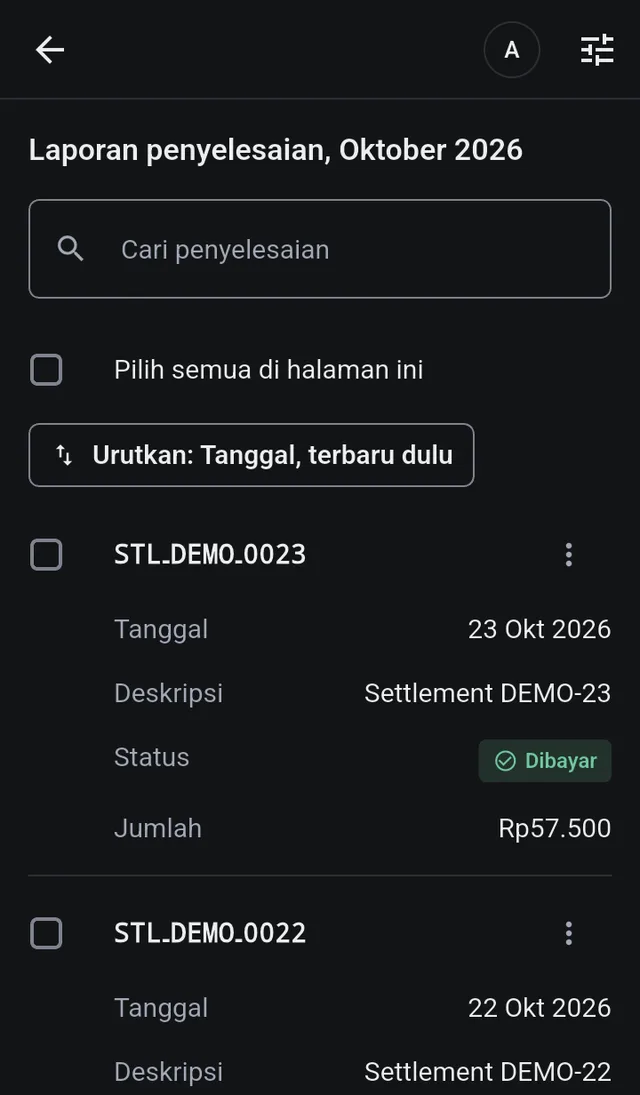
Each phone row reads like a property list. The title takes the first line, with the DataTable checkbox and row menu centered on it. Other columns, including the amount, become info rows: the column heading is the label, and values share one trailing edge. Money uses tabular figures. A Table’s Total footer sits under a divider. An ID title uses non-breaking hyphens (U+2011) visually while screen readers hear the original reference.
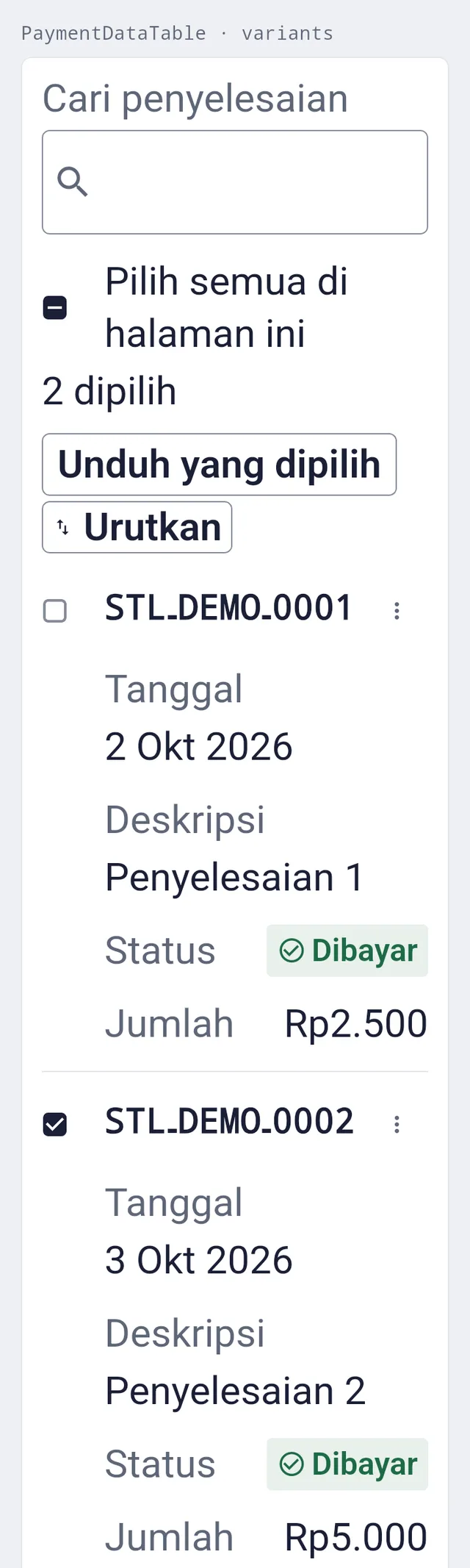
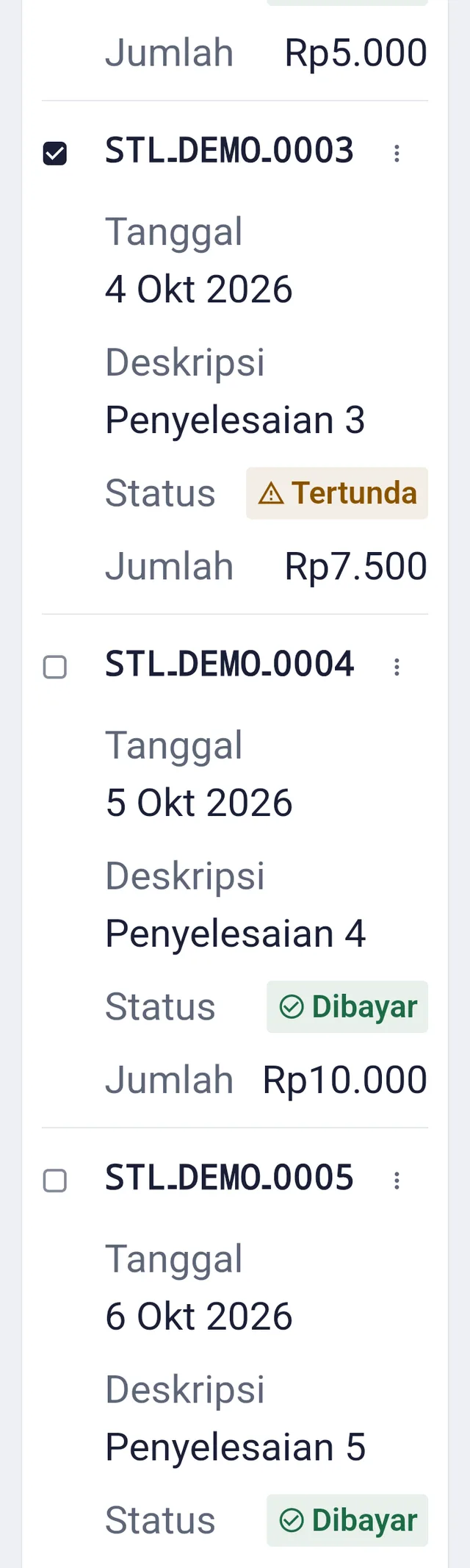
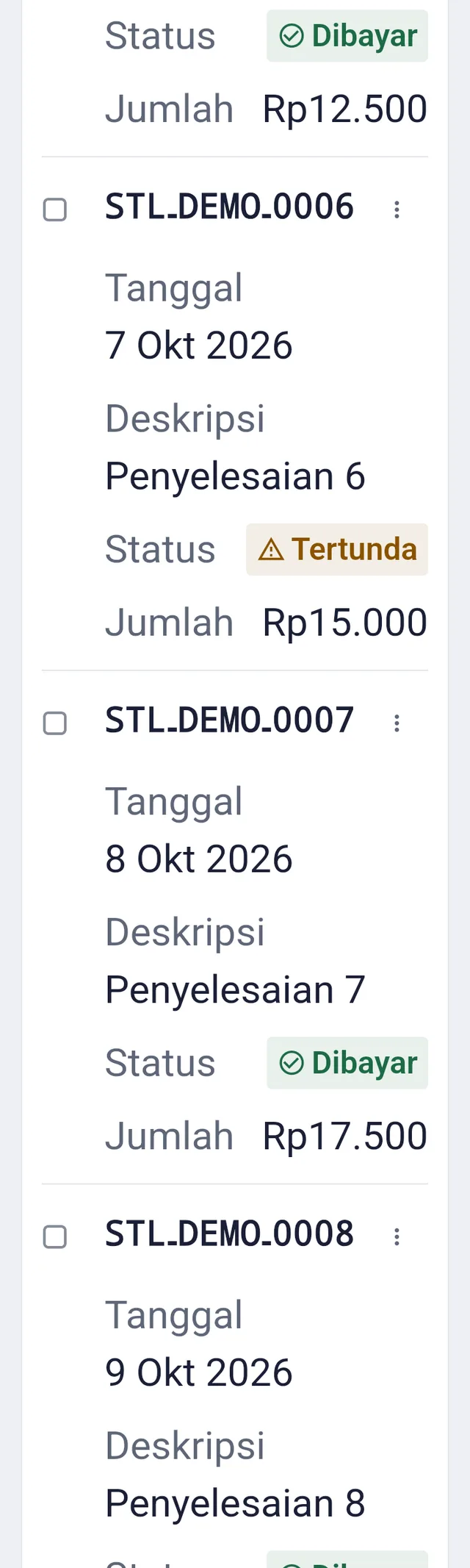
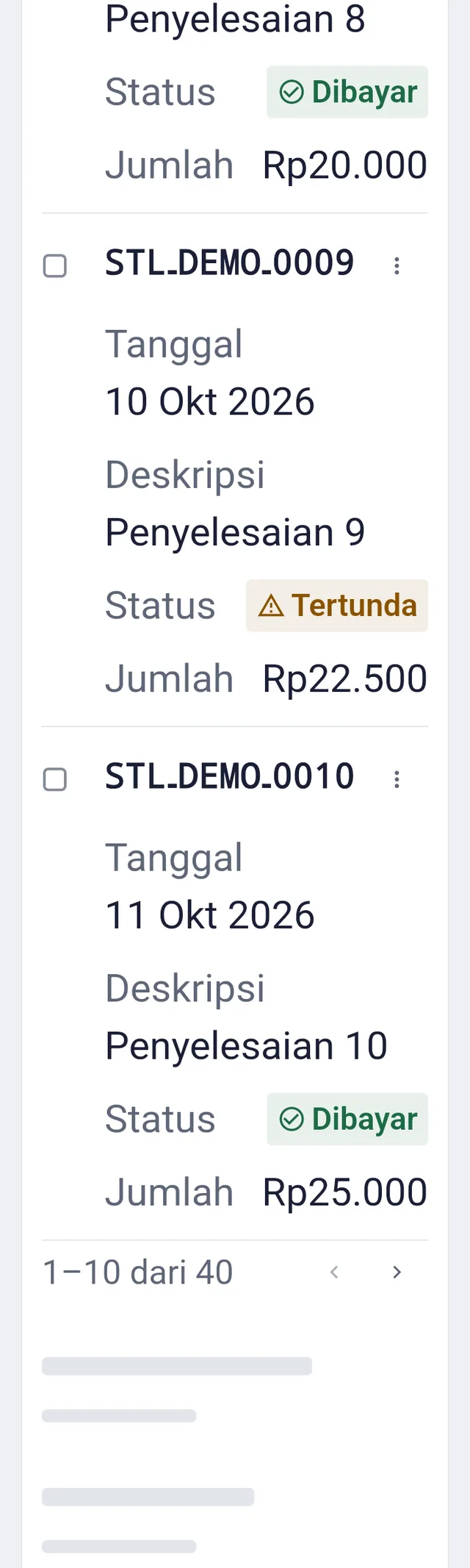

Run A03 for the settlement statement and A04 for the fee schedule. Use Table for static comparison; use DataTable for selection, sorting, paging and filtering of host rows. Do not add horizontal scrolling around the phone list.
The phone DataTable header shows Select all on this page as visible text, followed by selection count and batch actions when selected. Sort names the column and typed direction, for example Date, newest first; Default order restores host order. Select-all preserves selections from other pages.
Configure wide column order and width in the host. Reorder and resize interactions are not supported; phones display labeled rows rather than draggable columns.