Promotions
PromoCard shows one promotion; PromoSlot places it with loading, ready, empty and error states. Every promotion is labeled.
Your app loads the campaigns, decides what the CTA, dismiss and “Why this?” do and whether a dismissed offer stays hidden, and runs any tracking.
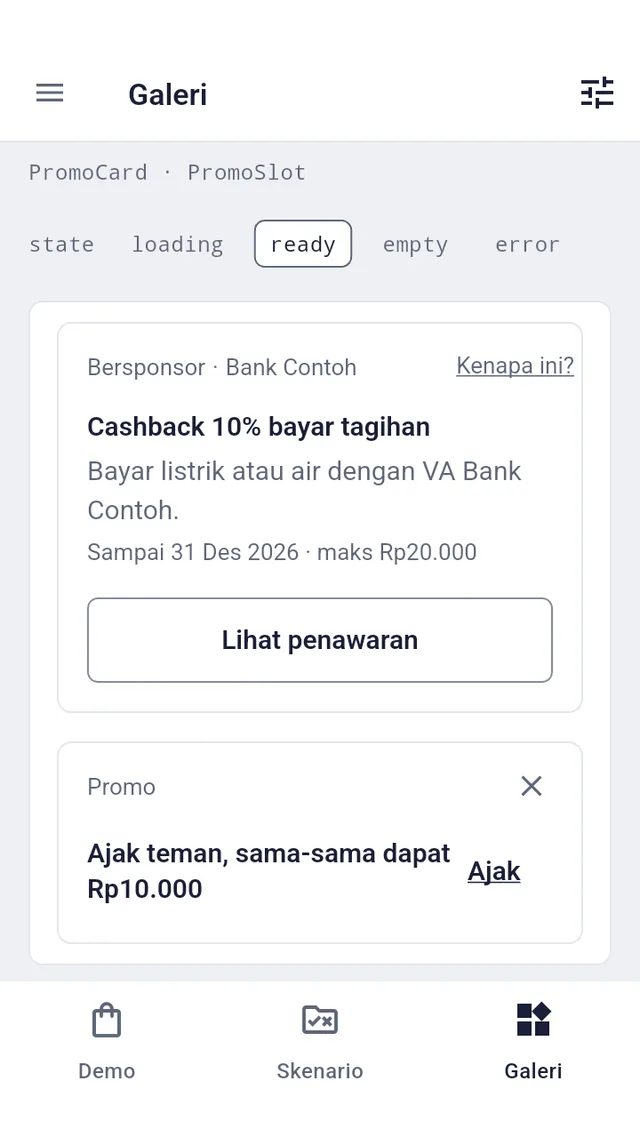
PromoSlot( state: offersState, // loading / ready / empty / error content: const PromoContent( id: 'cb-10', kind: PromoKind.sponsored, advertiser: 'Bank Contoh', title: 'Cashback 10% on bills', ctaLabel: 'See offer', ), onAction: (promo) => host.openOffer(promo.id), onDismiss: (promo) => host.hidePromo(promo.id), onAbout: (promo) => host.explainPlacement(promo.id),);Behavior
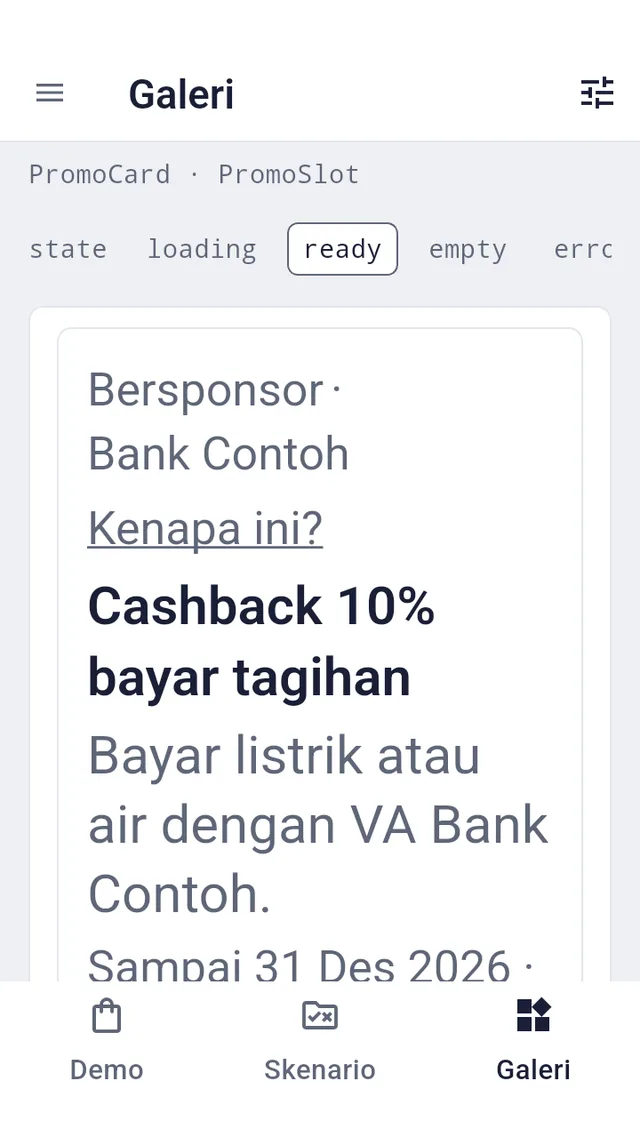
Section titled “Behavior”- Every promotion is labeled “Sponsored · advertiser” or “Promo”, and the label wraps rather than truncates: who paid for a placement must always be visible.
- Empty and failed slots collapse by default (
collapseWhenEmpty). - The kit never fetches campaigns, counts impressions, applies discounts or changes a quote. To use an ad network, load its content in your app and pass it in; native-ad SDK views and their policies remain your integration.
- Keep promotions out of the path between the total and the pay button.
PromoContent.iconis accepted but not drawn in the current design.
“Why this?” opens a sheet
Section titled ““Why this?” opens a sheet”The explanation behind “Why this?” / “Kenapa ini?” is longer than a tooltip’s one line, so onAbout opens a sheet. The sheet has a title, the text and one full-width primary Close, its completion action:
onAbout: (promo) => showPaymentSheet<void>( context: context, builder: (sheet) => PaymentSheet( header: PaymentSheetHeader(title: 'Why you see this'), body: Text('Bank Contoh paid for this placement. …'), footer: PaymentButton( label: 'Close', onPressed: () => Navigator.pop(sheet), ), ),),PromoSlot
class PromoSlot extends StatelessWidget · lib/src/promo/promo.dart
A placement that can be loading, filled, empty or failed.
Empty and failed slots collapse by default (collapseWhenEmpty): a missing offer should not leave a hole or an error in a checkout. Turn it off where the slot is the content, such as an offers page.
| Parameter | Type | Default | Description |
|---|---|---|---|
state:required | PromoSlotState | — | — |
onAction:required | FutureOr<void> Function(PromoContent content) | — | — |
content: | PromoContent? | — | — |
onDismiss: | ValueChanged<PromoContent>? | — | — |
onAbout: | ValueChanged<PromoContent>? | — | — |
onRetry: | FutureOr<void> Function()? | — | — |
layout: | PromoLayout | PromoLayout.card | — |
collapseWhenEmpty: | bool | true | — |
PromoSlotState
enum PromoSlotState · lib/src/promo/promo.dart
Where a promotion slot is while the host loads it.
| Value | Description |
|---|---|
loading | — |
ready | — |
empty | — |
error | — |
PromoCard
class PromoCard extends StatelessWidget · lib/src/promo/promo.dart
A clearly labeled promotion with a call to action and optional dismiss.
onAction and onDismiss go to the host, which decides what the CTA does and whether a dismissed promo stays hidden. Promotions never sit between the customer and the pay button, and never change a quote.
| Parameter | Type | Default | Description |
|---|---|---|---|
content:required | PromoContent | — | — |
onAction:required | FutureOr<void> Function() | — | — |
onDismiss: | VoidCallback? | — | — |
onAbout: | VoidCallback? | — | Opens the host's "why am I seeing this" explanation. |
layout: | PromoLayout | PromoLayout.card | — |
PromoContent
class PromoContent · lib/src/promo/promo.dart
Host-supplied promotion. The kit renders it and reports taps; it never fetches campaigns, tracks impressions or applies discounts itself.
| Parameter | Type | Default | Description |
|---|---|---|---|
id:required | String | — | — |
kind:required | PromoKind | — | — |
title:required | String | — | — |
ctaLabel:required | String | — | — |
message: | String? | — | — |
advertiser: | String? | — | Who paid for a sponsored placement. |
icon: | IconData? | — | Kept for compatibility. Cards no longer draw it: a generic icon beside the title adds nothing the title does not already say. |
media: | Widget? | — | Optional image or illustration supplied by the host (already loaded or with its own loading state). Decorative: excluded from semantics. Prefer PaymentImage with empty alt; the card labels the promotion. |
terms: | String? | — | Short conditions, e.g. "Until 31 Dec. Min. purchase Rp50.000". |
PromoKind
enum PromoKind · lib/src/promo/promo.dart
Whether content is paid placement or the host's own offer. Both are always labeled; a sponsored item also names who paid for it.
| Value | Description |
|---|---|
sponsored | — |
promotion | — |
PromoLayout
enum PromoLayout · lib/src/promo/promo.dart
| Value | Description |
|---|---|
card | — |
banner | — |
Why this and the quiet banner CTA use inline PaymentLink actions.
Layout foundation
Section titled “Layout foundation”Pass PaymentImage with empty alt for decorative media; the card labels the promotion.
Filter foundation
Section titled “Filter foundation”Applied promo codes use PaymentChip with a separate remove action. The applied live announcement remains.