Divider
PaymentDivider draws the kit’s hairline: 1 px in PaymentTheme.outline. It is decorative.
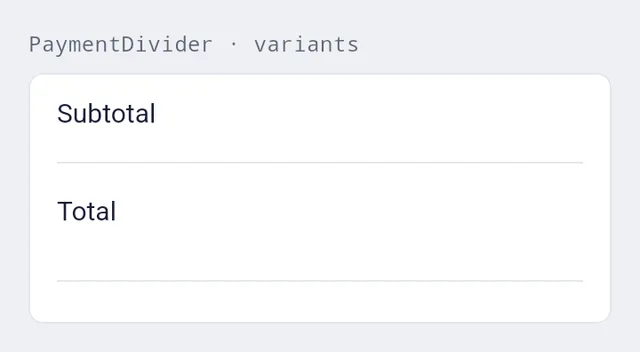
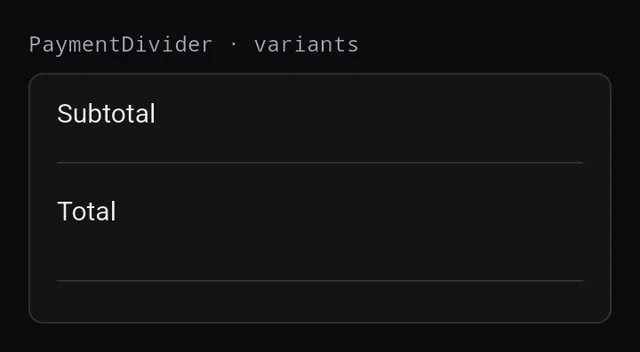
PaymentDivider(height: theme.space(PaymentSpace.section));Behavior
Section titled “Behavior”Use height for the space around the rule. The rule stays 1 dp thick and uses PaymentTheme.outline.
Variants
Section titled “Variants”Variants: horizontal, vertical.
Between rows
Section titled “Between rows”The default height of 1 puts the rule directly between two rows, with no extra space. It is the same rule PaymentList draws between action rows.
Between groups
Section titled “Between groups”Set height to spacing * 3 (24 with the default theme). The rule then sits in the middle of a section gap.
PaymentDivider(height: PaymentTheme.of(context).spacing * 3);Pattern adoption
Section titled “Pattern adoption”Every horizontal rule in kit patterns uses PaymentDivider, including action groups, checkout, receipts, history and video controls. Side-by-side navigation keeps its vertical rule. Thickness is always 1 dp, including Material 2 hosts and hosts with a custom divider thickness.
Which variant when
Section titled “Which variant when”| Situation | Variant / composition | Payment example |
|---|---|---|
| Separate receipt sections | horizontal | Use the theme outline and spacing from the surrounding composition. |
Use Section for a titled content group.
States
Section titled “States”The divider is decorative and has no loading, error or interaction state.
Do and don’t
Section titled “Do and don’t”Do: Use the theme outline and spacing from the surrounding composition.
Don’t: Draw custom raw-color lines beside kit rules.
Content guidelines
Section titled “Content guidelines”- Prefer space to separate sections. Add a rule only where space alone does not read as a break, such as before a total.
- Do not use a divider as a border around content. Sections are flat by design.
Accessibility
Section titled “Accessibility”The divider is excluded from semantics. Use headings or labels to communicate the grouping it supports.
PaymentDivider
class PaymentDivider extends StatelessWidget · lib/src/foundation/primitives.dart
A 1 px hairline in PaymentTheme.outline that separates rows or groups. Decorative: screen readers skip it.
Between rows of a list use the default height of 1, as PaymentList does. Between sections use the section gap (24) so the rule sits in the middle of a section gap.
| Parameter | Type | Default | Description |
|---|---|---|---|
height: | double | 1 | Total height, with the rule centered in it. |