Section
PaymentSection groups related content under a title. Sections are flat: they sit on the page surface and are separated by space, never boxed, so they nest inside your own cards and sheets without stacking borders.
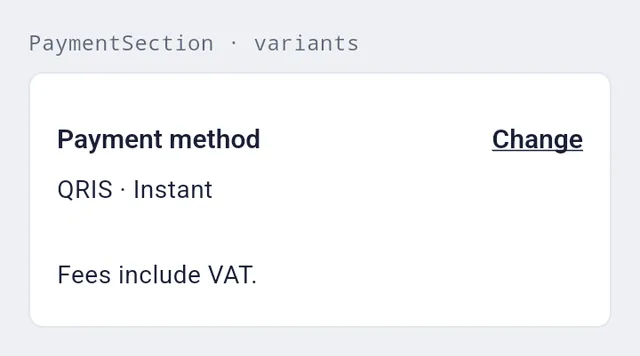
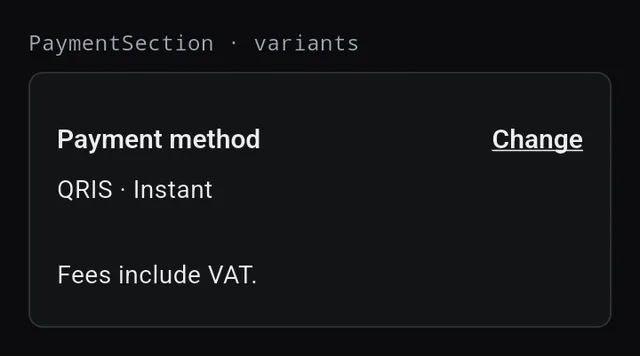
PaymentSection(child: LoadingSkeleton(rows: 3, leading: false));Variants
Section titled “Variants”Variants: titled, untitled, trailing action.
With a header action
Section titled “With a header action”trailing puts an action beside the title, such as “Edit”. Keeping a section’s action in its header saves a row and ties the action to the content.
PaymentSection( title: 'Identity', trailing: TextButton(onPressed: editIdentity, child: const Text('Edit')), child: identityRows,);Header band
Section titled “Header band”The header is one 36 dp band whether or not it has a trailing action, so sections line up on a page. A trailing small button centres on the title’s first line; its 48 dp target overhangs the band into the section’s padding.
Without a title
Section titled “Without a title”title is optional. Without it the section is only vertical padding around its child, which keeps spacing consistent with titled sections.
Which variant when
Section titled “Which variant when”| Situation | Variant / composition | Payment example |
|---|---|---|
| Group checkout content | titled | Use one short heading for a related block and a secondary trailing action. |
Use Form field group for controls with a legend.
States
Section titled “States”The section groups its children. Loading, empty and error presentations belong to the content inside it.
Do and don’t
Section titled “Do and don’t”Do: Use one short heading for a related block and a secondary trailing action.
Don’t: Wrap already titled page modules just to add another heading.
Content guidelines
Section titled “Content guidelines”- Titles are short nouns in sentence case: “Order summary”, “Pay with”.
- Use a section per topic. If a section needs a sub-section, consider an expandable section or a separate screen.
- Use a divider between sections only when space alone does not separate them.
Accessibility
Section titled “Accessibility”- The title is marked as a header, so screen-reader users can jump between sections.
PaymentSection
class PaymentSection extends StatelessWidget · lib/src/foundation/primitives.dart
A titled group of content. Sections are flat: they sit on the page surface and are separated by space, never boxed, so they nest inside a host's own cards and sheets without stacking borders.
| Parameter | Type | Default | Description |
|---|---|---|---|
title: | String? | — | — |
trailing: | Widget? | — | Optional action beside the title, such as an "Edit" button. Keeping a section's action in its header saves a row and ties it to the content. |
child:required | Widget | — | — |
See also
Section titled “See also”Use Property list for grouped payment facts and Table for fee schedules.