Status and receipt
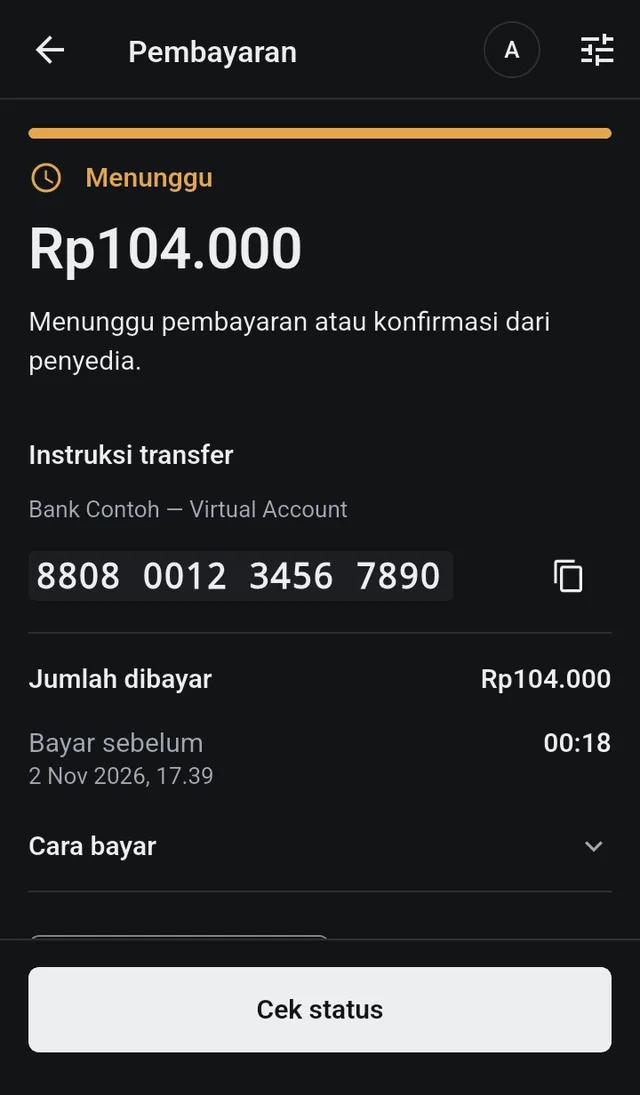
Try the Checkout and Recovery block for a runnable mobile journey from review through an unknown result to a confirmed receipt. The Manual VA transfer block shows an issued virtual account whose deadline never decides the payment. The QRIS checkout block uses the same status flow with a host-issued QR image instead of a virtual account. The Wallet handoff block uses it to recover the same payment after switching apps. The Payment and refund detail block keeps the original payment intact beside its refund.
Renders one payment attempt from host-authoritative data. It never infers success, never polls, and never offers paying again while the outcome is unresolved.
Your app supplies the status snapshots, polling, the virtual account and its expiry, cancellation and refunds, and the share and clipboard implementations.
final va = attempt.snapshot?.instructions;
PaymentStatusView(  attempt: attempt,  amount: quote.total,  busyAction: checking ? PaymentAction.checkStatus : null,  instructions: va == null      ? null      : PaymentInstructions(          instructions: va,          clock: host.clock,          onCopyNumber: copyToClipboard, // Future<bool> Function(String)          onElapsed: refreshStatus,        ),  onAction: (action) => switch (action) {    PaymentAction.checkStatus => refreshStatus(),    PaymentAction.viewReceipt => openReceipt(),    _ => host.handle(attempt.attemptId, action),  },);
RefundSection(refund: snapshot.refund, paidAmount: quote.total);
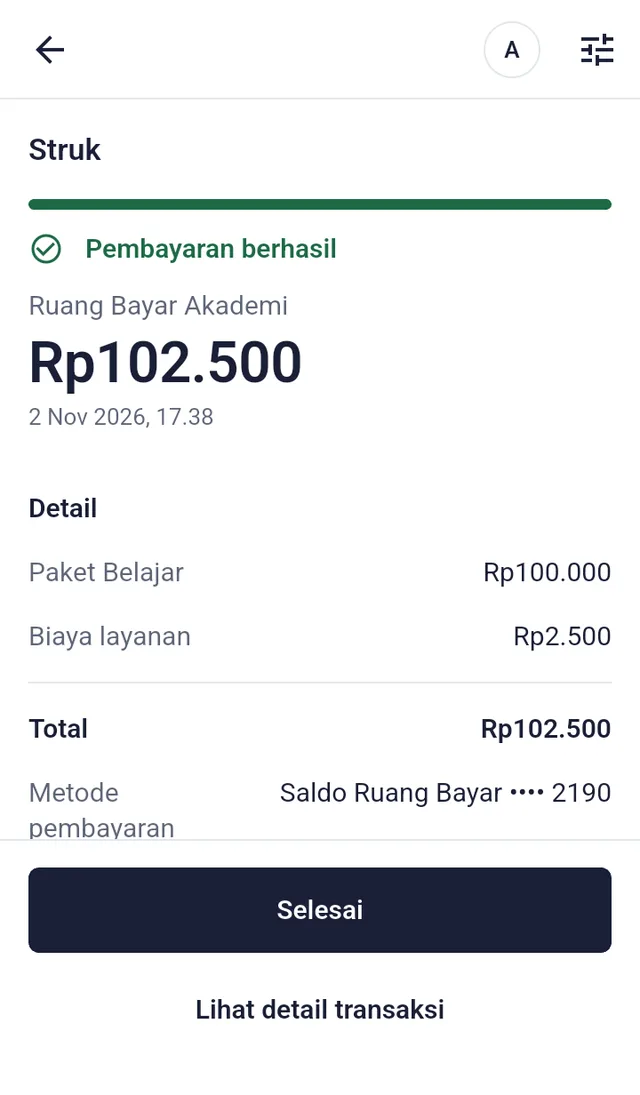
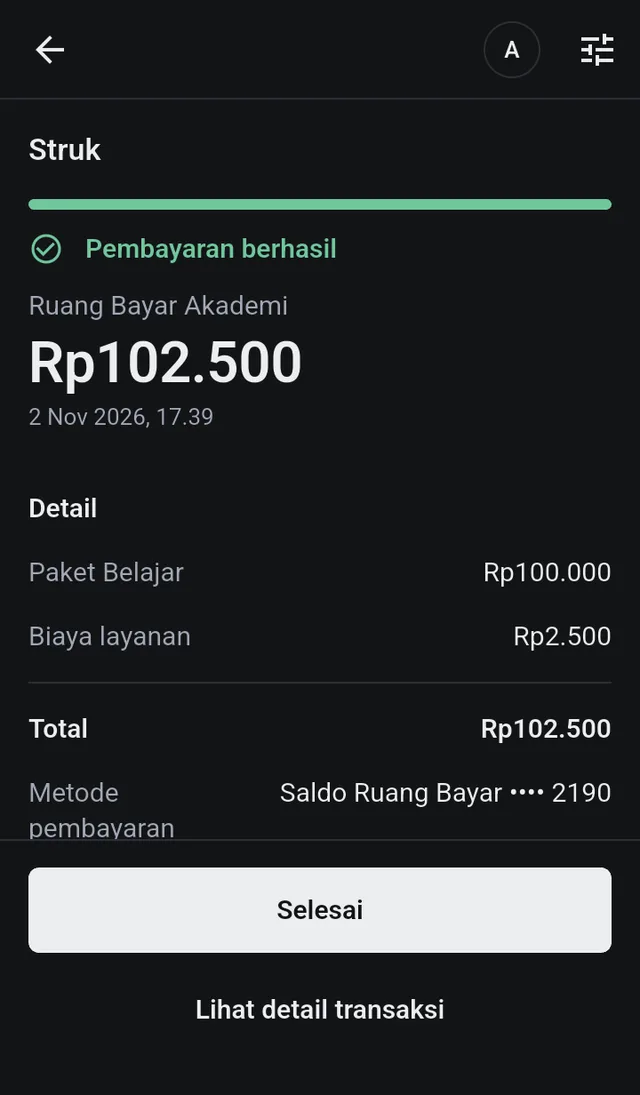
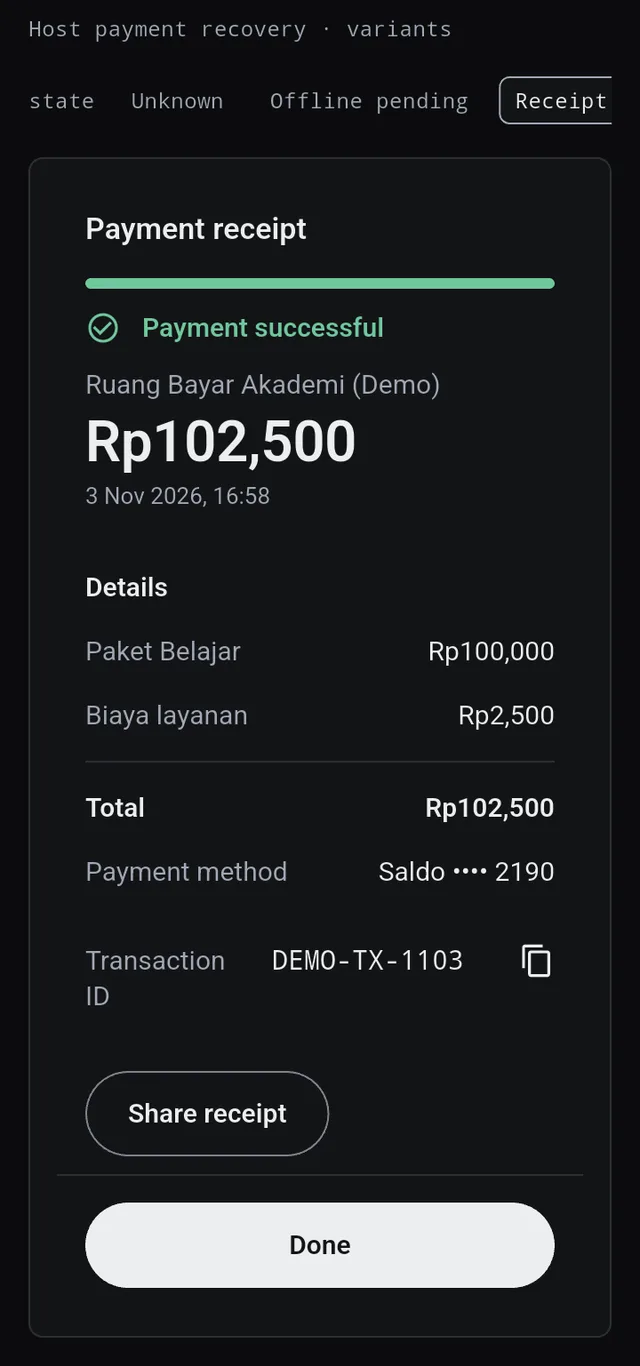
// A screen's body: the receipt scrolls and Done pins to the footer (D62).PaymentFullPageView(  title: 'Receipt',  primaryAction: PaymentButton(label: 'Done', onPressed: finish),  secondaryAction: PaymentButton(    label: 'View details',    variant: PaymentButtonVariant.quiet,    onPressed: openDetail,  ),  child: PaymentReceipt(    data: receiptData, // only for a payment your host confirmed as succeeded    onShare: (share) => host.share(share.title, share.text), // Future<ShareOutcome>    onCopyTransactionId: copyToClipboard,  ),);
The full sequence, including PaymentAttempt and reconcile, is in the Quick start.
Behavior
Section titled “Behavior”- Pinned action. Given a bounded height, for example as a
Scaffoldbody, the status scrolls and the first action pins to a footer at the bottom. Under it goes one quiet action: yoursecondaryAction(such as “Done” once the attempt is final), otherwise “Contact support”. The other actions stay in the content as hug buttons, after the instructions. Pass a banner, such as “Cancellation requested”, asheaderso it scrolls with the status. Inside a scroll view every action follows the status as before. - Actions come only from
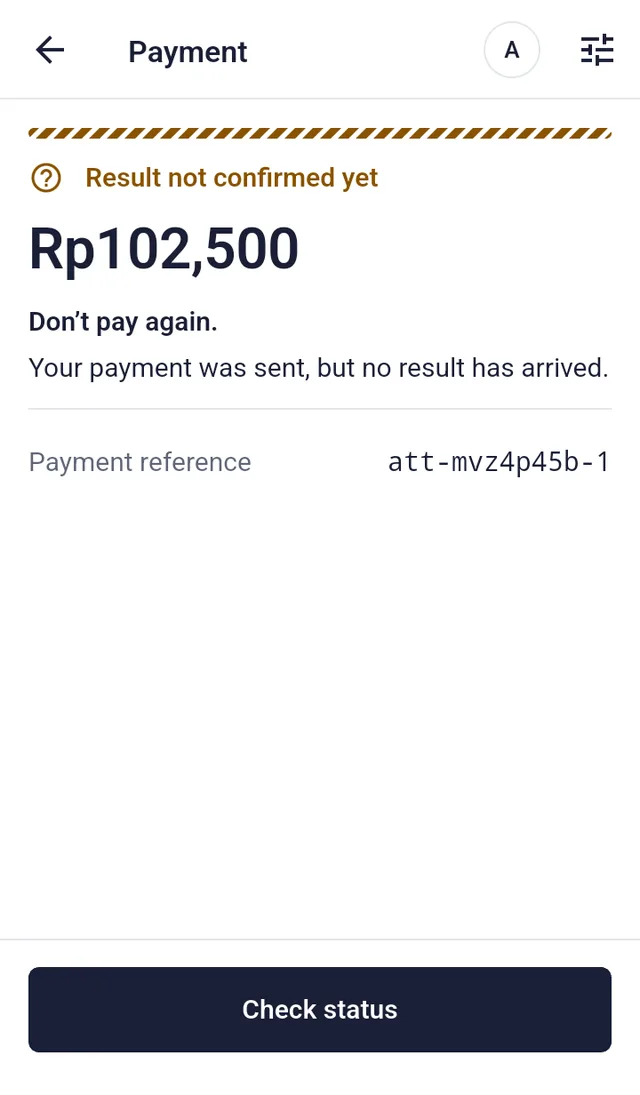
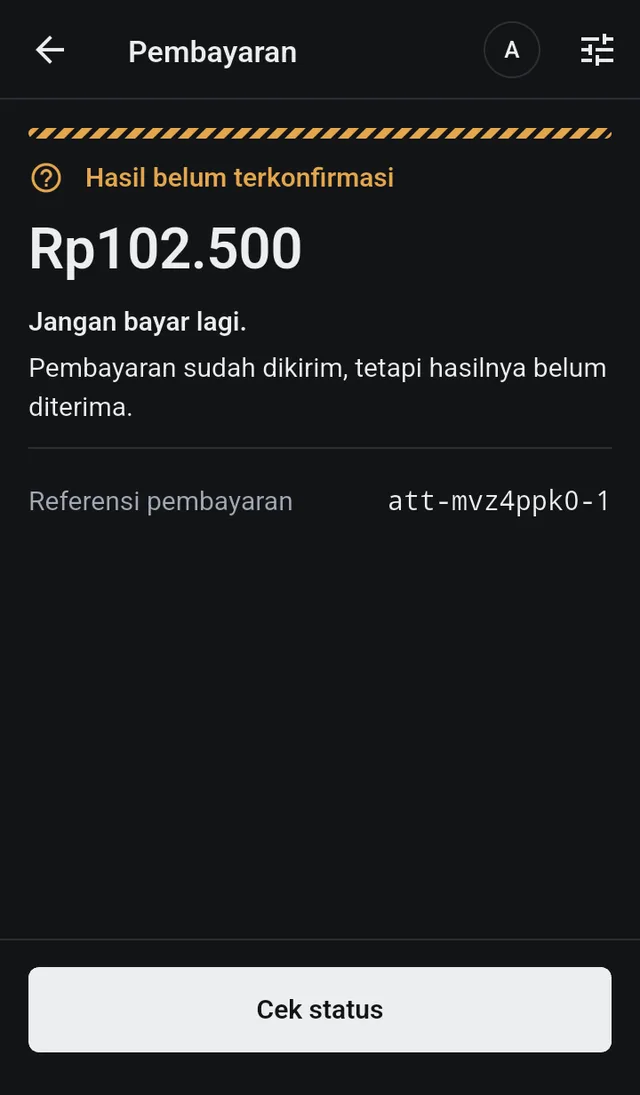
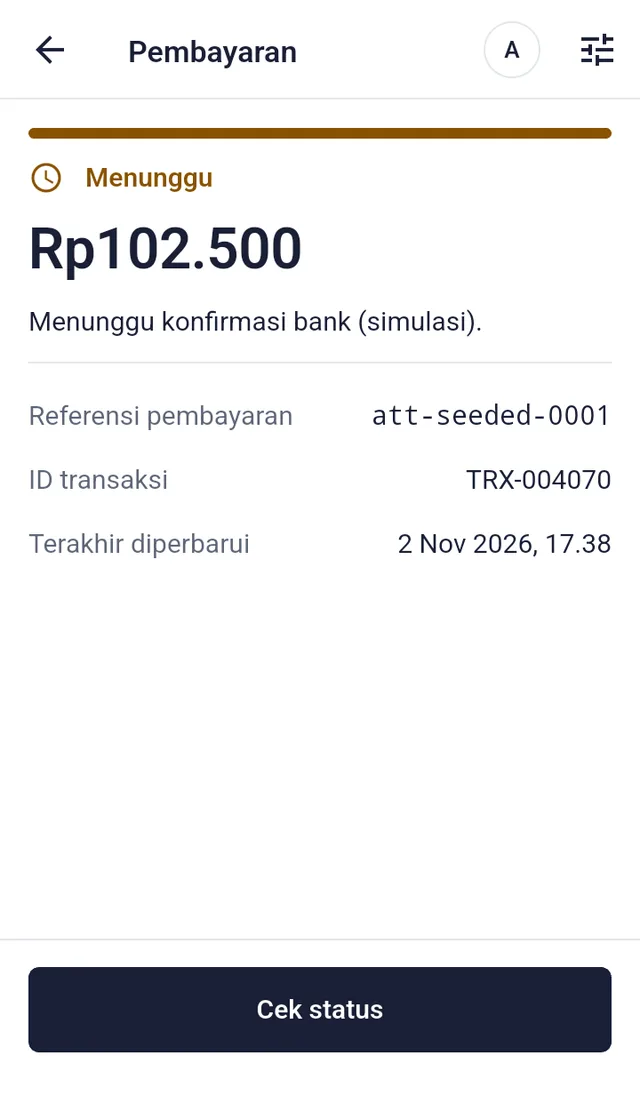
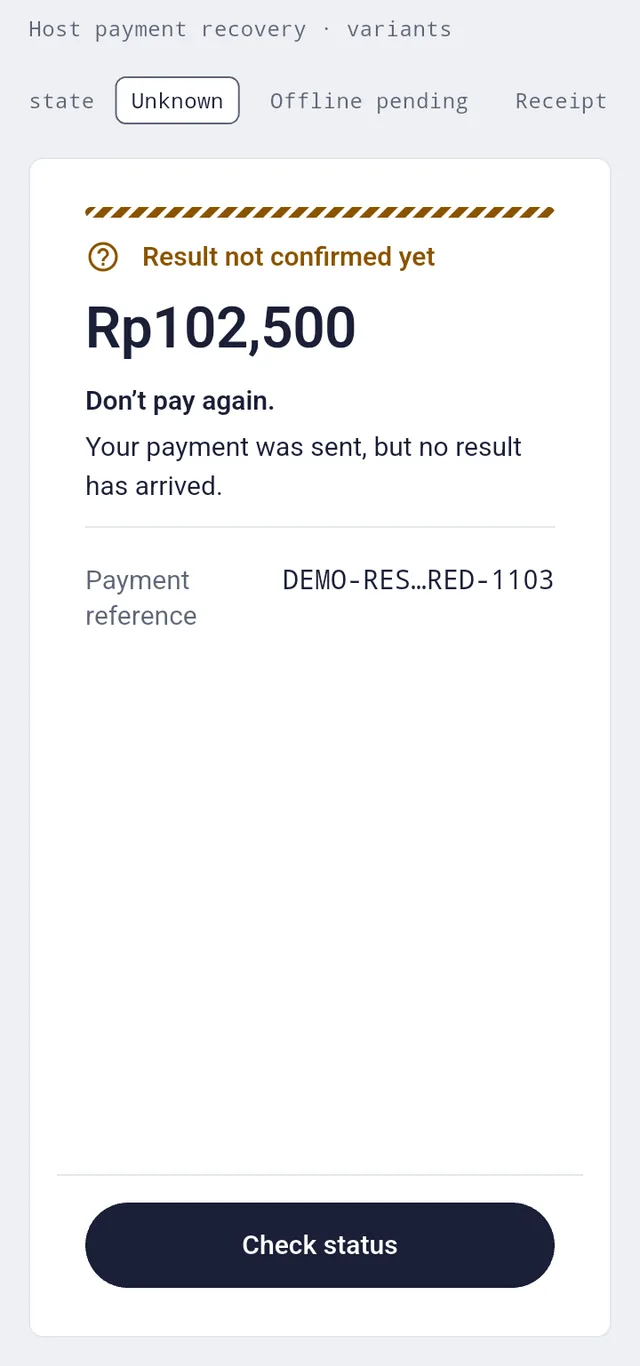
attempt.availableActions. While the outcome is unknown that ischeckStatusalone.startNewAttemptappears only when your host allows it and the previous attempt is final and not a success. - Unknown reads “Don’t pay again.” first, with a hatched band. The “last updated” row appears only once a host snapshot exists.
- Instructions sit after the explanation and before the actions, so the account to pay into comes before Check status. Above 1.5× text, when the actions are inline, they move after the actions; with a pinned footer they keep their place. They are not shown while the outcome is unknown, where an account to pay into would read as an invitation to pay again.
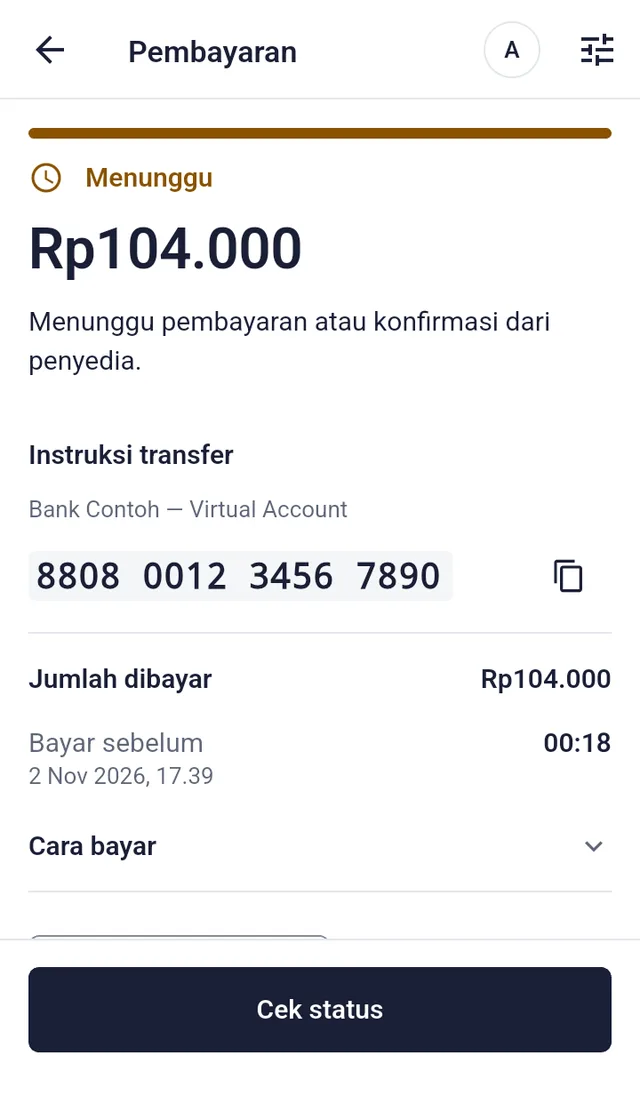
- Countdown uses the host clock and stops at zero; the widget only reports
onElapsedand keeps the status check available. The virtual account number is set in the reference (monospace) font and steps fold under “How to pay”. - Refunds appear in
RefundSection, beside the original payment, never instead of it. A refund abovepaidAmountis treated as invalid host data. - Receipt sharing hands your callback only
ReceiptShareData: merchant, transaction ID, time, total and the masked method. Line items and account identifiers are excluded. A failed or dismissed share never changes the receipt or the payment.
Copyable host composition
Section titled “Copyable host composition”The local example’s example/lib/compositions/host_payment_recovery.dart combines the existing status and receipt patterns without DemoCoordinator. Copy it into the host alongside your product theme, such as ProductLooks in host_checkout.dart. It is example source, not an exported package API or an installed block system.
Pass the restored PaymentAttempt, amount and optional host-loaded receipt. onAction(attemptId, action) returns the host operation’s future: a status check reconciles that same attempt, never submits a new payment. Rebuild with the updated attempt; use Observation.unavailable while retaining its last trusted snapshot when refresh fails. Persistence, reconciliation ordering, retries, networking and routing stay with the host.
Receipt rendering requires an accepted attempt with a succeeded host snapshot and a receipt whose transactionId matches attempt.serverReference. Early data, another transaction’s receipt and an official correction away from success remain on the status view. The host must validate the full receipt payload; matching an identifier is only a presentation guard. While loading or retrying a receipt, pass busyAction and a safe notice through header; keep returning the callback future for local repeat protection. Share and copy callbacks use the existing allowlist and feedback behavior.
Try Host payment recovery in the gallery’s Status & receipt section. Unknown offers a status check for the restored reference; the synthetic host returns a confirmed success fixture. Offline pending keeps the last known payment, and Receipt shows the confirmed result. These fixtures make no payment or platform call.
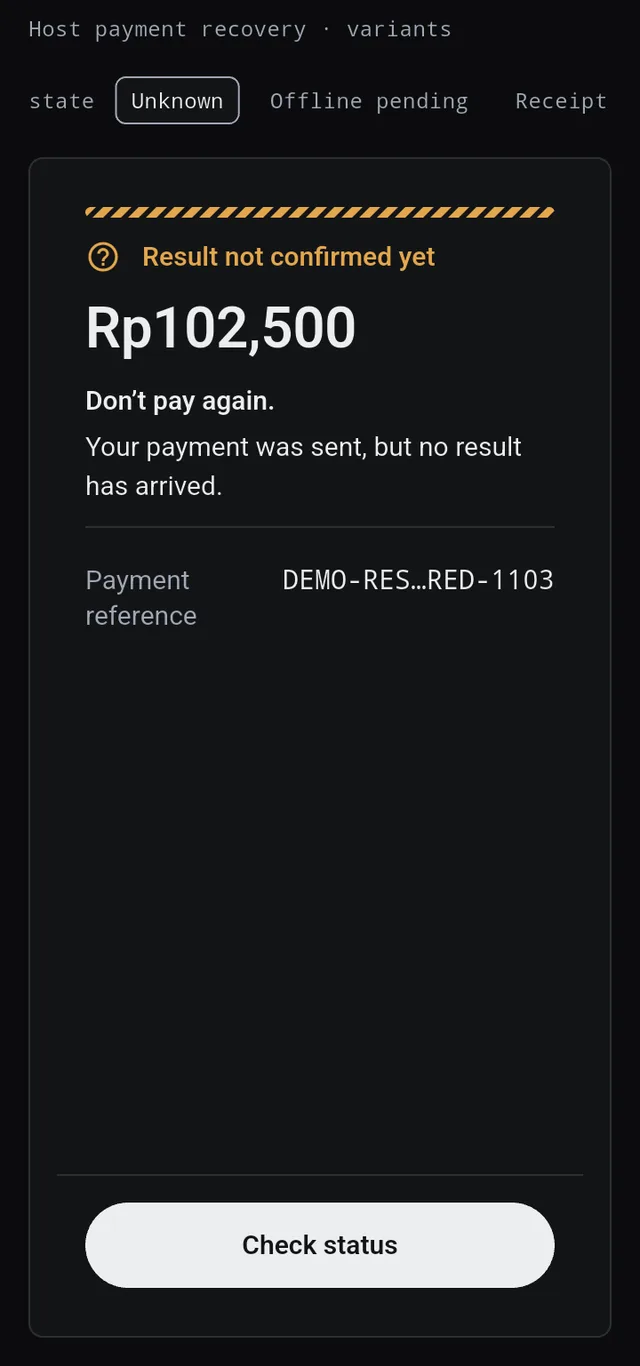
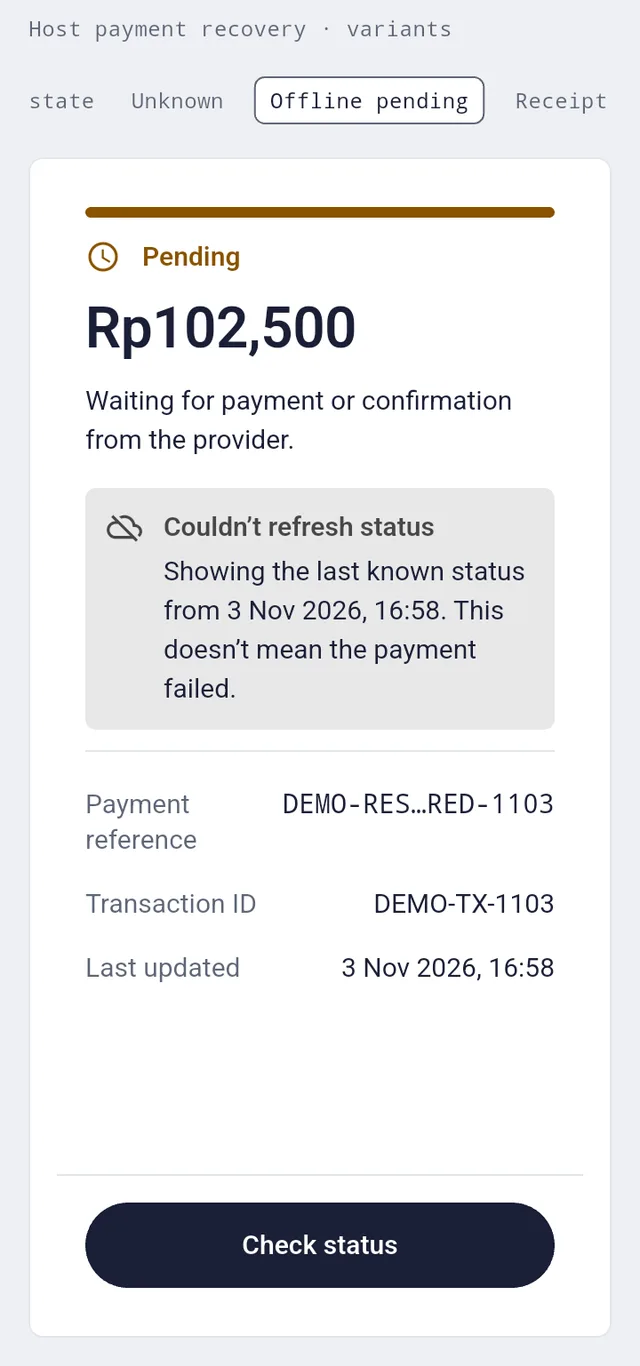
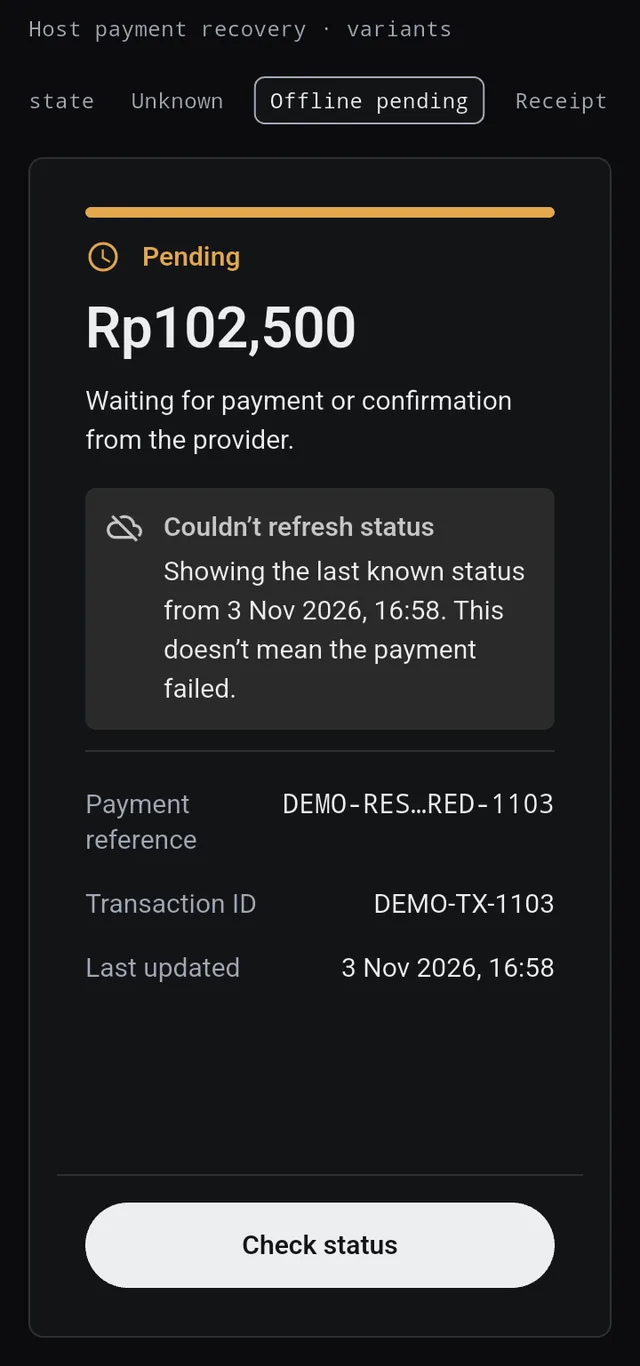
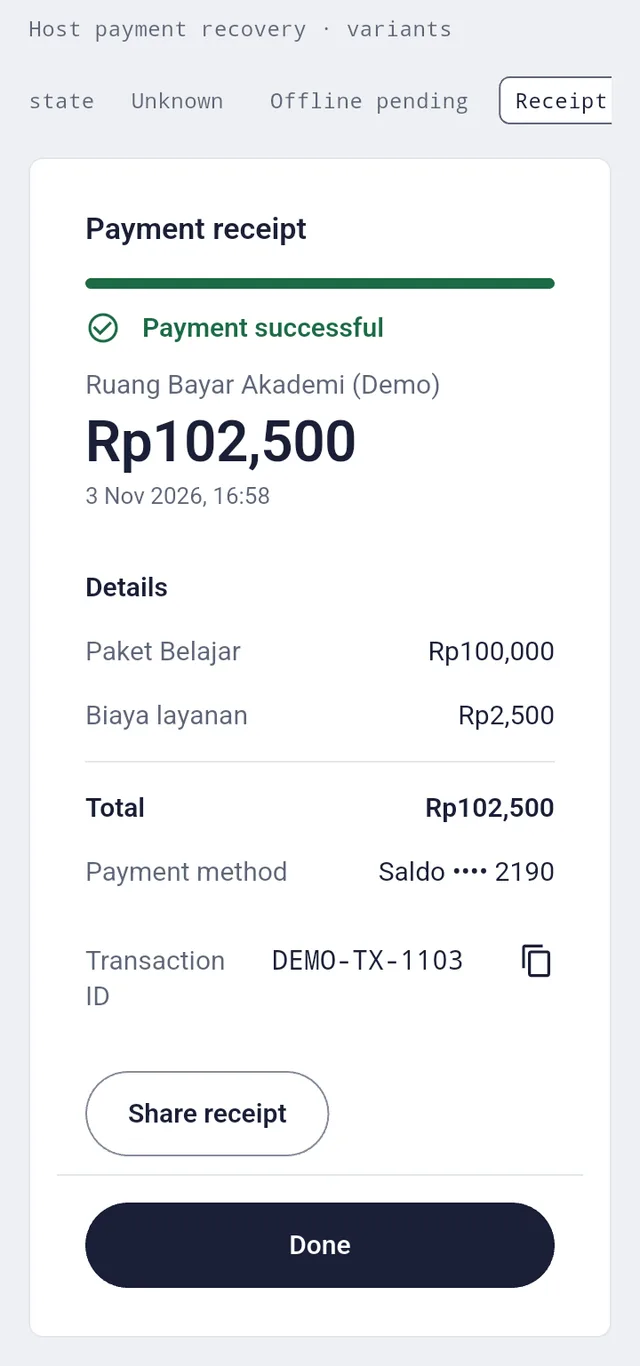
PaymentStatusView
class PaymentStatusView extends StatelessWidget · lib/src/payment/payment_status.dart
Renders an attempt from host-authoritative data.
The view never infers success, never polls and never offers paying again while the outcome is unresolved. Actions come from PaymentAttempt.availableActions.
Given a bounded height, e.g. as a screen's body, the status scrolls and the first action pins to a footer at the bottom, with secondaryAction or the quiet contact-support under it; other actions stay in the content as hug buttons (D62). Inside a scroll view all actions follow the status, as before.
| Parameter | Type | Default | Description |
|---|---|---|---|
attempt:required | PaymentAttempt | — | — |
onAction:required | FutureOr<void> Function(PaymentAction action) | — | — |
amount: | Money? | — | — |
busyAction: | PaymentAction? | — | Action whose host call is running, shown as busy. |
instructions: | Widget? | — | Manual payment instructions, shown after the explanation and before the actions, so the account to pay into comes before Check status. Above 1.5× text, inside a scroll view, they move after the actions; with a pinned footer they keep their place. Not shown while the outcome is unknown, where an account to pay into would read as an invitation to pay again. |
header: | Widget? | — | Host content shown above this widget's content, inside its scroll region (D62), e.g. a banner. |
secondaryAction: | PaymentButton? | — | One quiet host action under the primary, e.g. "Done". It takes the footer's quiet slot; contact support then stays in the content. |
PaymentInstructions
class PaymentInstructions extends StatelessWidget · lib/src/payment/payment_status.dart
Manual transfer instructions (for example a virtual account).
The countdown uses the host clock and stops at zero. Reaching zero is not proof the customer did not pay, so the widget only reports onElapsed and keeps the status check available.
| Parameter | Type | Default | Description |
|---|---|---|---|
instructions:required | VirtualAccountInstructions | — | — |
clock:required | DateTime Function() | — | — |
onCopyNumber: | Future<bool> Function(String value)? | — | Host clipboard; returns false when copying failed. |
onElapsed: | VoidCallback? | — | — |
VirtualAccountInstructions
class VirtualAccountInstructions · lib/src/payment/payment_models.dart
| Parameter | Type | Default | Description |
|---|---|---|---|
providerLabel:required | String | — | — |
accountNumber:required | String | — | — |
amount:required | Money | — | — |
expiresAt:required | DateTime | — | — |
steps: | List<String> | const [] | — |
RefundSection
class RefundSection extends StatelessWidget · lib/src/payment/payment_status.dart
Refund lifecycle shown beside, never instead of, the original payment.
| Parameter | Type | Default | Description |
|---|---|---|---|
refund:required | RefundInfo | — | — |
paidAmount: | Money? | — | Original amount; a refund above it is treated as invalid host data. |
PaymentReceipt
class PaymentReceipt extends StatefulWidget · lib/src/receipt/payment_receipt.dart
Receipt for a payment the host confirmed as succeeded.
Sharing hands the host only ReceiptShareData built from an allowlist. A failed or dismissed share never changes the receipt or the payment.
| Parameter | Type | Default | Description |
|---|---|---|---|
data:required | PaymentReceiptData | — | — |
onShare: | Future<ShareOutcome> Function(ReceiptShareData data)? | — | — |
onCopyTransactionId: | Future<bool> Function(String transactionId)? | — | — |
PaymentReceiptData
class PaymentReceiptData · lib/src/receipt/receipt_models.dart
Receipt detail for a payment the host has confirmed as succeeded.
Contains no KYC data, credentials or raw provider payload.
| Parameter | Type | Default | Description |
|---|---|---|---|
transactionId:required | String | — | — |
merchantName:required | String | — | — |
paidAt:required | DateTime | — | — |
lines:required | List<QuoteLine> | — | — |
total:required | Money | — | — |
methodLabel:required | String | — | Already masked by the host, e.g. "Saldo •••• 2190". |
refund: | RefundInfo | const RefundInfo(status: RefundStatus.none) | — |
ReceiptShareData
class ReceiptShareData · lib/src/receipt/receipt_models.dart
The only fields that leave the app when a receipt is shared.
| Parameter | Type | Default | Description |
|---|---|---|---|
title:required | String | — | — |
text:required | String | — | — |
fields:required | Map<String, String> | — | — |
ReceiptShareData.fromReceipt(…) — Builds the allowlisted share payload. Line items, account identifiers and anything not listed here are deliberately excluded.
| Parameter | Type | Default | Description |
|---|---|---|---|
receiptrequiredpositional | PaymentReceiptData | — | — |
title:required | String | — | — |
labels:required | Map<String, String> | — | — |
moneyFormat:required | MoneyFormat | — | — |
formatDate:required | String Function(DateTime) | — | — |
ShareOutcome
enum ShareOutcome · lib/src/receipt/receipt_models.dart
Result reported by the host's share or clipboard implementation.
| Value | Description |
|---|---|
shared | — |
dismissed | — |
failed | — |
PaymentAttempt, PaymentStatusSnapshot and the status enums are on Payment attempt and status.
Copy confirms inline beside the value with a temporary check. A failure stays beside the ID. Receipt banners report share feedback only.
Layout foundation
Section titled “Layout foundation”The virtual account uses PaymentCode: a muted tag, reference face, grouped numeric speech and host copy feedback.
Use Property list for grouped payment facts and Table for fee schedules.
Button group now composes related status and dialog actions. Overflow menus wrap long labels at large text.
Use the Checkout and recovery block for a complete host composition from checkout through status and receipt.