Verification (KYC)
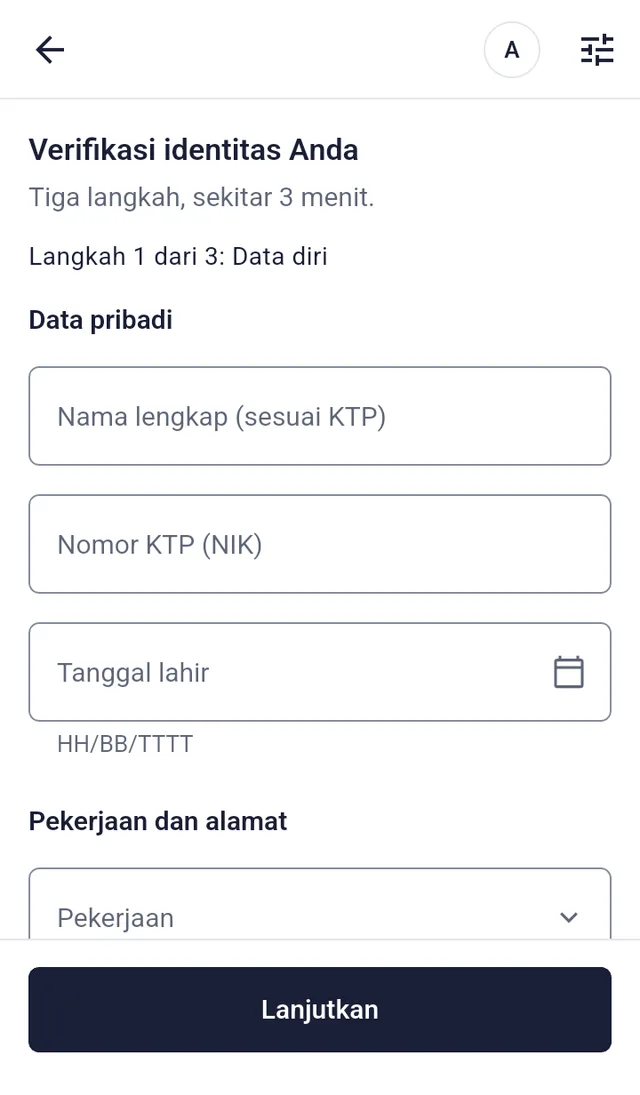
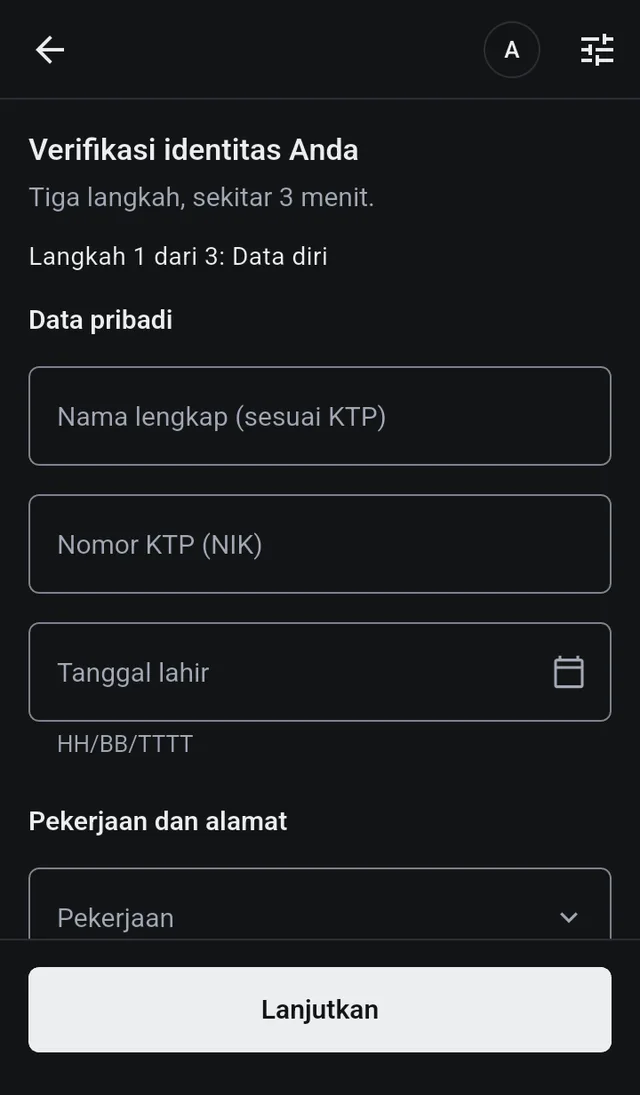
The KYC Review and Correction block demonstrates a host
correction journey with source and a runnable native demo. Keep document upload
state separate from VerificationSnapshot: uploaded is not verified. Preserve
masked review values and safe reasons. A known pre-acceptance rejection can allow
retry; a lost submit response requires request reconciliation instead. The host
still owns prior consent, eligibility, identity/document validation and retention.
For first-time consent, details and a masked review, see the
KYC onboarding and consent block.
KYC is optional and composes with checkout; not every payment has to pass through it. The widgets show what you ask for and why, collect it, and display your decision.
Your app sets the identity rules and consent policy, field validators and document limits, runs the picker or camera, uploads and server-side document validation, and makes the verification decision. verified comes only from your snapshot, never from a finished upload.
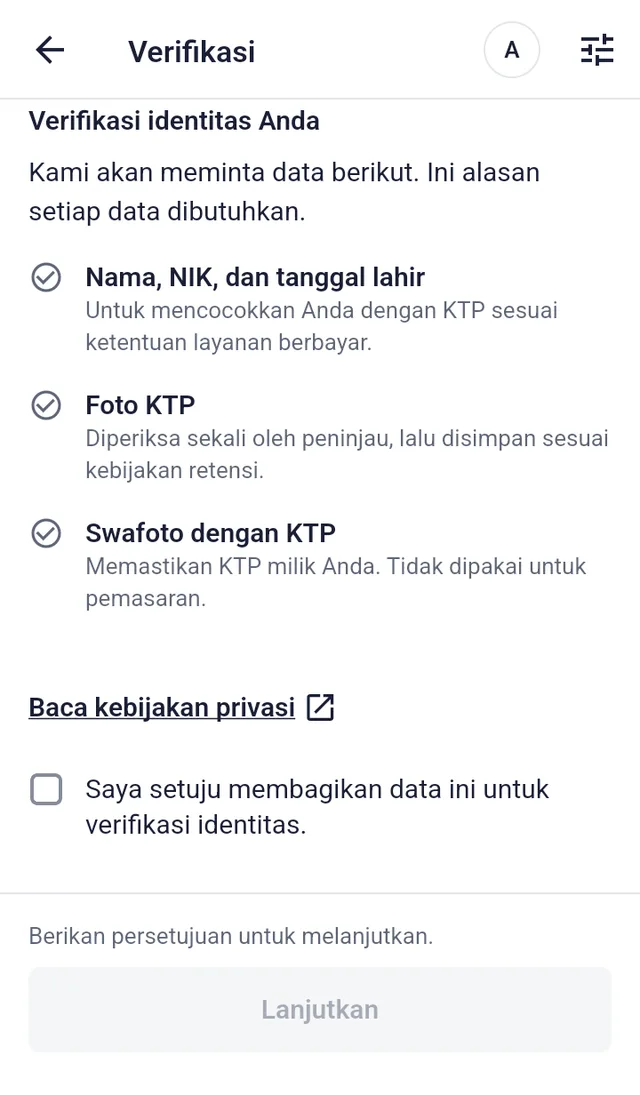
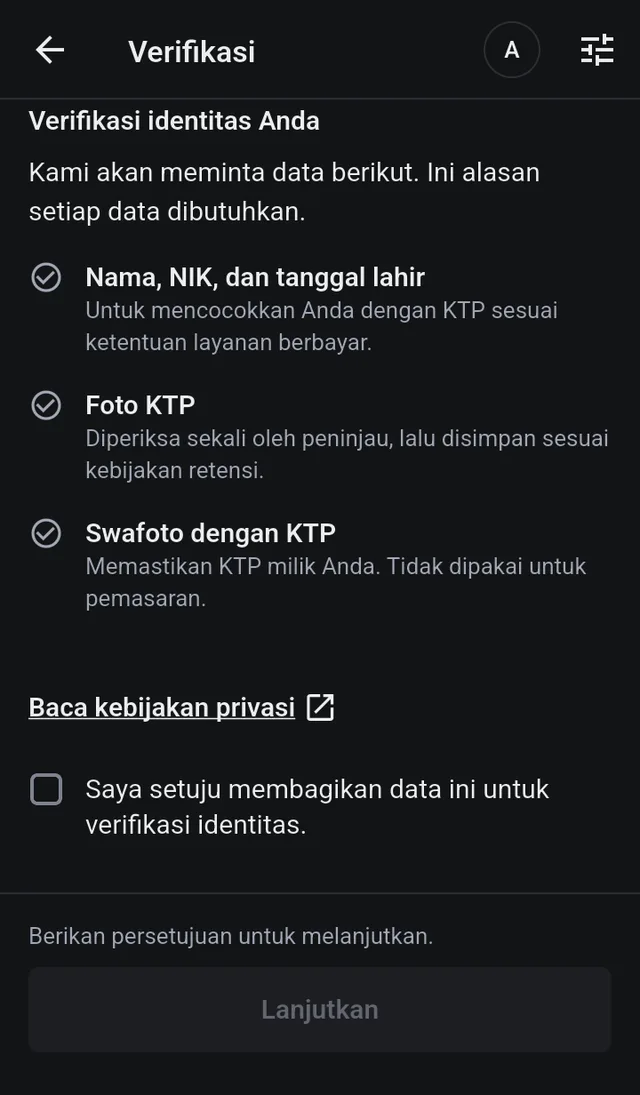

Use KYC capture and the source sheet when the host offers camera framing before upload.
The flow is intro → form → documents → review → status. Each widget is independent; your coordinator decides which one to show.
VerificationIntro(  requirements: const [    DataRequirement(      title: 'Full name and ID number',      purpose: 'To confirm the account belongs to you.',    ),    DataRequirement(      title: 'Photo of your ID card',      purpose: 'Required by our payment partner for top-ups above the limit.',    ),  ],  onOpenPolicy: host.openPrivacyPolicy,  onContinue: () => setState(() => step = KycStep.form),);
IdentityForm(  fields: [    const IdentityFieldSpec(key: 'name', label: 'Full name'),    IdentityFieldSpec(      key: 'nik',      label: 'ID number (NIK)',      keyboardType: TextInputType.number,      validator: host.validateNik, // String? Function(String value)      maskInReview: true,    ),  ],  initialValues: draft,  serverErrors: host.fieldErrors, // keyed by IdentityFieldSpec.key  onSubmit: (values) => setState(() {    draft = values;    step = KycStep.documents;  }),);
DocumentUploadTile(  requirement: const DocumentRequirement(    key: 'ktp',    label: 'ID card (KTP)',    acceptedTypes: {'image/jpeg', 'image/png'},    acceptedTypesLabel: 'JPG or PNG',    maxBytes: 5 * 1024 * 1024,  ),  state: ktpSlot, // DocumentSlotState.empty() / uploading / uploaded / failed  onPick: host.pickKtp, // your picker or camera; also replaces a file mid-upload  onOpenSettings: host.openAppSettings,);
Before uploading, checkDocumentLimits(requirement: …, file: …) returns a DocumentIssue when a file breaks your limits. Passing it does not mean the document is genuine.
Each DocumentSlotState carries a requestId. When the customer replaces a file while the previous one is still uploading, ignore results whose requestId no longer matches the slot, so review shows only the latest file.
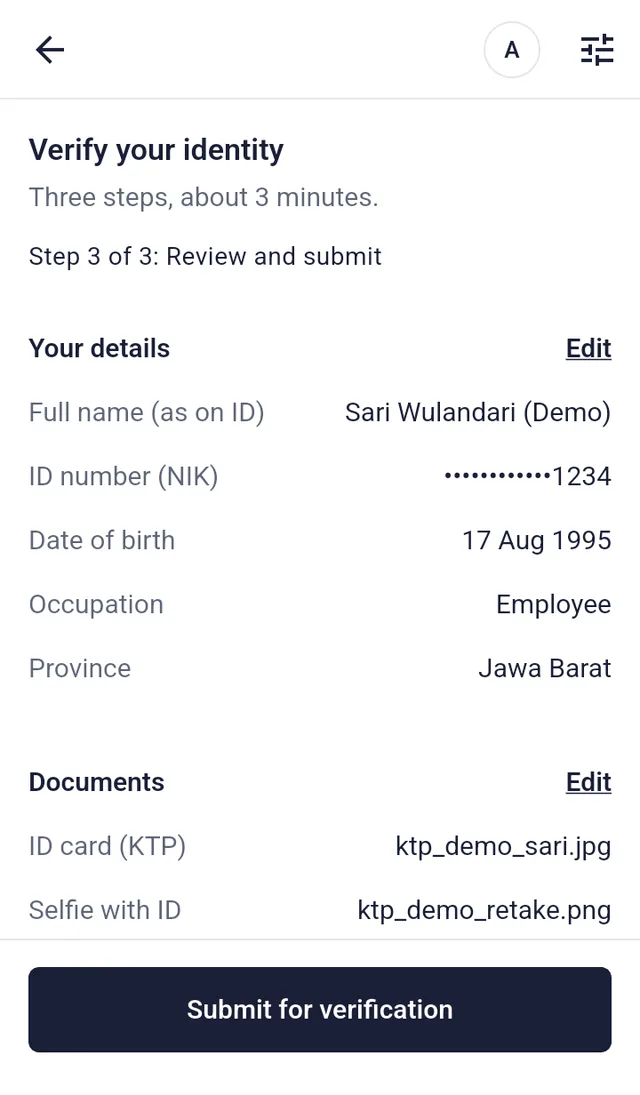
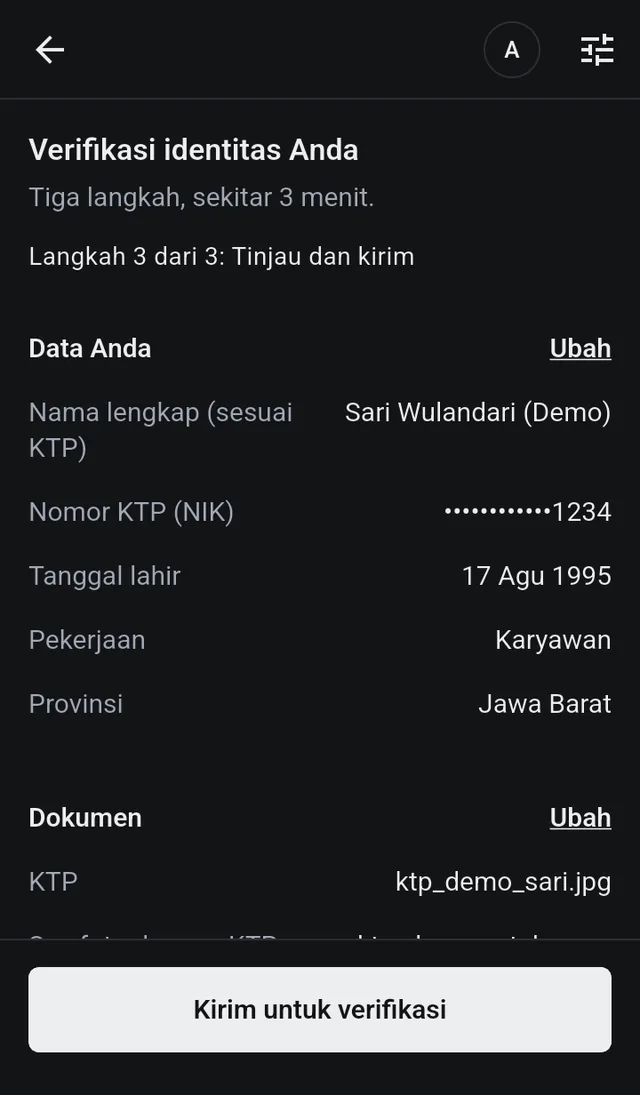
VerificationReview(  fields: fields,  values: draft,  documents: [(ktpRequirement, ktpSlot)],  onEditDetails: () => setState(() => step = KycStep.form),  onEditDocuments: () => setState(() => step = KycStep.documents),  onSubmit: () => host.submitVerification(draft), // disabled until every slot is uploaded);
VerificationStatusView(  snapshot: kycSnapshot, // from your host  outcomeUnknown: submitTimedOut,  onAction: (action) => switch (action) {    VerificationAction.fixDetails => setState(() => step = KycStep.form),    VerificationAction.continueToPayment => openCheckout(),    _ => host.handleKyc(action),  },);
Behavior
Section titled “Behavior”- Consent always starts unchecked, and
onContinueis unreachable without it. - The form validates every field on submit, shows errors on the relevant fields and moves focus to the first invalid one. Names accept any script; nothing limits them to ASCII.
- Fields the host asks to correct (
highlightFields, orfieldsToFixon the snapshot) are highlighted, and still-valid data does not have to be entered again. - Review shows only the last four characters of fields marked
maskInReview. “Edit” sits in each section header and is spoken with its section name. - Pinned action. Given a bounded height, for example as a screen’s body,
VerificationIntropins Continue to a footer at the bottom, with the consent hint above it, andVerificationStatusViewpins its first allowed action; the other actions stay in the content as hug buttons. Both take aheaderfor host content that scrolls with them. Inside a scroll view the actions follow the content as before. - Pinned submit in onboarding (D62, UI review P7a).
PaymentOnboardingViewtakesprimaryActionand one quietsecondaryActionand pins them in the same footer. For the details step, giveIdentityFormanIdentityFormControllerand make the pinned button callcontroller.submit(): it runs the form’s own validation and focus-first-error, resolvesfalsewhen a field is invalid, and exposesbusyandcanSubmit. The form then has no inline button. For review, passinlineSubmit: falseand pinVerificationReview.submitButton(context, documents: …, onSubmit: …, busy: …), which keeps the same “every document uploaded” rule and submitting label; the missing-documents banner stays in the content. Without a controller orprimaryActionboth keep their inline button. - The status view offers only
allowedActionsfrom yourVerificationSnapshot. There is never a bypass action, and a network failure never turns into “rejected”. - A submit that timed out (
outcomeUnknown: true) is shown as not confirmed yet; hold new submits until your host has checked the previous request.
To pin the details step’s submit:
final identity = IdentityFormController(); // the host owns and disposes itPaymentOnboardingView( title: 'Verifikasi identitas', tasks: tasks, primaryAction: PaymentButton( label: 'Lanjutkan', busy: identity.busy, onPressed: identity.submit, ), child: IdentityForm(fields: fields, controller: identity, onSubmit: host.saveIdentity),)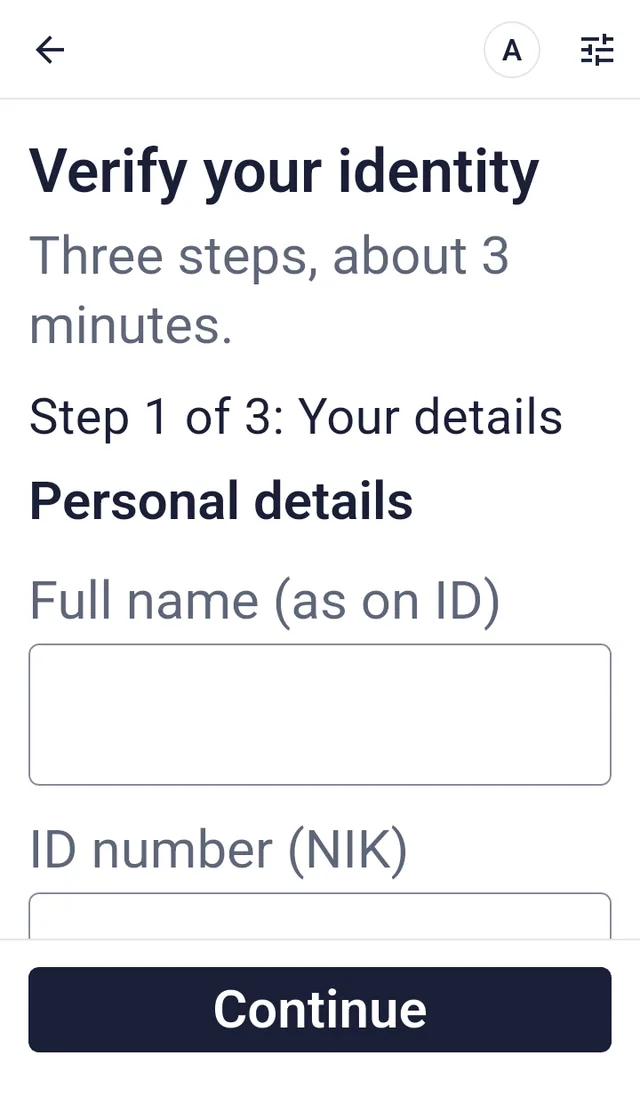
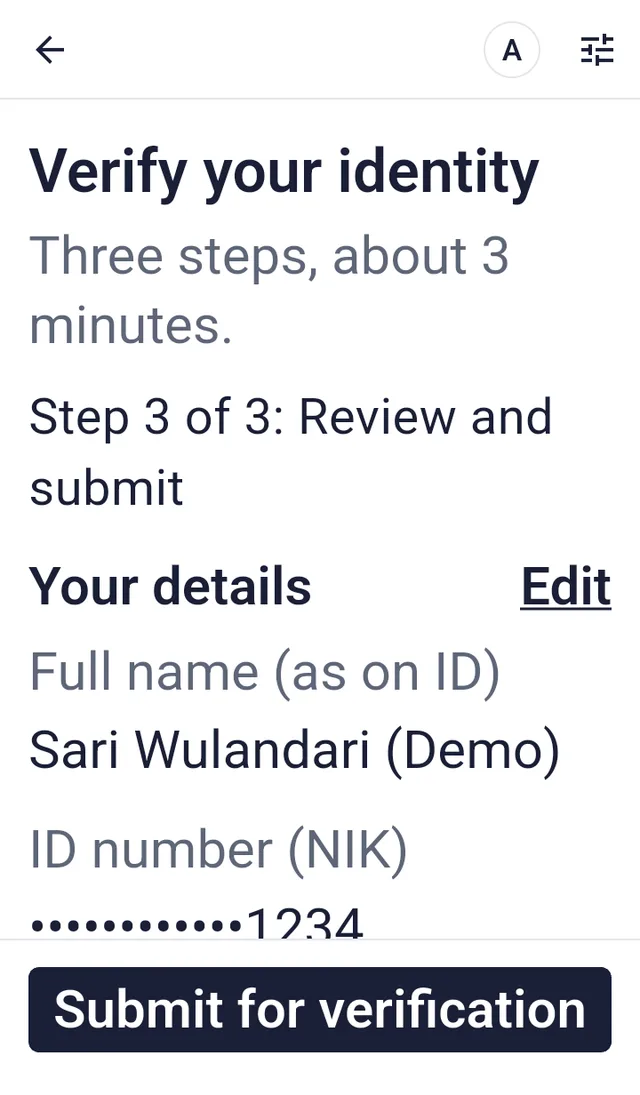
Identity fields support the search kind for long host option lists. Consecutive fields with the same group share one field-group legend.
The example mounts details, documents and review in PaymentOnboardingView after consent. Personal details and Work and address are separate legends; province is a searchable host option list. Run H04 or K01.
VerificationIntro
class VerificationIntro extends StatefulWidget · lib/src/verification/verification_widgets.dart
Explains what data the host requests and why, then asks for consent.
Consent always starts unchecked; onContinue is unreachable without it.
Given a bounded height, the explanation and consent scroll and Continue pins to a footer at the bottom (D62). Inside a scroll view it follows the consent, as before.
| Parameter | Type | Default | Description |
|---|---|---|---|
requirements:required | List<DataRequirement> | — | — |
onContinue:required | VoidCallback | — | — |
onOpenPolicy: | VoidCallback? | — | Opens the host's privacy policy; hidden when null. |
consentLabel: | String? | — | — |
header: | Widget? | — | Host content shown above this widget's content, inside its scroll region (D62). |
IdentityForm
class IdentityForm extends StatefulWidget · lib/src/verification/verification_widgets.dart
Identity form driven by host IdentityFieldSpecs.
Submit validates every field, shows errors on the relevant fields and moves focus to the first invalid one. Names accept any script.
With a controller the form has no submit button of its own: the host places one that calls IdentityFormController.submit, e.g. pinned in PaymentOnboardingView.primaryAction (D62).
| Parameter | Type | Default | Description |
|---|---|---|---|
fields:required | List<IdentityFieldSpec> | — | — |
onSubmit:required | FutureOr<void> Function(Map<String, String> values) | — | — |
initialValues: | Map<String, String> | const {} | — |
serverErrors: | Map<String, String> | const {} | Field errors returned by the host after submission. |
highlightFields: | Set<String> | const {} | Fields the host asked to correct (actionRequired). |
submitLabel: | String? | — | The inline button's label; unused with a controller. |
controller: | IdentityFormController? | — | Submits the form from a host button and hides the inline one. |
DocumentUploadTile
class DocumentUploadTile extends StatelessWidget · lib/src/verification/verification_widgets.dart
One document slot: limits, picking, upload progress and recoverable errors.
| Parameter | Type | Default | Description |
|---|---|---|---|
requirement:required | DocumentRequirement | — | — |
state:required | DocumentSlotState | — | — |
onPick:required | VoidCallback? | — | Host picker/capture. Also used to replace a file mid-upload. |
onOpenSettings: | VoidCallback? | — | — |
needsUpdate: | bool | false | — |
VerificationReview
class VerificationReview extends StatelessWidget · lib/src/verification/verification_widgets.dart
Read-only review before submitting verification.
Values marked IdentityFieldSpec.maskInReview show only the last four characters, keeping identity data to the minimum needed.
With inlineSubmit false the review leaves its submit to the host, which pins submitButton in a footer, e.g. PaymentOnboardingView.primaryAction (D62).
| Parameter | Type | Default | Description |
|---|---|---|---|
fields:required | List<IdentityFieldSpec> | — | — |
values:required | Map<String, String> | — | — |
documents:required | List<(DocumentRequirement, DocumentSlotState)> | — | — |
onSubmit:required | Future<void> Function()? | — | Disabled until every document slot is uploaded. |
onEditDetails: | VoidCallback? | — | — |
onEditDocuments: | VoidCallback? | — | — |
busy: | bool | false | — |
inlineSubmit: | bool | true | Shows the submit button at the end of the review. False when the host places submitButton itself. |
VerificationStatusView
class VerificationStatusView extends StatelessWidget · lib/src/verification/verification_widgets.dart
Explains a verification state and offers only host-allowed actions. There is never a bypass action.
Given a bounded height, the status scrolls and the first action pins to a footer at the bottom; the others stay in the content as hug buttons (D62). Inside a scroll view all actions follow the status, as before.
| Parameter | Type | Default | Description |
|---|---|---|---|
snapshot:required | VerificationSnapshot | — | — |
onAction:required | FutureOr<void> Function(VerificationAction action) | — | — |
outcomeUnknown: | bool | false | The last submit timed out: the host may or may not have received it. |
busyAction: | VerificationAction? | — | — |
header: | Widget? | — | Host content shown above this widget's content, inside its scroll region (D62), e.g. a banner. |
VerificationSnapshot
class VerificationSnapshot · lib/src/verification/verification_models.dart
Status snapshot. Holds no document bytes and no full identity data.
| Parameter | Type | Default | Description |
|---|---|---|---|
status:required | VerificationStatus | — | — |
requestId: | String? | — | — |
safeReason: | String? | — | — |
fieldsToFix: | Set<String> | const {} | Keys of IdentityFieldSpecs or DocumentRequirements to correct. |
allowedActions: | Set<VerificationAction> | const {} | — |
updatedAt: | DateTime? | — | — |
VerificationStatus
enum VerificationStatus · lib/src/verification/verification_models.dart
Business status of identity verification, decided only by the host.
| Value | Description |
|---|---|
notStarted | — |
inReview | — |
actionRequired | — |
verified | — |
rejected | — |
expired | — |
VerificationAction
enum VerificationAction · lib/src/verification/verification_models.dart
Next steps the host allows for the current verification state.
| Value | Description |
|---|---|
start | — |
fixDetails | — |
checkStatus | — |
contactSupport | — |
continueToPayment | — |
DataRequirement
class DataRequirement · lib/src/verification/verification_models.dart
One item of data the host asks for, with the reason shown before consent.
| Parameter | Type | Default | Description |
|---|---|---|---|
title:required | String | — | — |
purpose:required | String | — | — |
IdentityFieldSpec
class IdentityFieldSpec · lib/src/verification/verification_models.dart
A host-defined identity field. Validation rules belong to the host; the form only runs them and shows their messages.
| Parameter | Type | Default | Description |
|---|---|---|---|
key:required | String | — | key for this identity field. |
label:required | String | — | label for this identity field. |
hint: | String? | — | hint for this identity field. |
validator: | String? Function(String value)? | — | Returns an error message, or null when valid. Required-ness is part of the host rule. Date values are ISO yyyy-MM-dd; choices use option values. Empty or invalid values are the empty string. |
keyboardType: | TextInputType | TextInputType.text | keyboardType for this identity field. |
inputFormatters: | List<TextInputFormatter> | const [] | inputFormatters for this identity field. |
textCapitalization: | TextCapitalization | TextCapitalization.none | textCapitalization for this identity field. |
autofillHints: | List<String> | const [] | autofillHints for this identity field. |
maskInReview: | bool | false | Review screens show only the last four characters. |
kind: | IdentityFieldKind | IdentityFieldKind.text | Field value kind. |
group: | String? | — | Legend shared by consecutive fields in the same group. |
options: | List<PaymentSelectOption<String>> | const [] | Allowed choice options. |
firstDate: | DateTime? | — | Earliest calendar date, default 1900-01-01. |
lastDate: | DateTime? | — | Latest calendar date, default today. |
DocumentRequirement
class DocumentRequirement · lib/src/verification/verification_models.dart
Host-defined limits for one document slot.
| Parameter | Type | Default | Description |
|---|---|---|---|
key:required | String | — | — |
label:required | String | — | — |
acceptedTypes:required | Set<String> | — | MIME types the host accepts. A matching type is not proof the document is valid; the host still validates the content server-side. |
maxBytes:required | int | — | — |
acceptedTypesLabel: | String? | — | Human label such as "JPG or PNG". |
DocumentFile
class DocumentFile · lib/src/verification/verification_models.dart
Metadata of a file the host selected. Bytes stay with the host.
| Parameter | Type | Default | Description |
|---|---|---|---|
name:required | String | — | — |
mimeType:required | String | — | — |
sizeBytes:required | int | — | — |
DocumentSlotState
class DocumentSlotState · lib/src/verification/verification_models.dart
Rendered state of one document slot. requestId lets the host ignore results from uploads that a newer selection replaced.
DocumentSlotState.uploading(…)
| Parameter | Type | Default | Description |
|---|---|---|---|
filerequiredpositional | DocumentFile | — | — |
requestId:required | String | — | — |
progress: | double? | — | — |
DocumentSlotState.uploaded(…)
| Parameter | Type | Default | Description |
|---|---|---|---|
filerequiredpositional | DocumentFile | — | — |
requestId:required | String | — | — |
DocumentSlotState.failed(…)
| Parameter | Type | Default | Description |
|---|---|---|---|
issuerequiredpositional | DocumentIssue | — | — |
file: | DocumentFile? | — | — |
requestId: | String? | — | — |
DocumentSlotPhase
enum DocumentSlotPhase · lib/src/verification/verification_models.dart
| Value | Description |
|---|---|
empty | — |
uploading | — |
uploaded | — |
failed | — |
DocumentIssue
class DocumentIssue · lib/src/verification/verification_models.dart
| Parameter | Type | Default | Description |
|---|---|---|---|
kindrequiredpositional | DocumentIssueKind | — | — |
safeMessage: | String? | — | — |
canRetry: | bool | true | — |
canOpenSettings: | bool | false | Host capability: it can open the OS settings for this permission. |
DocumentIssueKind
enum DocumentIssueKind · lib/src/verification/verification_models.dart
| Value | Description |
|---|---|
permissionDenied | — |
permissionPermanentlyDenied | — |
tooLarge | — |
unsupportedType | — |
uploadInterrupted | — |
rejectedByHost | — |
checkDocumentLimits
DocumentIssue? checkDocumentLimits(…) · lib/src/verification/verification_models.dart
Checks a file against host limits before upload. Passing this check does not mean the document is genuine.
| Parameter | Type | Default | Description |
|---|---|---|---|
requirementrequiredpositional | DocumentRequirement | — | — |
filerequiredpositional | DocumentFile | — | — |
See also KYC capture and Capture source sheet.
Pattern adoption
Section titled “Pattern adoption”Consent uses PaymentCheckbox: the box sits on the same gutter as requirement icons, the label wraps, and Continue remains disabled until consent is checked.
IdentityForm uses PaymentTextField with Form-owned validation timing and a warning icon for fields needing updates.
The policy action uses an external PaymentLink with a trailing glyph, flush with the content gutter. Edit actions use contextual spoken labels.
Field foundation
Section titled “Field foundation”IdentityFieldSpec.kind selects text, date or choice. Date values and initial values are ISO calendar dates (yyyy-MM-dd); choice values are host option values. VerificationReview shows localized dates and option labels.