Checkout
Everything between “what am I paying for” and “send it”: every fee shown before paying, methods with reasons when unavailable, and re-approval when the terms change.
Your app supplies the quote (lines, fees, discounts, total, expiry), the available methods and why some are unavailable, the balance and promo-code verdicts, and the authorization challenge.
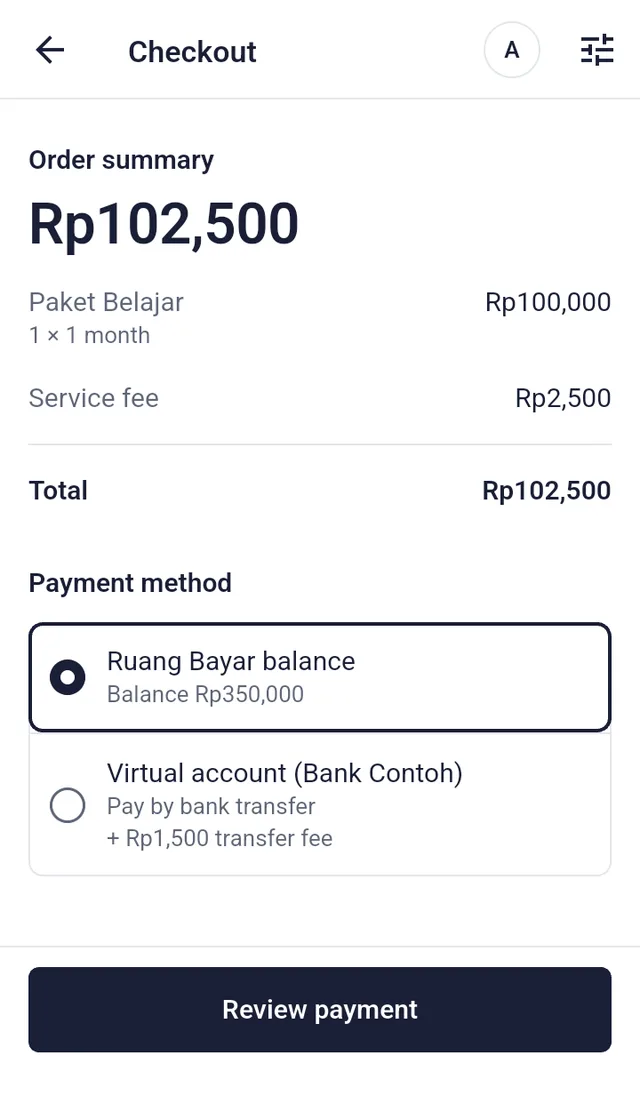
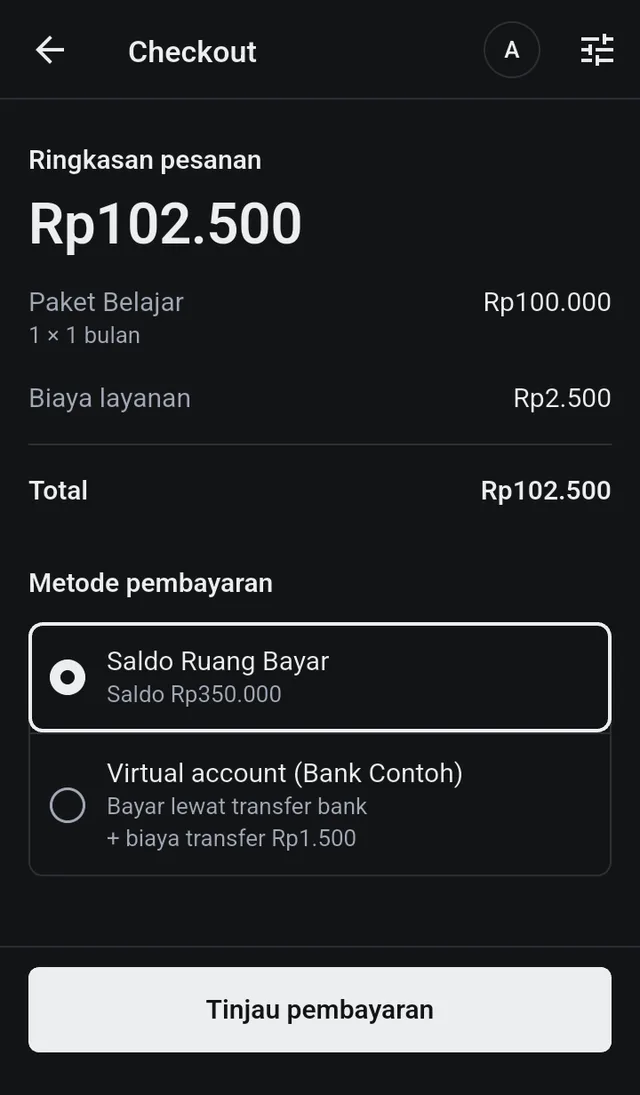
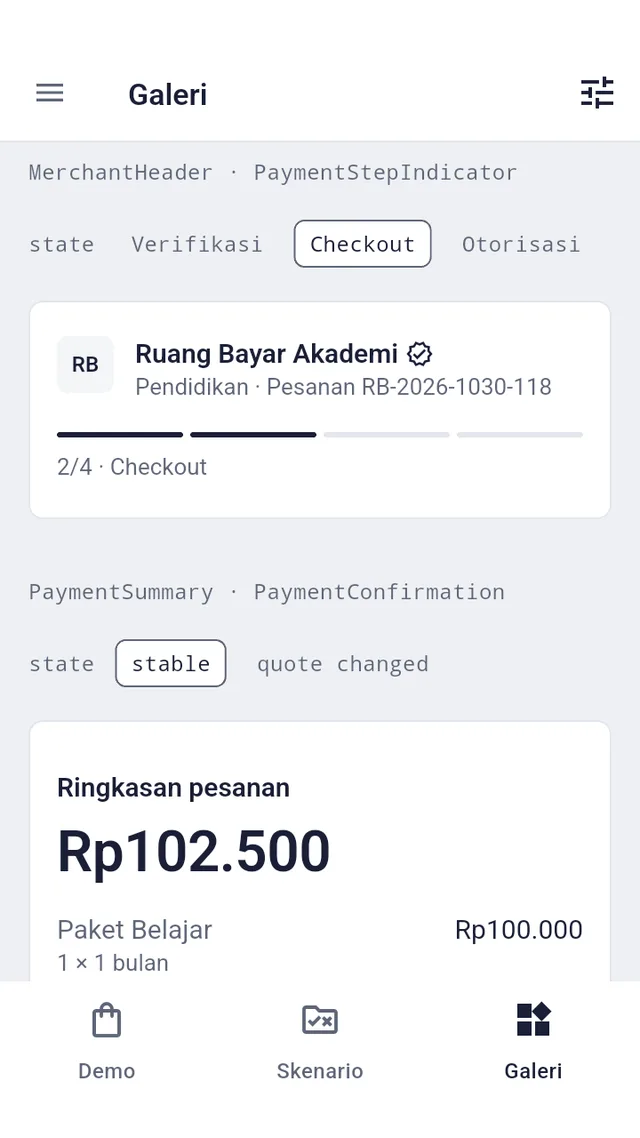
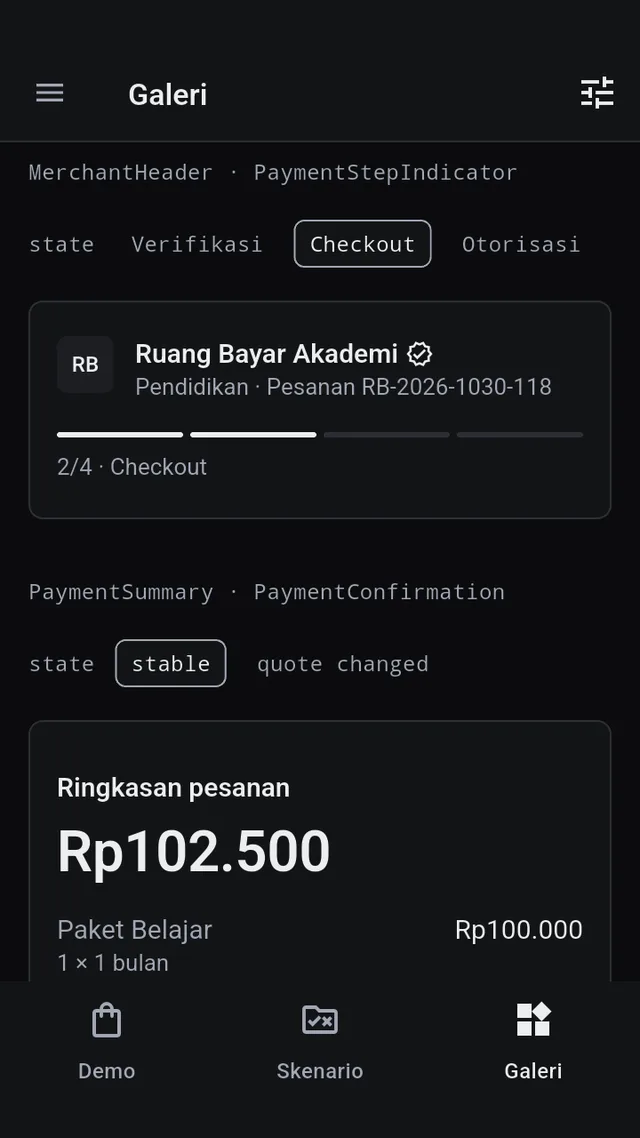
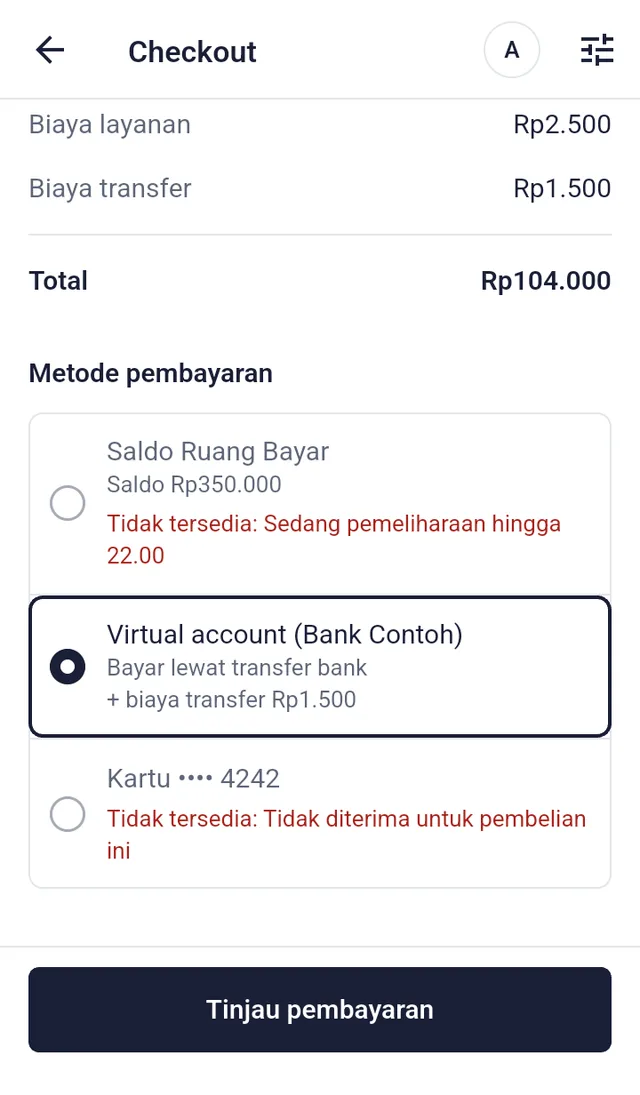
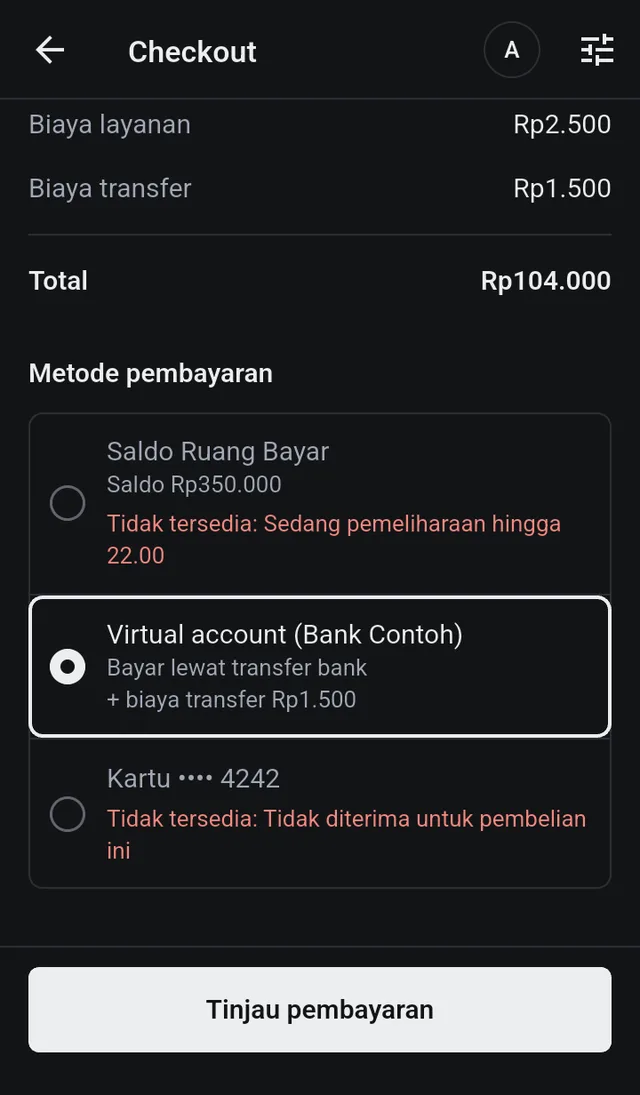
Scaffold( // In landscape the side insets go to the SafeArea, then the 16 dp gutter; // the action bar adds the same gutter to them, so the edges match. body: SafeArea( child: ListView( padding: const EdgeInsets.all(16), children: [ const MerchantHeader( name: 'Ruang Bayar Akademi', category: 'Education', orderReference: 'RB-118', verified: true, // your verification flag ), const PaymentStepIndicator( steps: ['Verify', 'Checkout', 'Pay'], current: 1, ), PaymentSummary(quote: quote, previousQuote: previousQuote), PaymentMethodPicker( methods: methods, selectedId: selectedId, onChanged: (method) => requote(method.id), ), BalanceCard( state: host.balanceState, // sufficient, insufficient, unavailable balance: balance, shortfall: host.shortfall, ), PromoCodeInput( status: codeStatus, // idle, checking, applied, rejected onApply: host.applyCode, // Future<void> Function(String code) appliedCode: code, discount: discount, message: codeError, onRemove: host.removeCode, ), ], ), ), // The summary already shows the total, so the bar holds only the action. bottomNavigationBar: PaymentActionBar( action: PaymentButton( label: 'Review payment', busy: requoting, busyLabel: 'Updating total…', onPressed: requoting ? null : review, ), ),);Then the review and the host challenge, each as a screen’s body. Given that bounded height, the content scrolls and the action pins to the bottom:
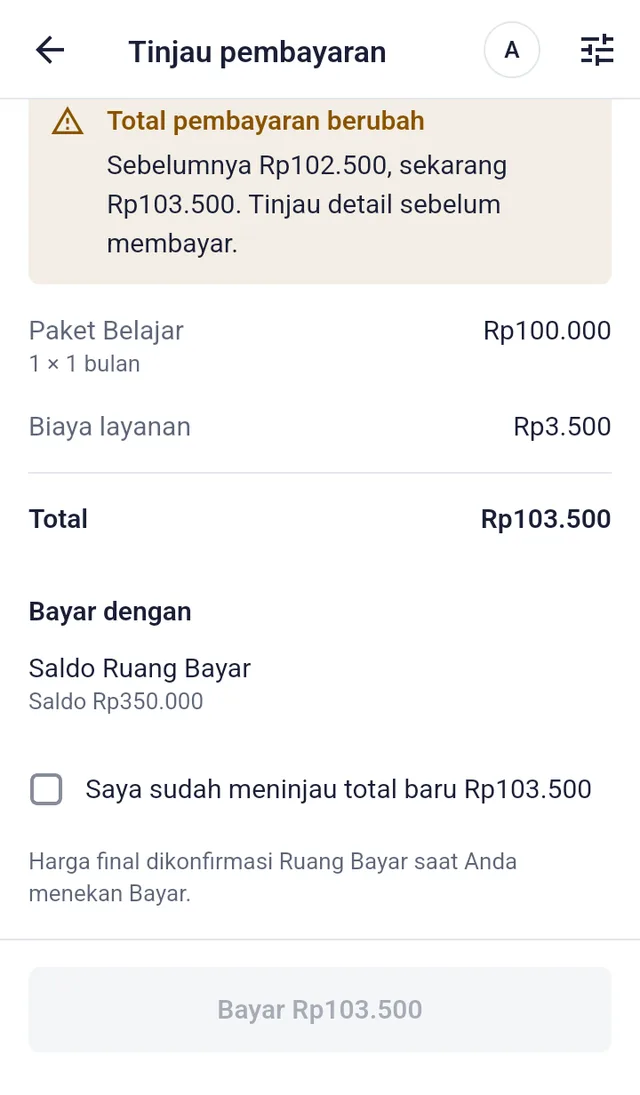
Scaffold(  appBar: AppBar(title: const Text('Review payment')),  body: SafeArea(    bottom: false, // the pinned footer pads the bottom inset itself    child: PaymentConfirmation(      header: sessionBanner, // optional: scrolls with the review      quote: quote,      method: selectedMethod,      previousQuote: previousQuote, // after a re-quote: forces re-approval      onConfirm: () => host.revalidateAndAuthorize(quote), // returns a Future    ),  ),);
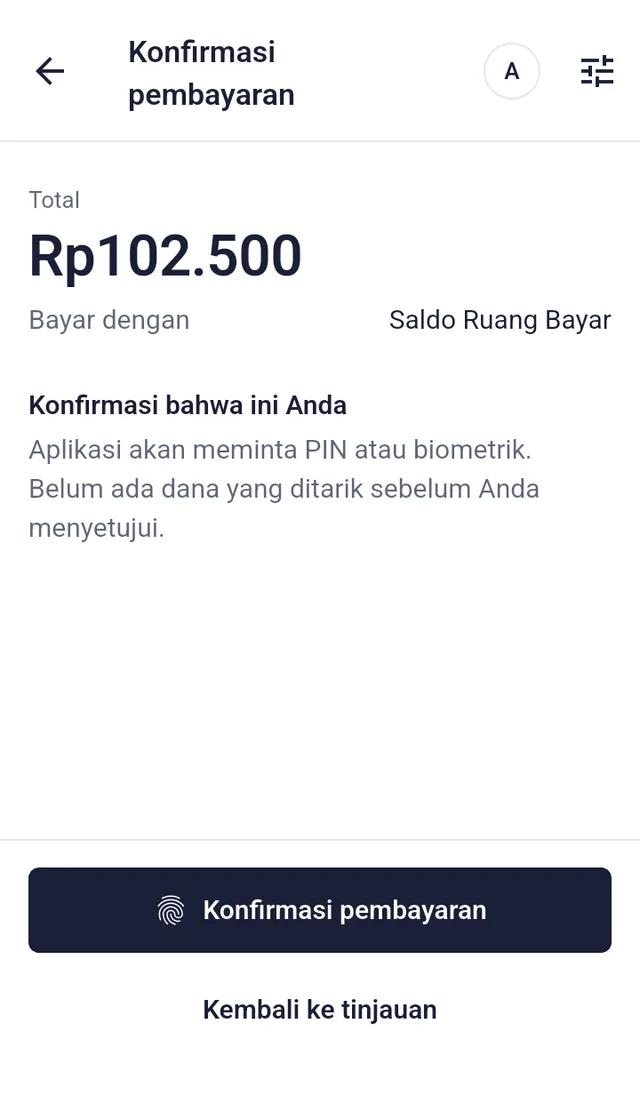
AuthorizationPrompt(  header: totalSection, // the amount being authorized  phase: authPhase,  onStart: host.startChallenge,  onBackToReview: backToReview,);
Inside a ListView or SingleChildScrollView the height is unbounded, and the button follows the content as before. Pass a banner or summary as header rather than wrapping it and the widget in a Column, which would make the height unbounded.
Behavior
Section titled “Behavior”PaymentSummaryleads with the total, then items, then every fee, discount and tax. Fees are never collapsed. WithpreviousQuoteit shows a notice with both totals.PaymentMethodPickershows unavailable methods disabled with yourunavailableReason.PaymentMethodPicker.validSelection(methods, id)returnsnullwhen a selected method disappeared or became unavailable, so you can clear it.PaymentConfirmationkeepsonConfirmunreachable until the customer accepts a changed total.- Pinned action. With a bounded height,
PaymentConfirmationpins pay andAuthorizationPromptpins its confirm button, with the quiet “Back to review” under it, in a footer inside the bottom safe area: full width on phones, hug buttons at the end edge from 600 dp. An approved authorization has no footer. Hide your app’s tab bar on these screens so the action is the only thing at the bottom. The example also hides it on pushed detail screens; overview and history keep it, and the wide side rail is unchanged. - After a re-quote,
PaymentSummaryshows a warning banner that states old → new (“Was Rp102.500, now Rp104.000”). It has no close button while the payment is open, so the only cue that the total changed cannot be hidden before paying. AuthorizationPromptnever receives a PIN, OTP or biometric result. Your SDK runs the challenge; you set theAuthorizationPhase. Canceled and failed have different copy, and neither is shown as a payment.PaymentActionBarpins the main action, with an optional total. On a phone in landscape it adds the side safe-area insets to its 16 dp gutters, the way a body in aSafeAreawith 16 dp padding does, so the bar’s content edges match the body’s (#88). Whileupdatingis true it says “Updating total…”; disable the action yourself. When the summary above already shows the total, leavetotalout and show the update on the button (busywith abusyLabel), so the total isn’t on the screen three times.- For free-form amounts, such as a top-up, use
PaymentCurrencyField. BalanceCardnever compares the balance with the total, andPromoCodeInputnever computes a discount. A discount reaches the price only as a new host quote with aQuoteLineKind.discountline.
Connected host example
Section titled “Connected host example”For a standalone runnable phone shell, inspected native screenshots and full copyable source, use the Checkout and Recovery block. This pattern explains the domain contract; the block demonstrates its host layout. For method availability, host-priced fees and re-approving a changed quote, see the Method choice and quote changes block.
example/lib/compositions/host_checkout_journey.dart connects InvoiceCheckout from host_checkout.dart to HostPaymentRecovery from host_payment_recovery.dart. Copy those three source files into your host and adapt the callbacks. They use the Flutter SDK and this package, with no DemoCoordinator, router dependency or additional runtime layer. The screen expects bounded height, for example a Scaffold.body, so review, status and receipt keep their priority action pinned.
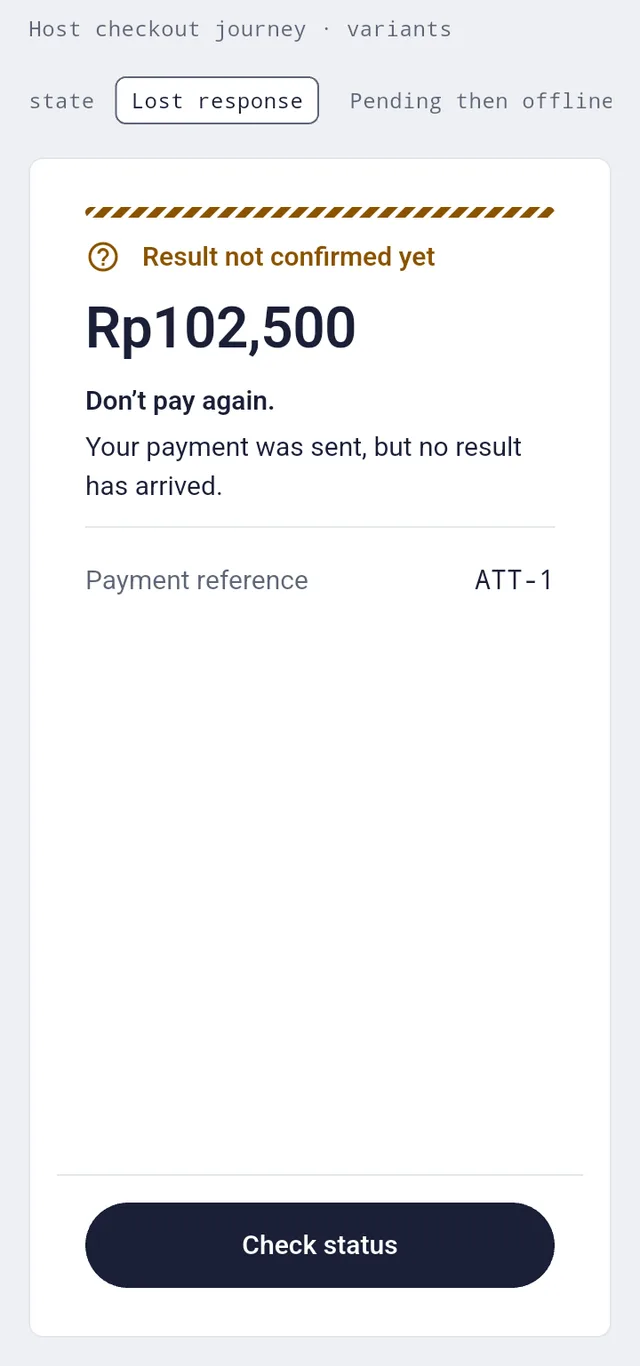
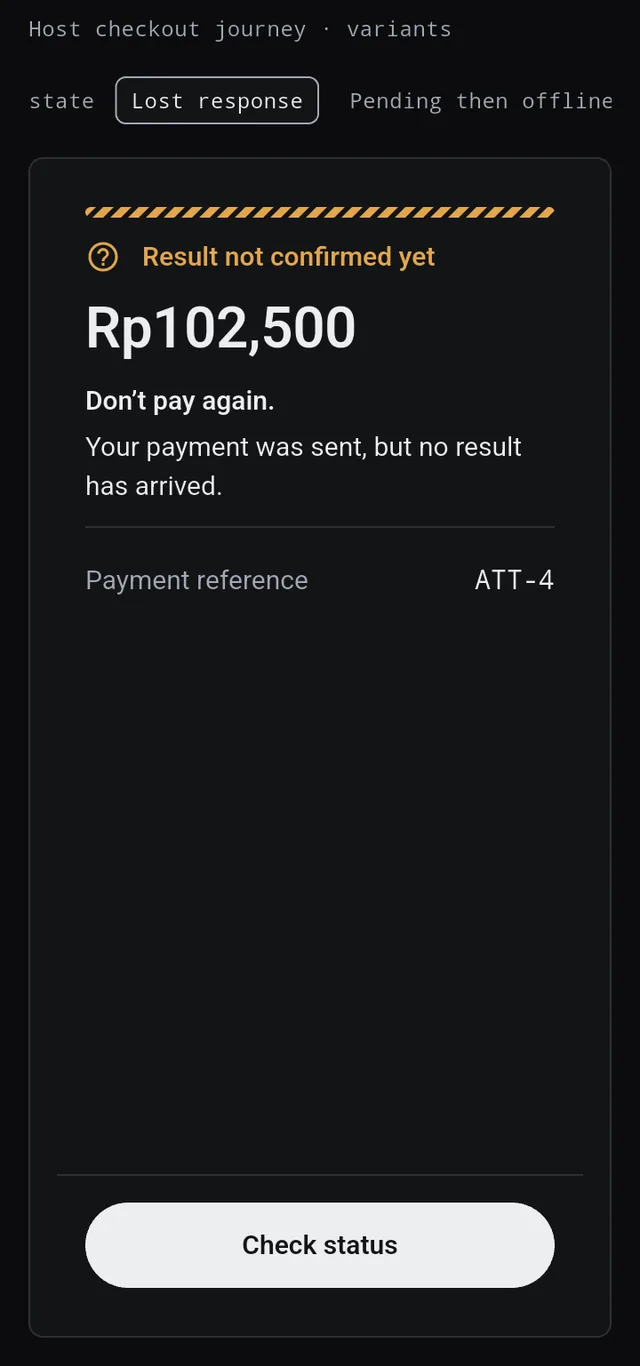
Try Host checkout journey in Gallery → Checkout. Lost response submits one synthetic attempt, shows an unknown outcome, then checks that same attempt and loads its matching receipt after a succeeded snapshot. Pending then offline first returns a pending snapshot; the first check fails and retains that snapshot, and the next check confirms success. Done resets this fixture. The scenario selector is developer tooling, not a customer recovery action.
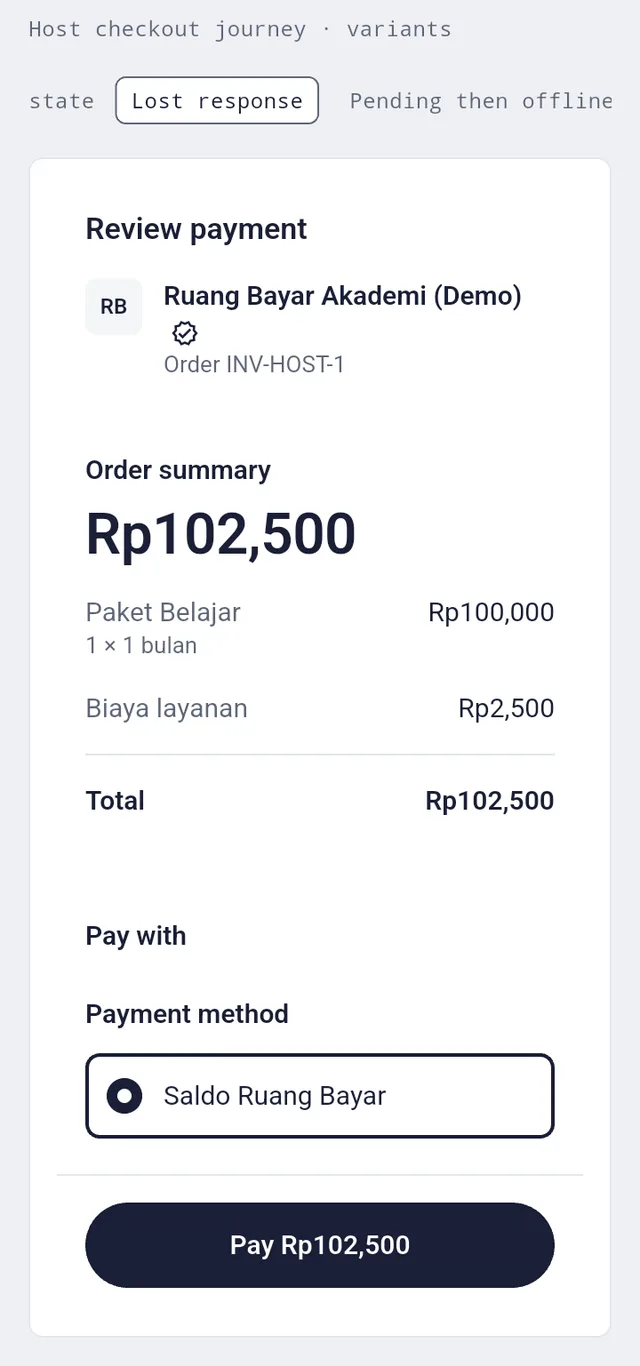
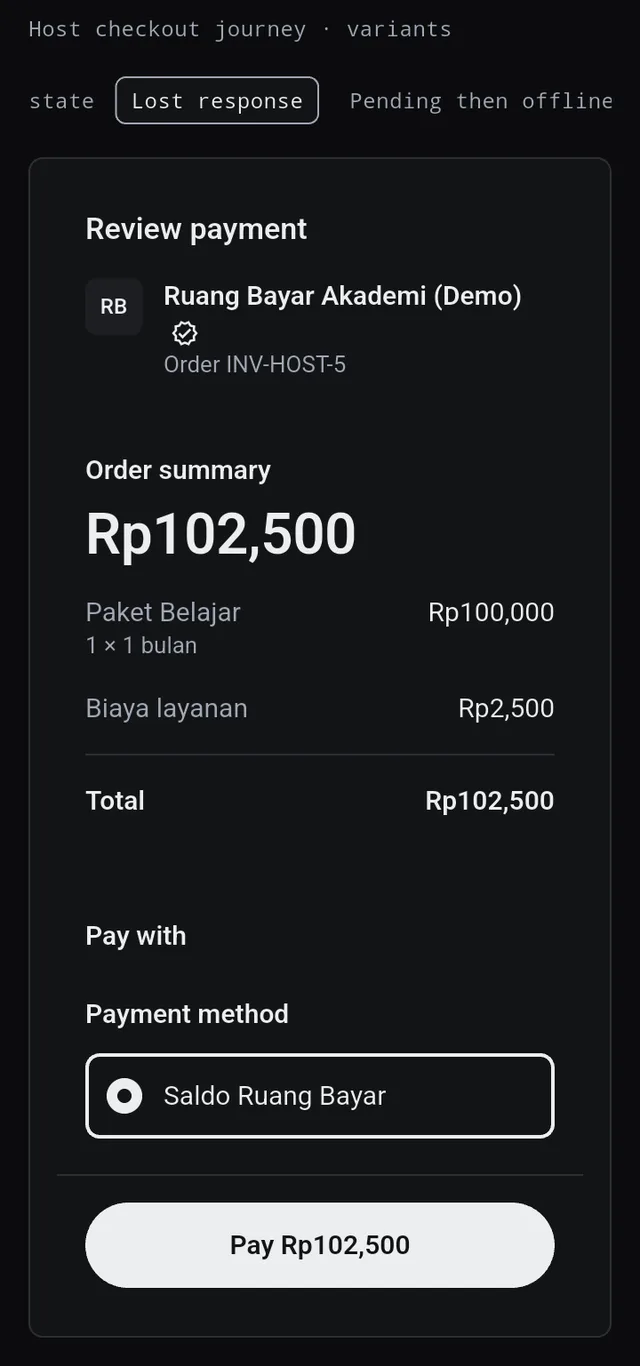
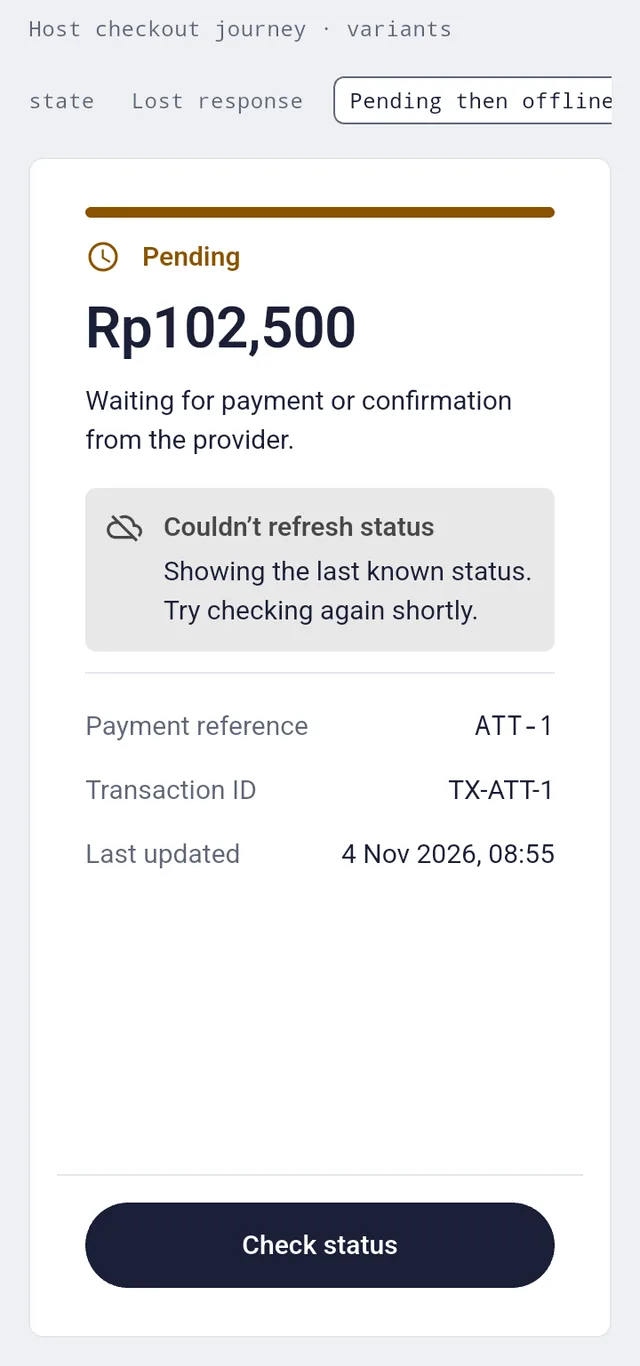
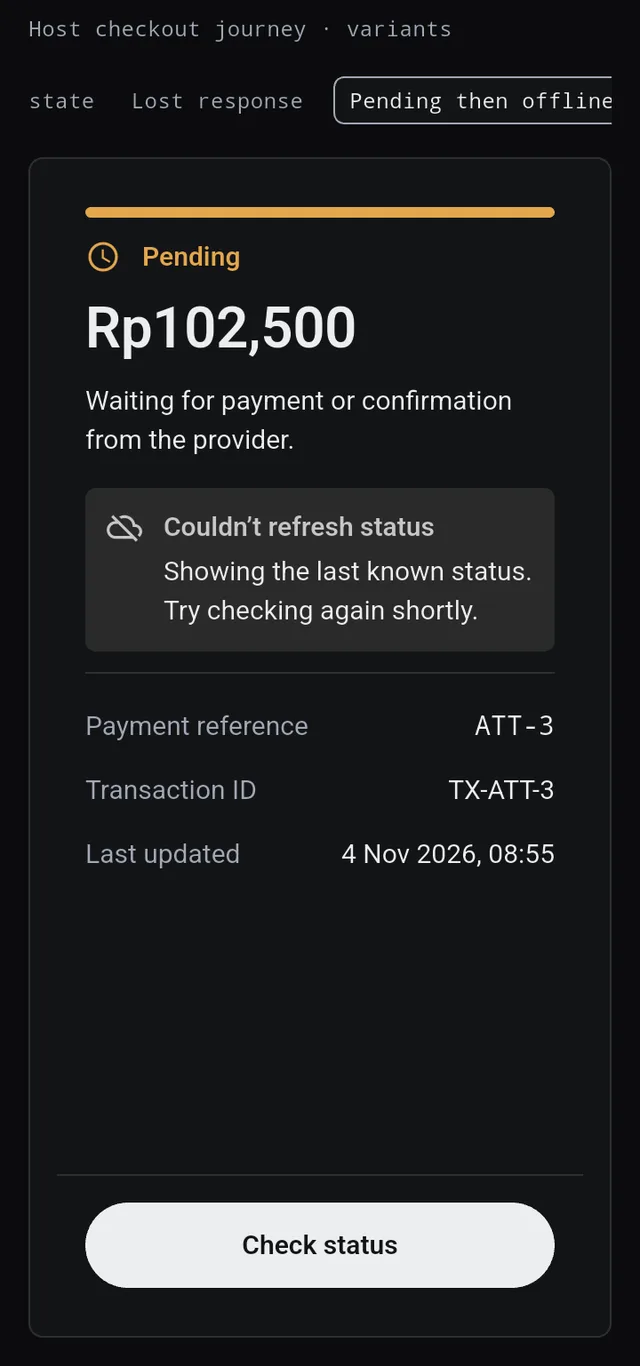
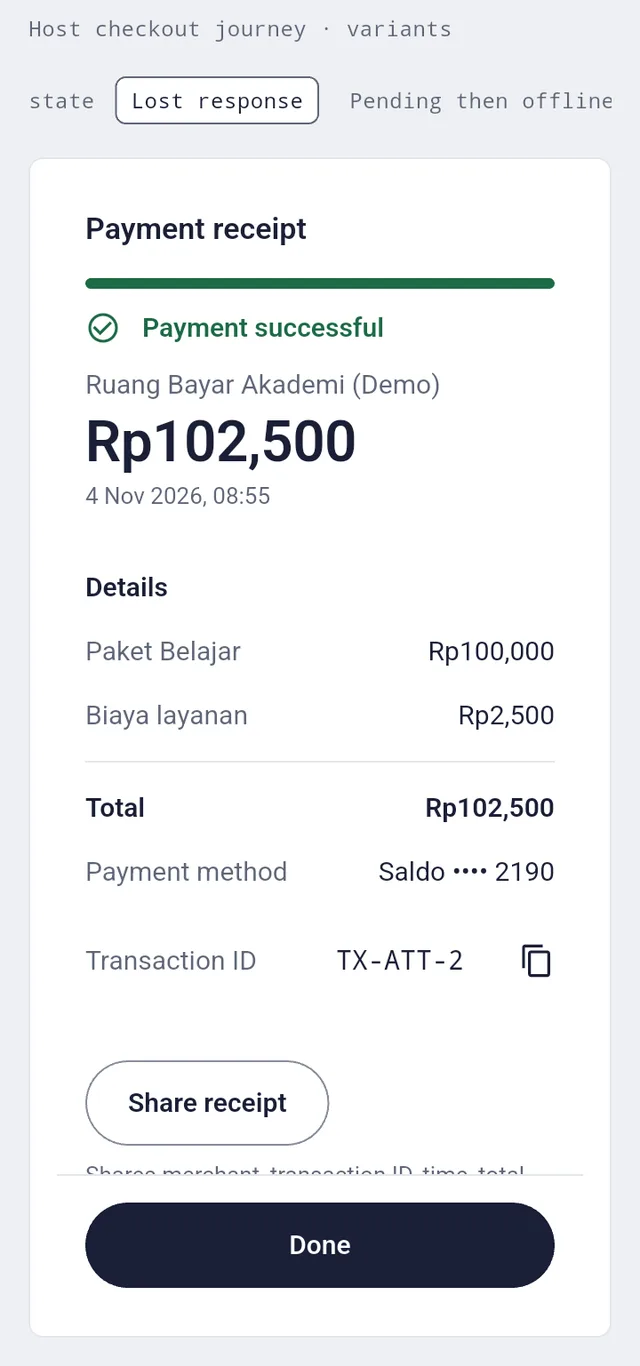
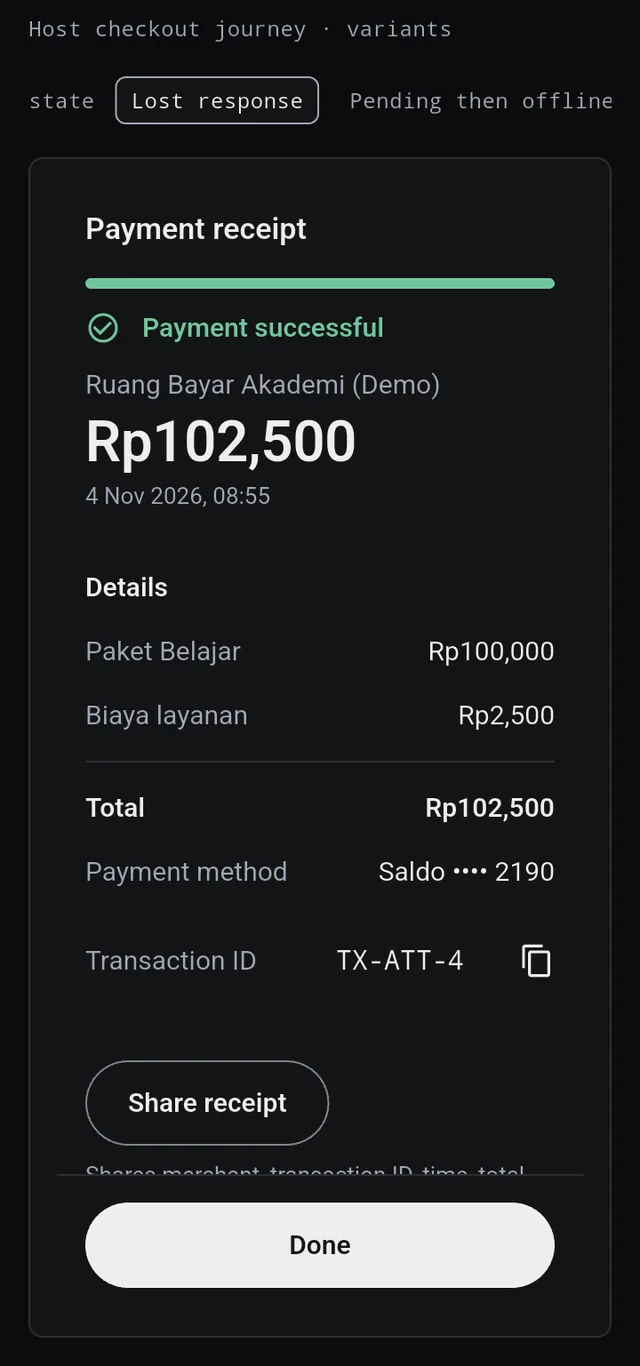
The host passes a current quote already priced for the selected available method. Review blocks an expired quote, a mismatched/unavailable selection, or a balance method without a sufficient host verdict; the submit callback must still enforce price, eligibility and authorization on the authoritative side. This sample’s wallet fixture requires no challenge. A host requiring one must finish it before exposing this send step, using the existing confirmation/authorization patterns; cancellation stays in that host step and must not be encoded as a null submit response. Changing terms after authorization requires host re-approval and re-authorization. Changing method must request a fresh quote in the host before allowing submission.
newAttemptId creates one identity before onSubmit. Persist it in the host before sending. A null response or transport exception preserves it as unknown; no automatic new attempt is created. onCheckStatus reconciles through PaymentAttempt.reconcile, ignoring wrong identities, changed references and stale revisions. It never submits. Return callback futures so the screen and kit controls retain repeat protection. Failed receipt loading stays on succeeded status with a safe message and View receipt retry.
CheckoutOrder.merchantVerified defaults to false. Set it only when the host has verified that merchant; otherwise the invoice and connected journey show no verified seal. Gallery fixtures opt in explicitly for their synthetic merchant.
order.reference identifies the host session. Replacing it invalidates outstanding callbacks, so a response from the previous order cannot populate the next one. The amount shown after submission comes from the submitted order, even when the host rebuilds with another quote. Do not use a quote refresh to change the order reference or clear an unresolved attempt. This example stores presentation state only while mounted: persistence, resume after process death, full receipt validation, credentials and platform sharing/clipboard implementations remain host responsibilities. Use the separate recovery composition to render a restored host attempt.
PaymentSummary
class PaymentSummary extends StatelessWidget · lib/src/payment/checkout.dart
Items, every fee and the host total. Fees are never collapsed.
Pass previousQuote after a re-quote to highlight a changed total.
| Parameter | Type | Default | Description |
|---|---|---|---|
quote:required | PaymentQuote | — | — |
previousQuote: | PaymentQuote? | — | — |
title: | String? | — | — |
PaymentMethodPicker
class PaymentMethodPicker extends StatelessWidget · lib/src/payment/checkout.dart
Single-choice list of host-supplied methods.
Unavailable methods stay visible with their reason. A selectedId that is missing or unavailable renders as no selection.
| Parameter | Type | Default | Description |
|---|---|---|---|
methods:required | List<PaymentMethod> | — | — |
selectedId:required | String? | — | — |
onChanged:required | ValueChanged<PaymentMethod> | — | — |
emptyMessage: | String? | — | — |
PaymentConfirmation
class PaymentConfirmation extends StatefulWidget · lib/src/payment/checkout.dart
Final review before the host authorizes and submits.
When previousQuote has different terms the customer must explicitly accept the new total before onConfirm becomes available. Only one onConfirm call can be active at a time.
Given a bounded height, e.g. as a screen's body, the review scrolls and the pay button pins to a footer at the bottom (D62). Inside a scroll view it follows the review, as before.
| Parameter | Type | Default | Description |
|---|---|---|---|
quote:required | PaymentQuote | — | — |
method:required | PaymentMethod | — | — |
onConfirm:required | Future<void> Function()? | — | — |
previousQuote: | PaymentQuote? | — | — |
busy: | bool | false | — |
footnote: | String? | — | — |
header: | Widget? | — | Host content shown above this widget's content, inside its scroll region (D62), e.g. a banner. |
AuthorizationPrompt
class AuthorizationPrompt extends StatelessWidget · lib/src/payment/checkout.dart
Shows the state of the host's authorization challenge.
The library never collects the PIN, OTP or biometric result: onStart hands control to the host, which reports back a new phase.
Given a bounded height, the status scrolls and the authorize button pins to a footer, with the quiet back-to-review under it (D62). Inside a scroll view they follow the status, as before.
| Parameter | Type | Default | Description |
|---|---|---|---|
phase:required | AuthorizationPhase | — | — |
onStart:required | FutureOr<void> Function()? | — | — |
onBackToReview:required | VoidCallback? | — | — |
methodLabel: | String? | — | — |
header: | Widget? | — | Host content shown above this widget's content, inside its scroll region (D62), e.g. the total being authorized. |
AuthorizationPhase
enum AuthorizationPhase · lib/src/payment/payment_models.dart
Progress of the host-owned authorization challenge (PIN, OTP, biometrics). The library never receives the secret itself.
| Value | Description |
|---|---|
ready | — |
inProgress | — |
approved | — |
canceled | — |
failed | — |
expired | — |
PaymentActionBar
class PaymentActionBar extends StatelessWidget · lib/src/payment/payment_extras.dart
Pinned bottom bar with the total and the step's main action, so both stay reachable however long the page is.
Place it in Scaffold.bottomNavigationBar. While updating the total says so and the host should pass a disabled action.
| Parameter | Type | Default | Description |
|---|---|---|---|
action:required | Widget | — | Main action; pass width: PaymentWidth.hug on PaymentButton. With no total the action fills the bar on phones and at large text, so pass a full-width button. From 600 dp of available footer width (632 dp of bar without side insets, with the default gutters) it hugs at the end edge of the maxContentWidth column, like other pinned footers (D59, D62). Side safe-area insets add to the 16 dp gutters, so the bar's content edges match a body in a SafeArea with the same gutters. |
total: | Money? | — | — |
totalLabel: | String? | — | — |
updating: | bool | false | — |
maxContentWidth: | double | 640 | Widest column for the bar's content, centred like the page's: the 640 dp D53 column by default. Pass the cap of the content above the bar, e.g. 1040 when it shows two columns, so the action's end edge lines up with the content's (#84). |
MerchantHeader
class MerchantHeader extends StatelessWidget · lib/src/payment/payment_extras.dart
Who is being paid and for which order.
| Parameter | Type | Default | Description |
|---|---|---|---|
name:required | String | — | — |
orderReference: | String? | — | — |
category: | String? | — | — |
verified: | bool | false | Set only when the host has verified the merchant. |
logo: | Widget? | — | Host-supplied logo. Defaults to the merchant's initials. |
PaymentStepIndicator
class PaymentStepIndicator extends StatelessWidget · lib/src/payment/payment_extras.dart
Where the customer is in a multi-step flow.
The bars are a visual aid; screen readers hear "Step 2 of 4: Checkout".
| Parameter | Type | Default | Description |
|---|---|---|---|
steps:required | List<String> | — | — |
current:required | int | — | Zero-based index of the active step. |
BalanceCard
class BalanceCard extends StatelessWidget · lib/src/payment/payment_extras.dart
Wallet balance, whether it covers the payment, and limit usage.
The host decides state and shortfall; the widget never compares the balance with a total itself, because holds, limits and pending debits are only known to the backend.
| Parameter | Type | Default | Description |
|---|---|---|---|
state:required | BalanceState | — | — |
balance: | Money? | — | — |
title: | String? | — | — |
shortfall: | Money? | — | — |
limitUsed: | Money? | — | — |
limitTotal: | Money? | — | — |
action: | Widget? | — | Optional host action such as "Top up". |
BalanceState
enum BalanceState · lib/src/payment/payment_extras.dart
Balance state as decided by the host for the current quote.
| Value | Description |
|---|---|
sufficient | — |
insufficient | — |
unavailable | — |
PromoCodeInput
class PromoCodeInput extends StatefulWidget · lib/src/payment/payment_extras.dart
Promo code entry. The host validates the code and, if accepted, returns a new quote with a discount line; this widget only collects the code and shows the host's verdict. It never computes a discount.
| Parameter | Type | Default | Description |
|---|---|---|---|
status:required | PromoCodeStatus | — | — |
onApply:required | Future<void> Function(String code) | — | — |
appliedCode: | String? | — | — |
discount: | Money? | — | Discount the host applied, shown next to the applied code. |
message: | String? | — | Host reason for a rejected code ("Code expired"). |
onRemove: | VoidCallback? | — | — |
PromoCodeStatus
enum PromoCodeStatus · lib/src/payment/payment_extras.dart
Host verdict on a promo code.
| Value | Description |
|---|---|
idle | — |
checking | — |
applied | — |
rejected | — |
PaymentQuote
class PaymentQuote · lib/src/payment/payment_models.dart
A priced snapshot from the host. The UI renders total as given and never recomputes it; consistency is the host's responsibility.
| Parameter | Type | Default | Description |
|---|---|---|---|
id:required | String | — | — |
revision:required | int | — | — |
lines:required | List<QuoteLine> | — | Items, fees, discounts and taxes in display order. Fees are always shown. |
total:required | Money | — | — |
expiresAt:required | DateTime | — | — |
methodId: | String? | — | The payment method this quote was priced for, if method-specific. |
QuoteLine
class QuoteLine · lib/src/payment/payment_models.dart
| Parameter | Type | Default | Description |
|---|---|---|---|
label:required | String | — | — |
amount:required | Money | — | — |
kind: | QuoteLineKind | QuoteLineKind.item | — |
detail: | String? | — | — |
QuoteLineKind
enum QuoteLineKind · lib/src/payment/payment_models.dart
| Value | Description |
|---|---|
item | — |
fee | — |
discount | — |
tax | — |
PaymentMethod
class PaymentMethod · lib/src/payment/payment_models.dart
| Parameter | Type | Default | Description |
|---|---|---|---|
id:required | String | — | — |
label:required | String | — | — |
kind:required | PaymentMethodKind | — | — |
detail: | String? | — | Masked secondary text such as "Balance Rp250.000" or "•••• 4242". |
unavailableReason: | String? | — | When non-null the method is shown disabled with this host-provided reason. |
feeNote: | String? | — | — |
PaymentMethodKind
enum PaymentMethodKind · lib/src/payment/payment_models.dart
| Value | Description |
|---|---|
balance | — |
virtualAccount | — |
card | — |
eWallet | — |
other | — |
Pattern adoption
Section titled “Pattern adoption”Changed-total approval uses PaymentCheckbox, aligned to the content gutter. Pay stays disabled until the customer accepts. Unavailable methods keep their reason below a muted label and show a thin disabled radio ring.
Promo code entry uses PaymentTextField with reference typography. Empty-code errors hide when editing starts.
Filter foundation
Section titled “Filter foundation”Applied promo codes use an outlined chip and a separate 48 dp remove action.