Transaction history
The Merchant Overview block demonstrates a recent transaction preview and unknown-payment inspection in a full mobile host screen.
For a searchable full list with native detail sheets, use the Transaction History block. Its host owns the query, filter, cursor and safe load/retry state; the block renders the accumulated rows lazily. A filter/search change doesn’t change a payment verdict. No-match reset is distinct from an empty history. Unknown inspection offers no pay-again action; a partial refund retains the original successful payment and its original amount. Server-backed hosts must reject stale query results and authorize record access; hiding a row is not an access-control check. For one payment with its refund lifecycle and receipt, see the Payment and refund detail block.
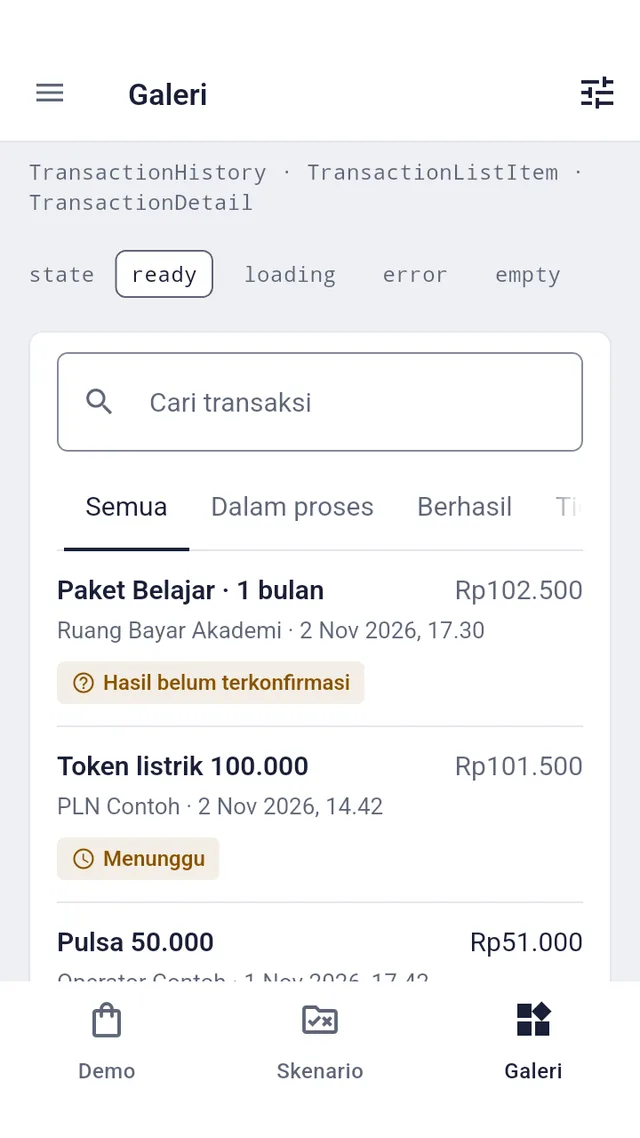
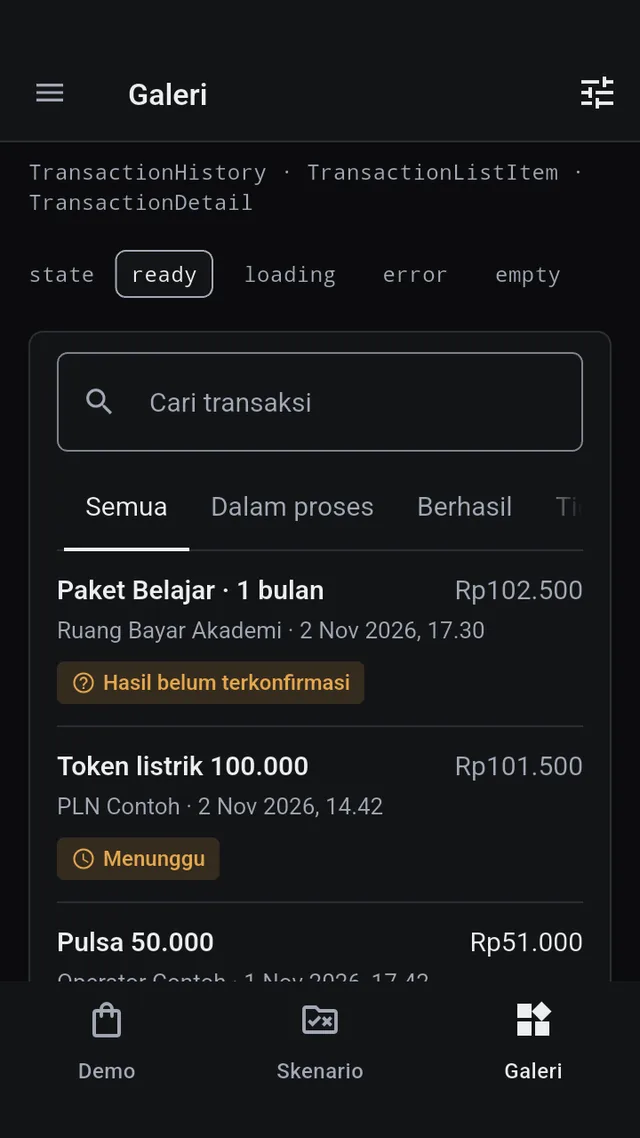
A fully controlled list of past payments with search, filter tabs, loading, error, empty and no-match states, plus a detail view with a separate refund section.
Your app supplies the records, keeps the query and filter state, runs any server-side search, and decides what each detail action does.
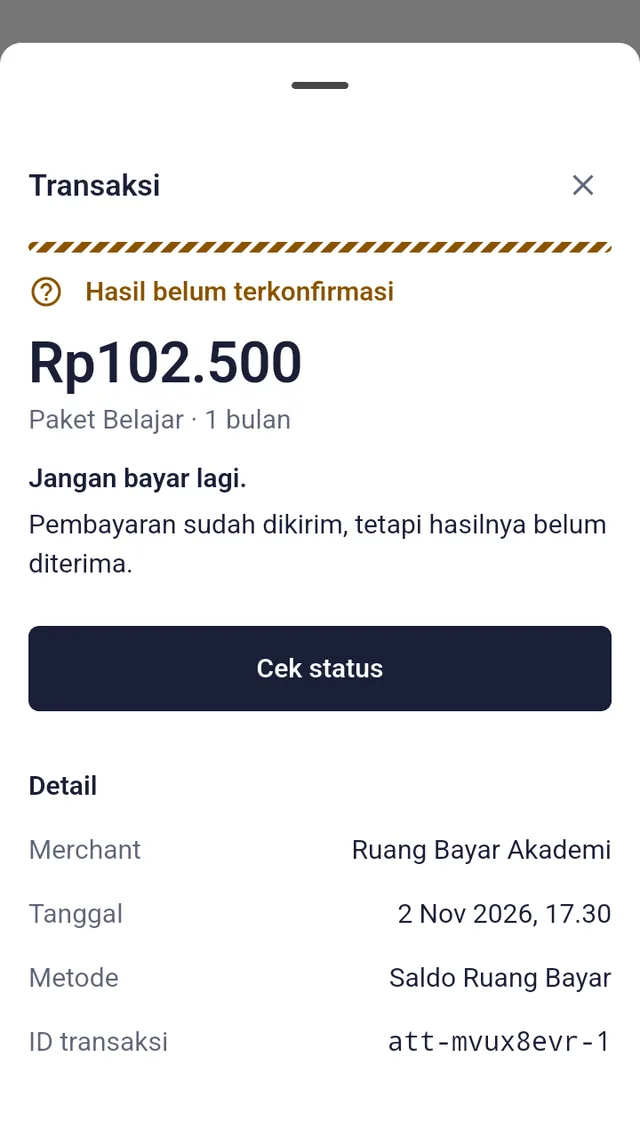
TransactionHistory( records: TransactionRecord.where(all, query: query, filter: filter), query: query, filter: filter, loading: loading, error: loadError, onRetry: reload, onQueryChanged: (q) => setState(() => query = q), onFilterChanged: (f) => setState(() => filter = f), onOpen: (record) => showPaymentSheet<void>( context: context, builder: (_) => PaymentSheet( body: TransactionDetail( record: record, actions: [ if (record.status == null || !record.status!.isTerminal) PaymentButton( label: 'Check status', onPressed: () => host.checkStatus(record.id), ), ], ), ), ),);TransactionRecord.where is a local search and filter for hosts that already hold the records (it matches title, merchant and reference). If you search on the server, pass your results straight to records.
Statement link
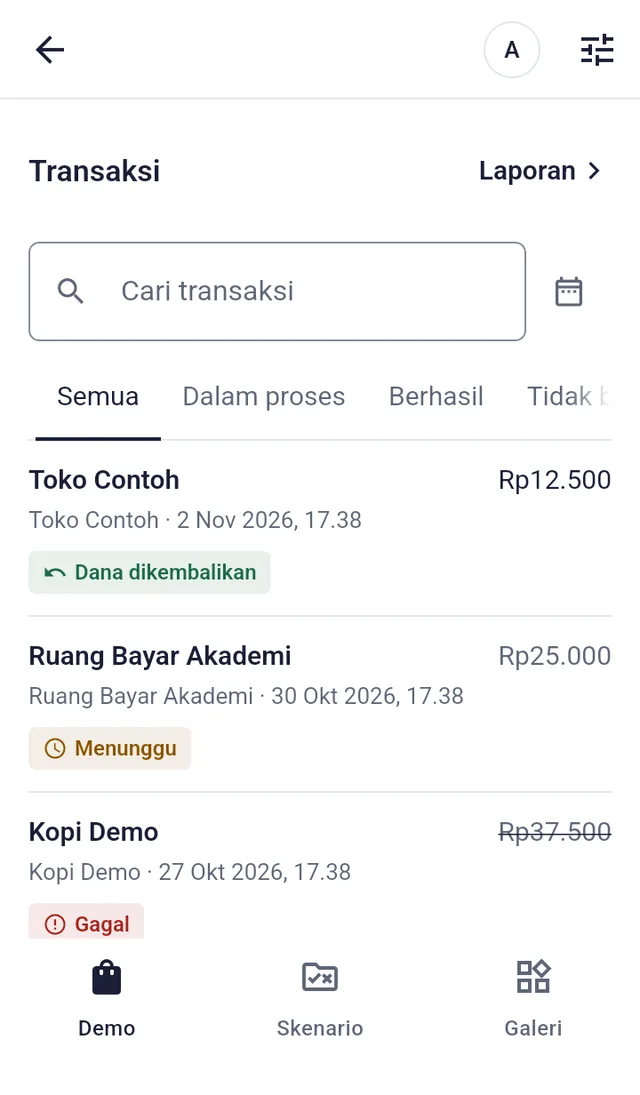
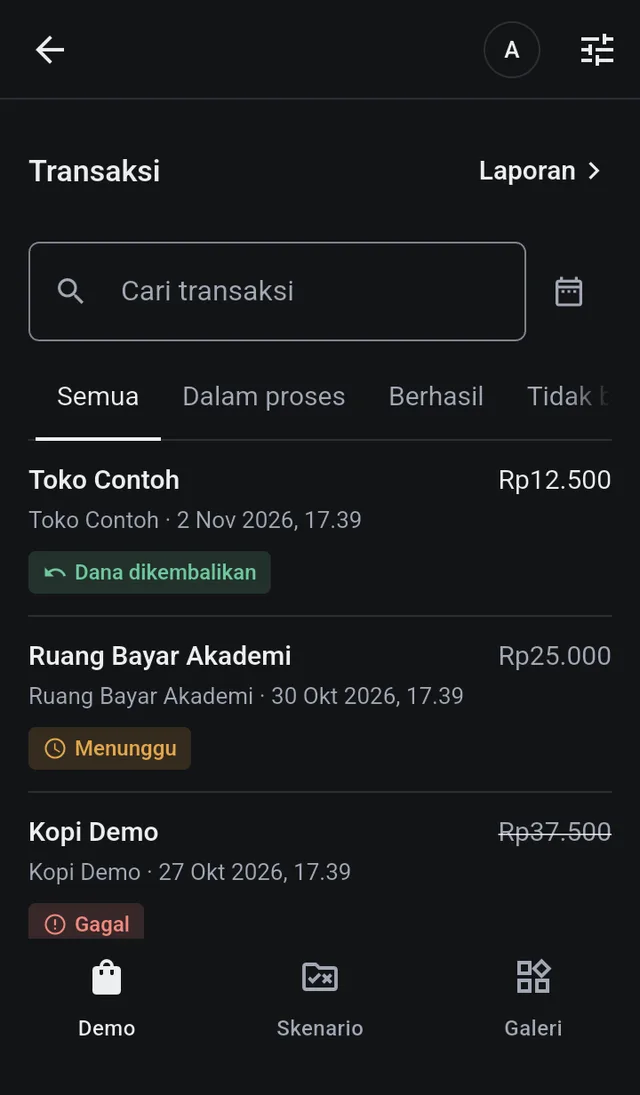
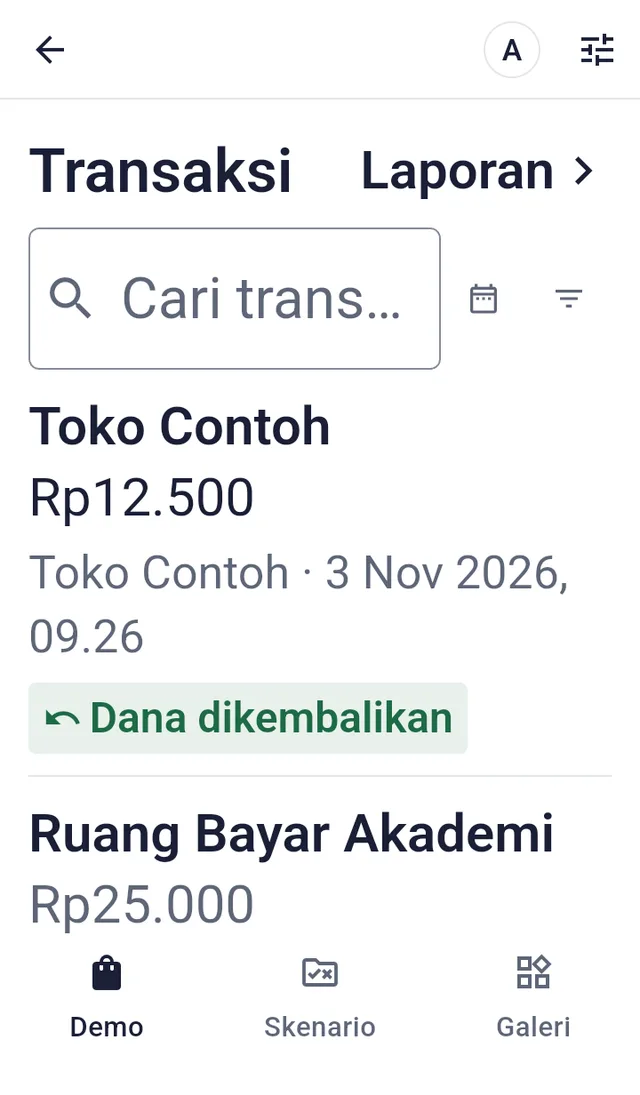
Section titled “Statement link”The history page opens the statement from its title row: PaymentFullPageView(pageLink: PaymentLink(label: 'Laporan', …)) shows “Laporan ›” beside the title. The title has priority and never breaks inside a word: when the title on one line and the link don’t fit side by side, as with “Transactions” and “Statement ›” on a small phone at 200%, at large text the link becomes the first item behind ⋮, merged with any existing header actions. At normal text it keeps its own line when needed; external links always keep their own line. History has no priority action, so it has no footer.
History is for finding a payment, so the list leads at every text size and locale: the header, the active-filter chips, then search, the tabs (the filter button on phones at large text, D91) and the rows, then the spending chart and the month’s figures (payments, refunds, most-used method). There is no large-text mode and no chart toggle. The full report opens through “Laporan ›”, or through ⋮ then “Laporan” when the link cannot fit at large text.
Filters on one line
Section titled “Filters on one line”The date range is a calendar button at the end of the search line, not a labelled field above it: pass PaymentDateRangePicker.button in searchActions. It opens the same presets and range calendar, reads “Rentang tanggal” / “Date range” as its tooltip and spoken name, and fills with the accent while a range is set. The chosen range shows as the “Tanggal: …” chip with ×, so nothing is hidden. With actions on the line, the search shows its label as the placeholder, and the label stays its spoken name. At 200% on the 360×640 dp Android phone, the header link stays beside the title when it fits and moves into the menu when it cannot. The first transaction fits above the tab bar.
On phones at large text the status tabs become a filter button at the end of the search line, after your searchActions. It reads “Filter by status” / “Saring menurut status” with the current status as its value, opens the action sheet with every status (the current one checked), and fills with the accent while a status other than All is set; show that status as a chip too. Every page header also sits 8 dp closer to its body at large text. With both, a whole first row, badge included, fits above the tab bar on a 320 dp Android phone at 200% with gesture or three-button navigation (measurements). Normal text and screens 600 dp and wider keep the tabs.
Behavior
Section titled “Behavior”- A record with
status: nullis “not confirmed yet”. It falls under In progress, never Unsuccessful, and its detail should offer a status check, never paying again. - Failed and canceled amounts are struck through; refunded amounts are not. Refunds appear as their own section next to the original payment.
- Filters are text tabs with a 2 px underline; on phones at large text they are the filter button on the search line. Pending and unknown share the amber tag in the list and differ by icon and word; the hatched band appears only on the detail.
TransactionHistorylays records out in a column for bounded lists. For long lists, copy the paged block.
Pass onCopyReference to TransactionDetail to show reference copying; the host performs the copy and reports success.
Run A01 for a full-page history with spending, the date-range button with presets and active-filter chips. The host filters records and computes every total. Remove a date, status or search chip independently, or Clear all. Empty and failed history variants offer recovery.
On phones, the example keeps the app tab bar on history and hides it on transaction detail, statement, fees and account settings (D84, extending D62). Back restores the bar on history or the overview. The side rail at ≥ 840 dp is unchanged; keep this rule when adding native back navigation (#107).
Transaction details compose a PaymentPageModule around TransactionDetail with onCopyReference, a direct PaymentDetailPageTable for attempts and a direct merchant property module. Run A02, or copy the Report a problem block to add a host-owned report action without changing the payment.
TransactionHistory
class TransactionHistory extends StatelessWidget · lib/src/payment/transactions.dart
Search, filters and a list of transactions with loading, empty, "no matches" and error states.
Fully controlled: the host owns query, filter and records (local or from its API) and gets onQueryChanged and onFilterChanged. Records are laid out in a column for pages of up to a few dozen; for longer lists, build TransactionListItems in a ListView.builder.
| Parameter | Type | Default | Description |
|---|---|---|---|
records:required | List<TransactionRecord> | — | Already filtered for query and filter. |
query:required | String | — | — |
filter:required | TransactionFilter | — | — |
onQueryChanged:required | ValueChanged<String> | — | — |
onFilterChanged:required | ValueChanged<TransactionFilter> | — | — |
onOpen:required | ValueChanged<TransactionRecord> | — | — |
loading: | bool | false | — |
error: | String? | — | Safe message when the host could not load the list. |
onRetry: | FutureOr<void> Function()? | — | — |
filters: | List<TransactionFilter> | TransactionFilter.values | — |
searchActions: | List<Widget> | const [] | Host filter controls on the search line, after the box, such as PaymentDateRangePicker.button. Show the active filter as a chip too.With actions the search line is one compact row at every text size (D63a): the search label shows as the placeholder, not above the box, and stays the field's spoken name. On phones at large text the status filter joins them as a button after these actions (D91). |
TransactionListItem
class TransactionListItem extends StatelessWidget · lib/src/payment/transactions.dart
A row in a transaction list: what, when, how much and its status.
Success is the quiet default and carries no tag; every other state gets one. A refund gets its own tag and never strikes the original amount.
| Parameter | Type | Default | Description |
|---|---|---|---|
record:required | TransactionRecord | — | — |
onTap: | VoidCallback? | — | — |
TransactionDetail
class TransactionDetail extends StatelessWidget · lib/src/payment/transactions.dart
Details of one transaction. The original payment and any refund are shown as separate sections; host actions go in actions.
| Parameter | Type | Default | Description |
|---|---|---|---|
record:required | TransactionRecord | — | — |
actions: | List<Widget> | const [] | Host-chosen actions such as "View receipt" or "Check status". For an unconfirmed payment, offer a status check, never paying again. |
onCopyReference: | Future<bool> Function(String reference)? | — | Copies the reference through the host; null hides the copy button. |
TransactionRecord
class TransactionRecord · lib/src/payment/transactions.dart
One past or ongoing payment as the host's history API reports it.
A presentation record, not a ledger entry: the host maps its own data into it. status null means the host does not know the outcome yet (for example a submit whose response was lost), which is shown as "not confirmed", never as failed.
| Parameter | Type | Default | Description |
|---|---|---|---|
id:required | String | — | — |
title:required | String | — | — |
amount:required | Money | — | — |
createdAt:required | DateTime | — | — |
status:required | PaymentStatus? | — | — |
merchant: | String? | — | — |
methodLabel: | String? | — | — |
reference: | String? | — | — |
refund: | RefundInfo | const RefundInfo(status: RefundStatus.none) | — |
TransactionFilter
enum TransactionFilter · lib/src/foundation/kit_strings.dart
Groups used by transaction filters. The matching rules live with the records.
| Value | Description |
|---|---|
all | — |
inProgress | — |
succeeded | — |
unsuccessful | — |
refunds | — |
Search uses PaymentTextField.search. Focus uses the accent border; clearing returns focus to the input.
Filter foundation
Section titled “Filter foundation”Use the date-range button and removable chips to show active filters. TransactionHistory combines the search, status filters and host-provided records; detail and overview pages compose around it.